Actions: Adding and editing data
Adding actions your users can perform in the application.
Actions make your app interactive. Users can do more than view data: they can create it, update it, and act on it. Softr has three types of actions:
-
Data actions: Let users add, update, or delete records directly in the app.
-
Navigation actions: Send users to another page, scroll to a section, or open an external link.
-
Advanced actions: Run more complex operations, such as an API call that triggers an action in an external system (for example, Zapier or Make).
For actions that run in the background, with no user clicking a button, use workflows.
Data actions
Data actions let users manage records directly in your app. You configure them on dynamic blocks such as List, Grid, Kanban, Table, Calendar, Inbox, and Item details.
-
Add record: Create a new record.
-
Edit record: Change the details of one record.
-
One-click update: Apply a predefined update to a record with one click.
-
Delete record: Delete a record.
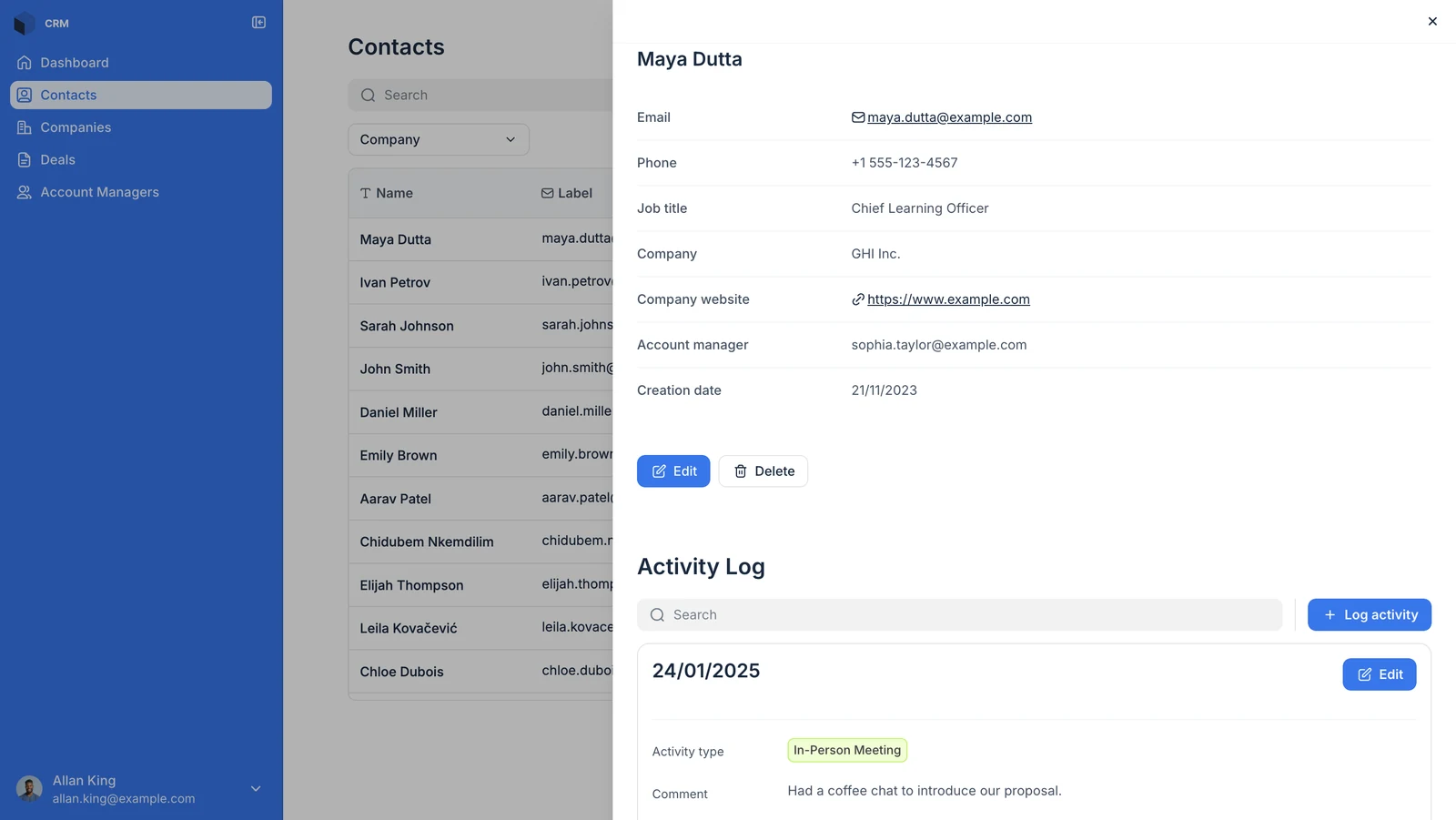
Example: In a Sales CRM, users can edit client details and log activity with clients.
Navigation actions
These actions send users to a page or an external destination. They work on both dynamic and static blocks.
-
Open page: Go to another page in your app.
-
Open details page: Open the details page of the selected record.
-
Open URL: Send users to an external link.
-
Scroll to: Scroll to a section of the page.
Example: In a Sales CRM app, clicking an account manager’s name in a list can Open details page to show their profile.
Advanced actions
These actions cover more complex operations and custom integrations.
-
Block-specific actions: Some blocks offer extra actions that fit their purpose. For example, the Kanban block lets users drag cards between columns. See the documentation of each block for details.
-
Call API: Send a custom API call. (Available for Professional, Business, and Enterprise plans)
Example: In a real estate management app, a user clicks Request an appointment. The action triggers Zapier, which sends a Slack notification to the realtor. Watch the video: configure a webhook URL through automation platforms like Zapier