Softr Databases Overview
Store your application data in Softr Databases.
Softr Databases is a powerful, relational database tool built directly into Softr. It is designed to be the fastest and most seamless way to store, manage, and organize your application data.
Because it is native to the platform, Softr Databases offers several key advantages over external sources:
- No API Rate Limits: You never have to worry about hitting record fetch or update limits.
- Superior Performance: Faster data loading and updates with no third-party middleware.
- All-in-One Management: Manage your data and app logic in a single interface inside the Studio.
Think of it like a smarter spreadsheet—but perfectly optimized for building apps.

Softr gives you a few easy ways to get started with your database:
- Start from scratch: Set up your own tables and fields based on what your app needs.
- Use a template: Pick from ready-made templates (like CRM, job board, or inventory) to get started faster.
- Import: Bring your existing data into Softr with a simple import. Currently supporting CSV and Airtable import, with more import options coming soon.

Step-by-Step: Create your first database
Here’s how to create your first database and understand the key pieces along the way:
Create a new database and your first table
You can add more tables by clicking on the + button. You have a few options to choose from:
- Start from scratch
- Generate with AI
- Import from CSV
- Import from Airtable
- Import from Google Sheets (coming soon)

Add Fields
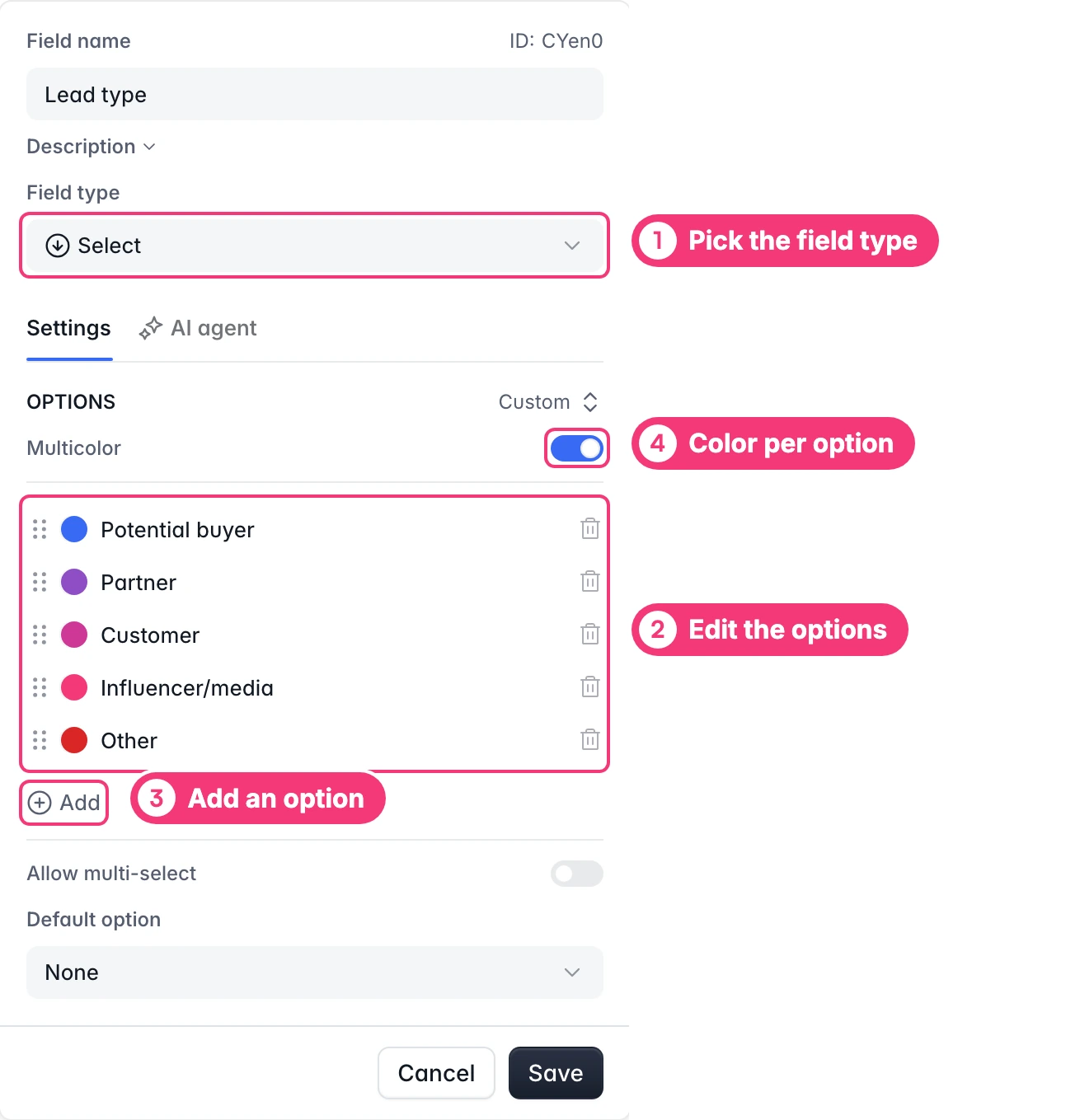
Fields are the pieces of information you want to store about each item. These are the columns in your table.
You can add fields manually, or let the AI Co-Builder do it for you (e.g., “Add a status field with options for To Do, In Progress, and Done” or “Create a relationship field linked to Clients”).
For example, if adding manually, a client might have:
- Name
- Company
- Status
Each field has a type that tells the database what kind of info it should expect. Here are a few common ones:
- Text – for names or notes
- Number – for prices or quantities
- Date – for deadlines or schedules
- File/Image – for uploading documents or pictures
- Relationship – to connect one table to another, like linking a project to a client

Add More Tables/Fields/Records as Needed
As your app grows, you may add more tables—such as Projects, Orders, or Support Tickets—or add more fields to collect new data, like Notes, Payment Status, and Company contacts.

That’s it—you’ve just built the foundation of your app with a well-structured database!
Connect the Database to the Softr Application
Once you’ve created your database, you’re ready to build and connect to your app.
Connect your data to a dynamic block
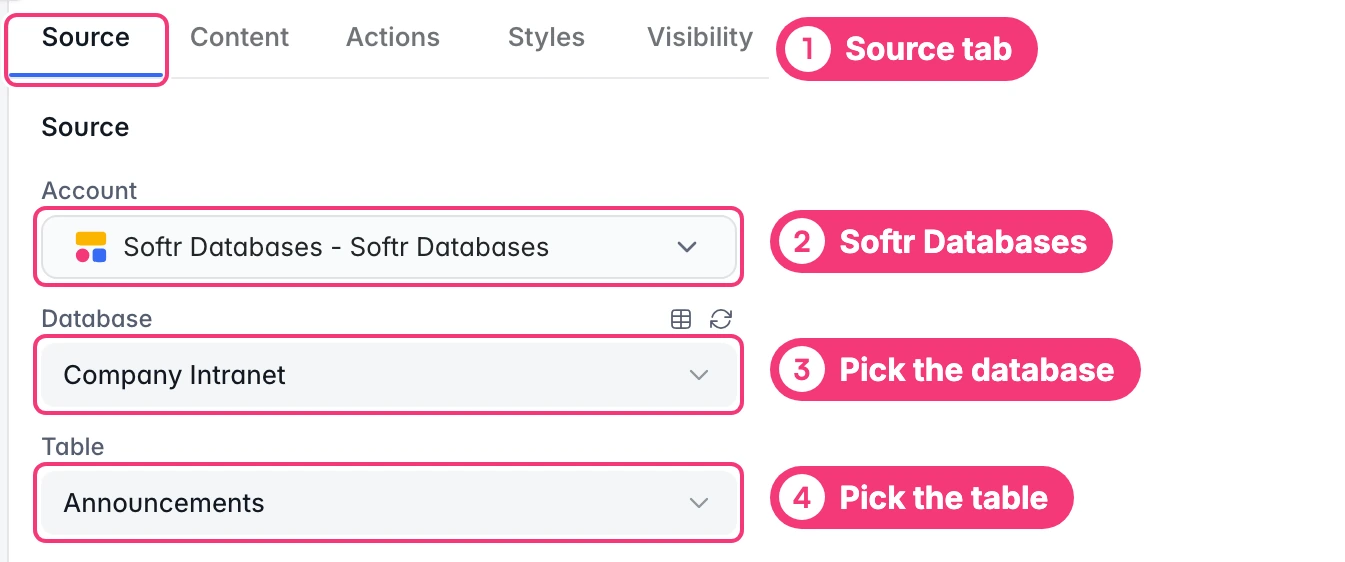
To display your data in the app, connect a dynamic block (e.g., List, Grid, Table) to Softr Databases:
- Go to the Block source tab and select Softr Databases
- Pick the Database you want to use.
Map Database fields to item fields
When you connect your table to a block, you can choose which columns to display and map to block fields. This lets you control how your data appears in the app.

Supported field types
All Database fields are supported in Softr Blocks. Some fields are read-only. For more detailed information about fields and their configuration, refer to the Fields page.
Database structure limits
| What you’re adding | Maximum allowed |
|---|---|
| Databases per workspace | 1,000 |
| Tables per database | 512 |
| Fields (columns) per table | 512 |
| Options in a single- or multi-select field | 512 |
FAQ
Where is the Softr Database stored?
All Softr Database data is currently stored in the AWS EU Region.
Is Softr Databases GDPR compliant?
Yes, Softr follows GDPR-aligned practices for data protection and privacy.
Are Softr Databases available on the free plan?
Yes! Softr Databases are available for everyone to try, with record limits tailored to each plan so you can build and scale with confidence. The free plan includes up to 1000 records per database (and 5000 records across databases).
Can I add data to Softr Databases via API or automation tools?
Yes! You can connect any tool with a REST API and push data to Softr Databases using the public API. And you can connect to Zapier to power automations across your entire stack (Make and n8n integrations coming soon).