Salesforce integration
Connect Salesforce to Softr workflows to automate CRM tasks, sync customer data, and keep your sales pipeline up to date. You don’t need to write code.
Overview
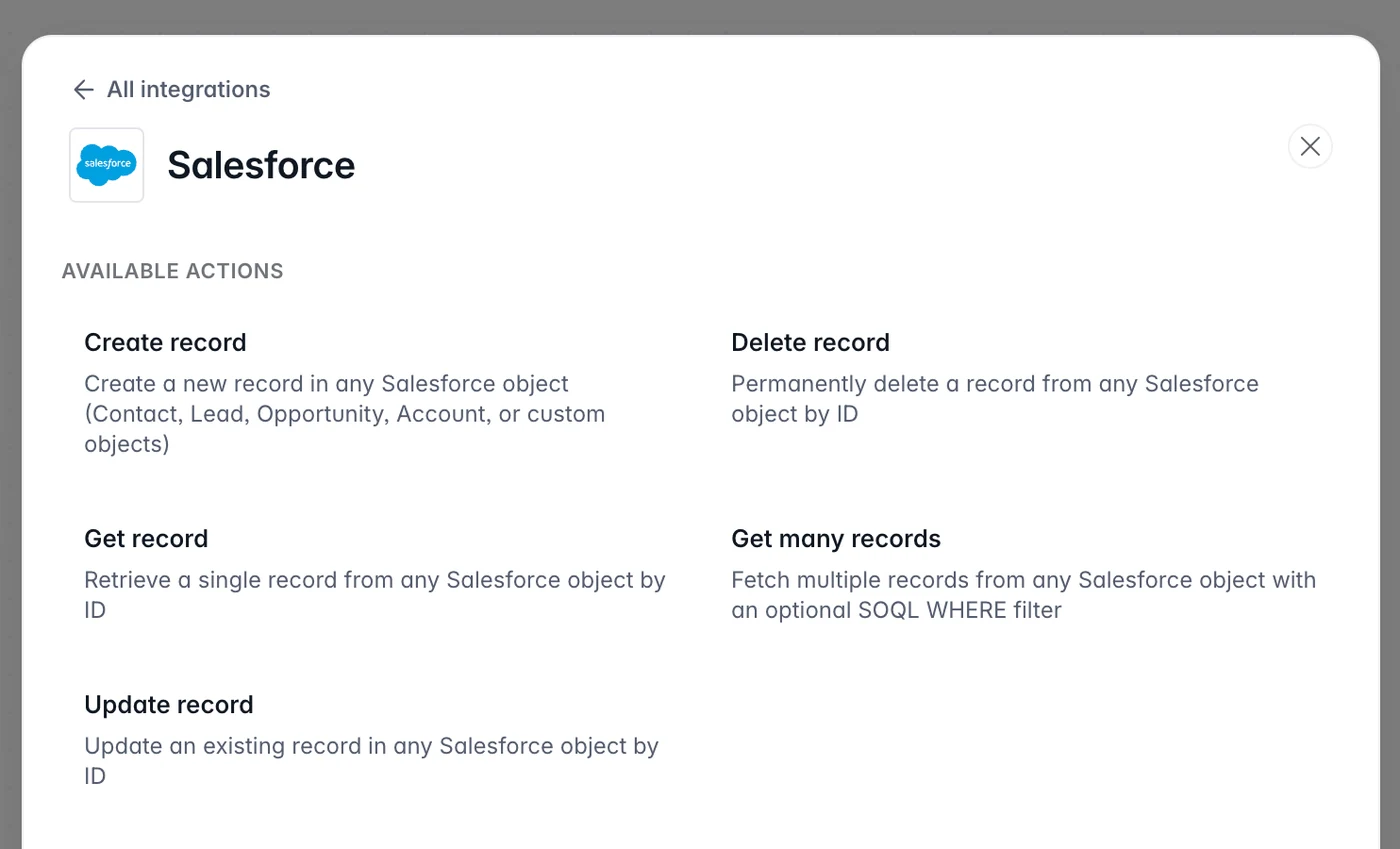
The Softr Salesforce integration lets you create, update, retrieve, and delete records in any Salesforce object. This includes Contacts, Leads, Opportunities, Accounts, and custom objects. Start a workflow from a form submission, a user sign-up, a record change, or any other event in your Softr app, and Salesforce reflects the change right away.
Use Softr workflows to connect your customer portals and internal tools to Salesforce. Your team gets accurate data without manual entry.
Available actions
Create record
Add a new record to any Salesforce object. Select the object type (Contact, Lead, Opportunity, Account, or a custom object). Then map fields from your Softr form or database to the Salesforce object fields.
Update record
Update an existing Salesforce record by ID. Select the object type, provide the record ID, and map the fields you want to change. For example, update a phone number, change a deal stage, or reassign an account owner.
Get record
Retrieve a single Salesforce record by its ID. Select the object type and provide the record ID. All fields of the record are available in later workflow steps.
Get many records
Fetch several records from any Salesforce object. Optionally filter the results with a SOQL WHERE clause (for example, LastName = 'Doe' AND AccountId = '001abc') and set a limit on the number of records returned.
Delete record
Permanently remove a record from any Salesforce object by ID. Start this workflow from an admin action button or a data-cleanup workflow.
Key benefits
- Works with any Salesforce object: Automate Contacts, Leads, Opportunities, Accounts, and your own custom objects.
- No manual data entry: Push data from Softr forms and portals into Salesforce without copy and paste.
- Real-time CRM sync: Update Salesforce as soon as something happens in your Softr app, such as a new sign-up, a form submission, or a record update.
- Customer portals: Build client-facing portals in Softr that read from and write to Salesforce.
- No Salesforce admin needed: Configure CRM automations visually in Softr. You don’t need custom Apex code or complex Salesforce flows.
- Multi-step workflows: Chain Salesforce actions with other integrations. For example, send a Slack notification after you create a record, or email a confirmation after a deal closes.
Example use cases
| Use case | Description |
|---|---|
| Lead capture from forms | A visitor submits a contact form in your Softr app. The workflow creates a Salesforce Lead or Contact with their details. |
| Member portal sync | A new user signs up to your Softr portal. The workflow creates a Salesforce Contact and assigns it to the right account. |
| CRM data enrichment | Customers update their own profile in a Softr portal. The changes flow into their Salesforce record. |
| Deal pipeline automation | A form is submitted or a status changes in Softr. The workflow creates or updates a Salesforce Opportunity to keep your pipeline current. |
| Admin record management | Give your team an internal dashboard in Softr to look up, edit, or remove Salesforce records. Not every user needs a Salesforce license. |
| Deduplication before outreach | Before you create a record, query Salesforce with a SOQL filter. If the record exists, skip it or update it. |
| Offboarding automation | A user account is deleted in Softr. The workflow deletes or updates the matching Salesforce record. |
Connect Softr to Salesforce
Salesforce needs a one-time package installation before you can connect your org through OAuth.
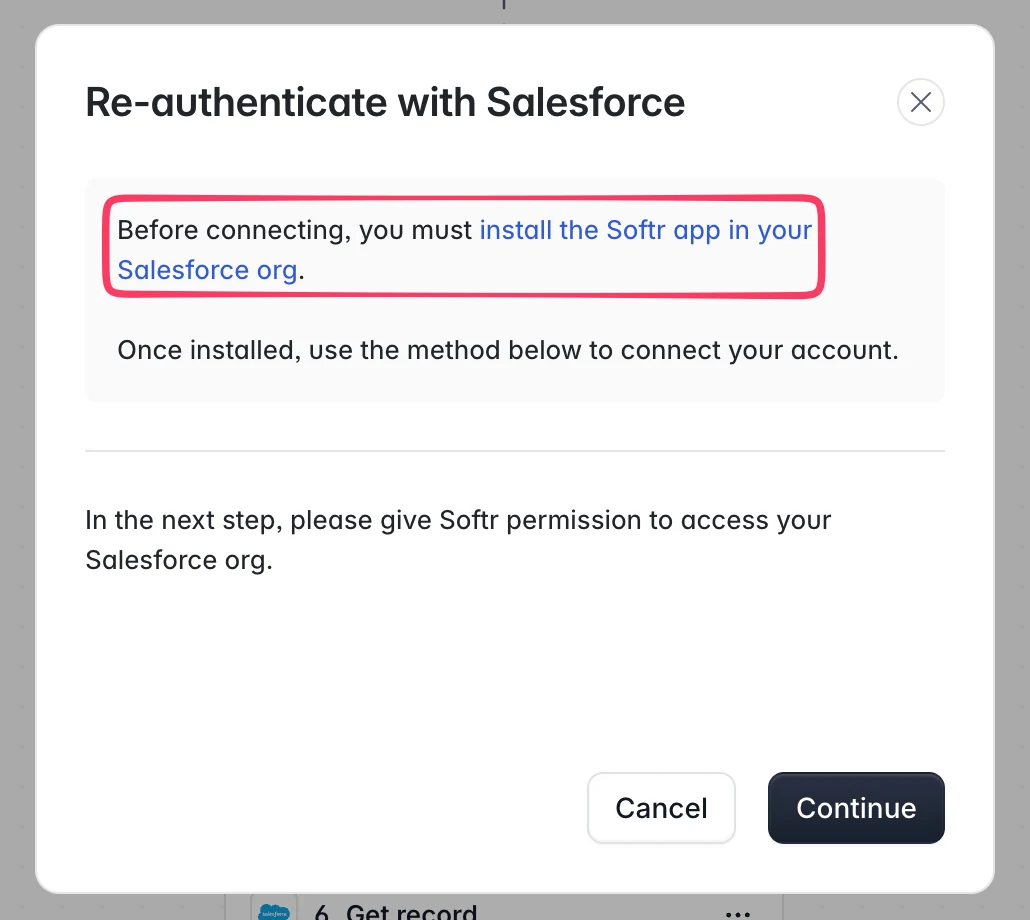
- Install the Softr app in your Salesforce org. You do this once per org.
- In Softr, open the Workflows section and create or edit a workflow.
- Add a Salesforce action step (Create record, Update record, and so on).
- Click Connect Salesforce and authorize Softr to access your Salesforce org through OAuth.
- Select the object type you want to work with (Contact, Lead, Opportunity, Account, or a custom object).
- Configure the action inputs. Map fields from your workflow data to the Salesforce object fields.
- Publish your workflow to start syncing data.