

Getting the form embed code
In your Typeform account, open the form that you want to add to your site, and hit Share in the top navbar.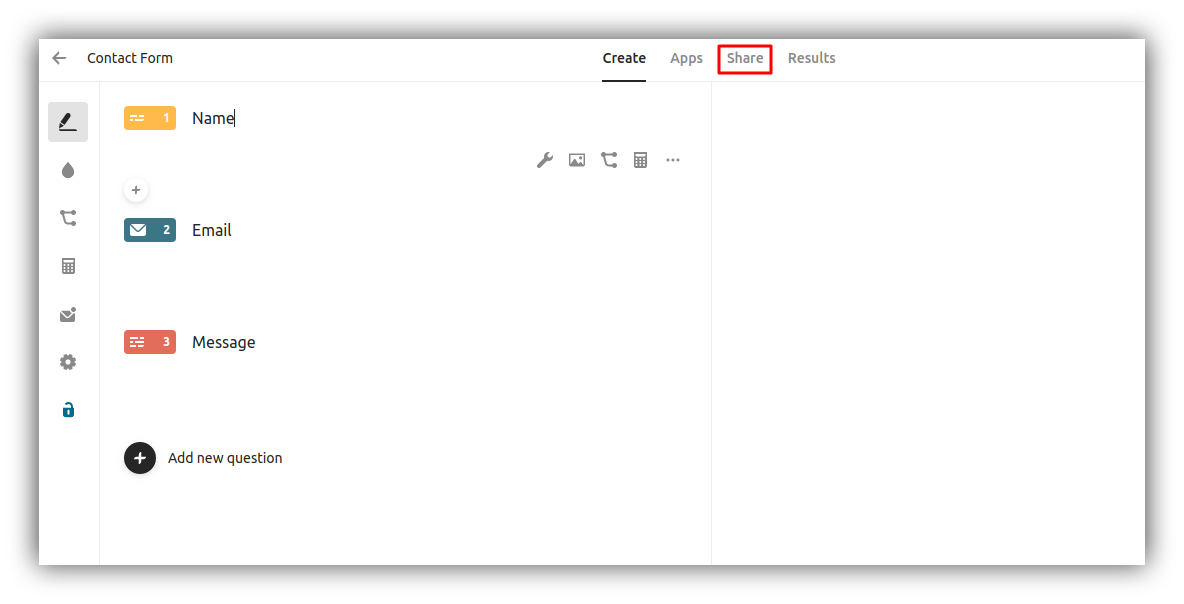
Share form
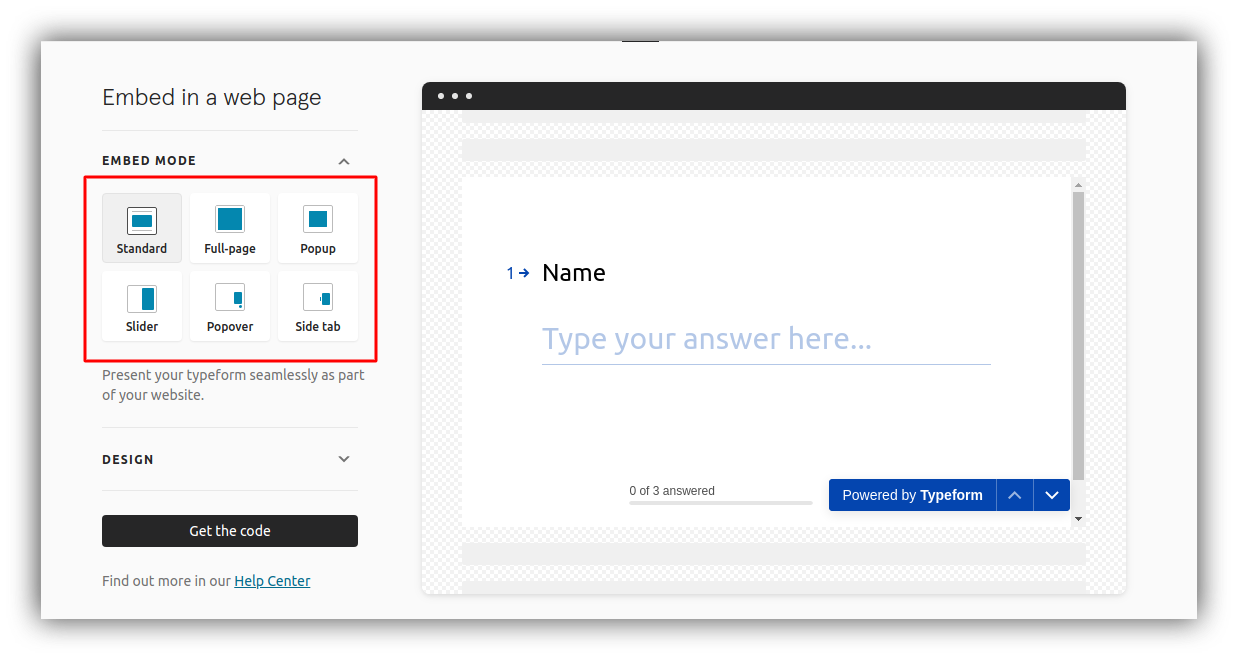
Embed mode
Adding the Embed Code
The embed code can be added inside a Custom Code block. You just need to paste the code inside the block as shown below.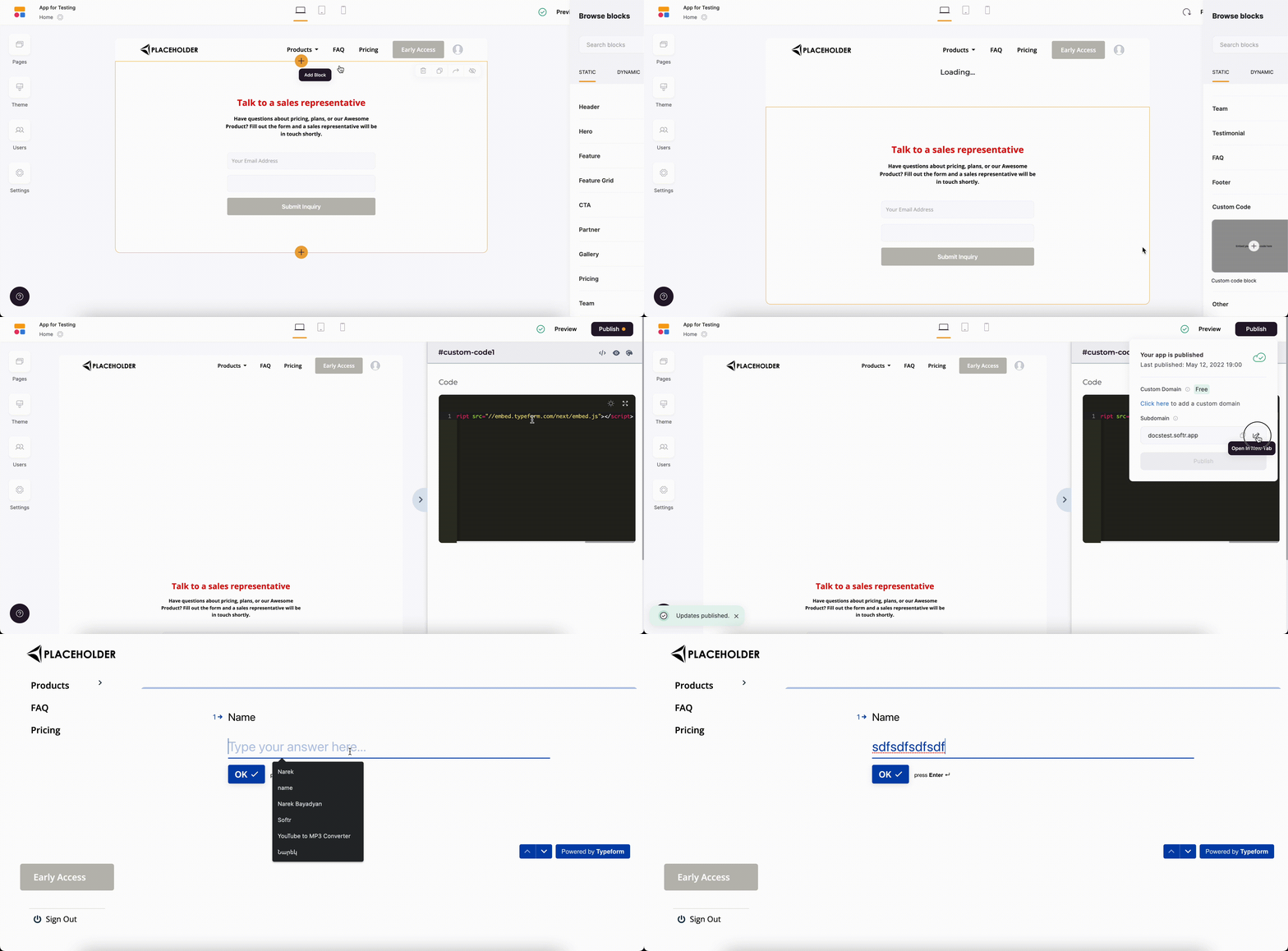
Adding embed code inside the Custom Code block
Adding a Full-Page Embed Code
If you want to add a Full-page Typeform embed, you can use the Custom Code section inside Page Settings. Just paste the code inside the Header or Footer area.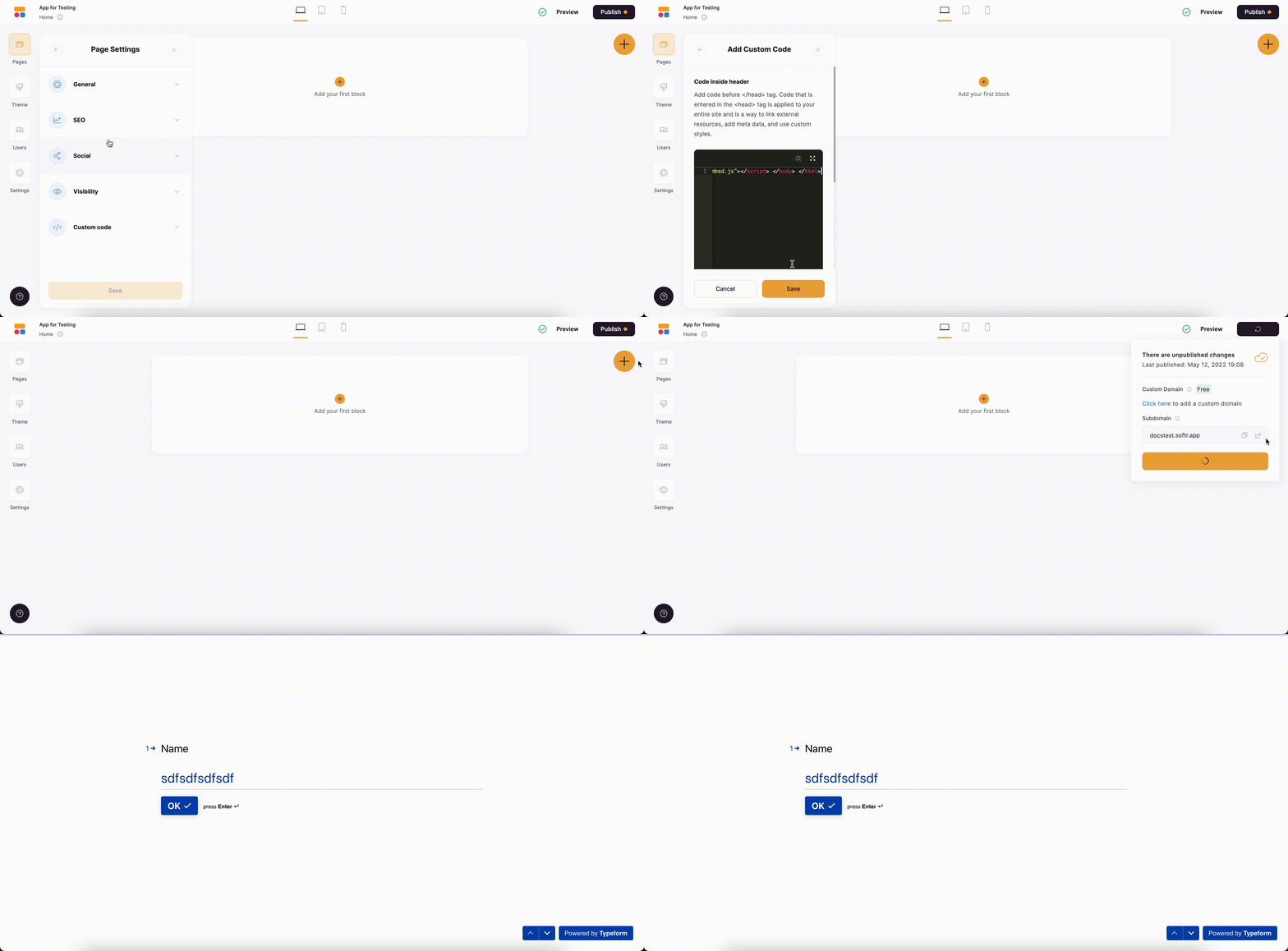
Adding the code to a page