> ## Documentation Index
> Fetch the complete documentation index at: https://docs.softr.io/llms.txt
> Use this file to discover all available pages before exploring further.
# Troubleshooting Airtable errors
> Common Airtable errors and how to fix them.
When using Airtable as your data source, you may run across some errors. In this article we help you to troubleshoot the most common error cases related to Airtable.
## Invalid Airtable key
### API key for Airtable account ‘\{account\_name}’ is no longer valid
Invalid Airtable key error can be caused by:
* Airtable API key has been deleted in Airtable
* Airtable API key has been regenerated in Airtable
Start by making sure there is an Airtable key added to your app by going to App Settings > Data Sources.
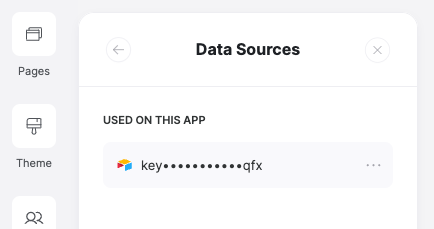 If there is an Airtable key used in the the app, make sure the connected Airtable key is still valid. To do this you can find your Airtable API key in your Airtable account overview.
[Airtable account overview](https://airtable.com/account)
If there is an Airtable key used in the the app, make sure the connected Airtable key is still valid. To do this you can find your Airtable API key in your Airtable account overview.
[Airtable account overview](https://airtable.com/account)
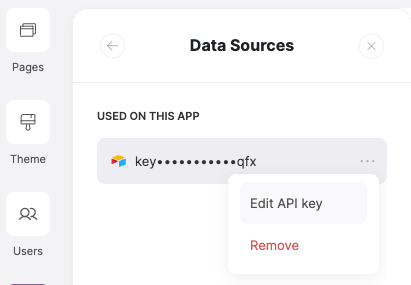
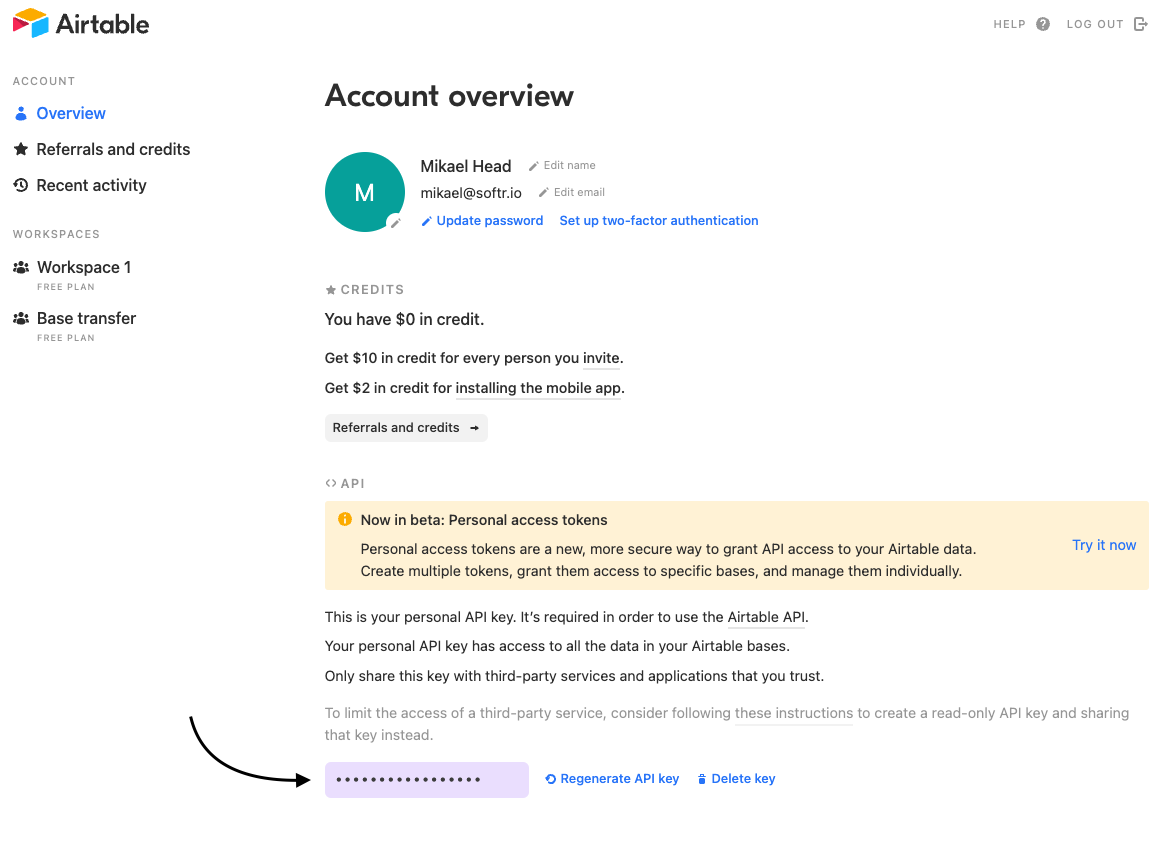 Make sure the Airtable API key used in your Softr app matches the Airtable API key shown in your Airtable account overview. If they don’t, **paste the Airtable API key from Airtable into your Softr app** in App Settings > Data Sources > Edit API key.
 ## Missing data source
### Mapped base ‘\{base\_name}’ can no longer be found
This error can happen when your Airtable base is **moved** or **deleted**.
If your Airtable base is **moved** to a workspace you don’t have access to, you should ask the workspace owner to give you access to the new workspace.
[Viewing and changing permissions in Airtable](https://support.airtable.com/docs/viewing-and-changing-permissions)
If the Airtable base was **deleted** permanently, you will need to use an alternative Airtable base as your data source.
### Mapped table ‘\{table\_name}’ can no longer be found
This error can be caused by the table being **renamed** or **deleted.**
If your table was **renamed**, you can simply rename the table back to its original name. Alternatively you can map your block(s) to the newly named table.
If the table was **deleted** permanently, you will need to map your block(s) to another table or view.
### Mapped view ‘\{view\_name}’ can no longer be found
Error for missing Airtable view can be caused by the view being **renamed** or **deleted.**
If the view was **renamed**, you can simply rename the view back to its original name. Alternatively you can map your block(s) to the newly named view.
If the view was **deleted** permanently, you will need to map your block(s) to an another view or table.
### Mapped field ‘\{field\_name}’ can no longer be found
This means that a field you had mapped to your block was **renamed** or **deleted.**
If the field was **renamed**, you can:
* Rename the field back to it’s original name
* (Re-)map the newly named field to your block
If the field was **deleted** permanently, you will need to use another field.
## Lacking permissions
### Airtable account doesn’t have permissions to view/edit records in mapped base ‘\{base\_name}’
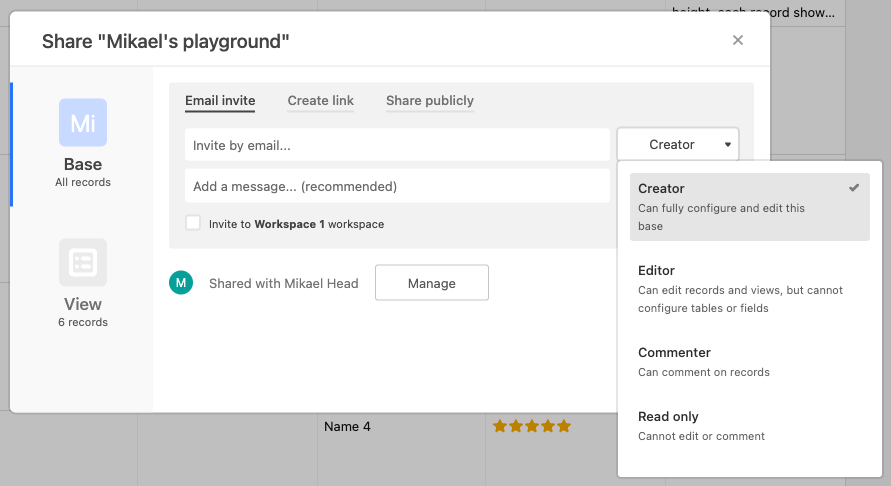
This error means that you lack the permissions to view/edit records in the Airtable base you’ve mapped.
To resolve it you should ask for the owner of the Airtable base to grant you view/edit permissions.
[Updating permissions for base collaborators](https://support.airtable.com/docs/viewing-and-changing-permissions#updating-permissions-for-base-collaborators)
## Missing data source
### Mapped base ‘\{base\_name}’ can no longer be found
This error can happen when your Airtable base is **moved** or **deleted**.
If your Airtable base is **moved** to a workspace you don’t have access to, you should ask the workspace owner to give you access to the new workspace.
[Viewing and changing permissions in Airtable](https://support.airtable.com/docs/viewing-and-changing-permissions)
If the Airtable base was **deleted** permanently, you will need to use an alternative Airtable base as your data source.
### Mapped table ‘\{table\_name}’ can no longer be found
This error can be caused by the table being **renamed** or **deleted.**
If your table was **renamed**, you can simply rename the table back to its original name. Alternatively you can map your block(s) to the newly named table.
If the table was **deleted** permanently, you will need to map your block(s) to another table or view.
### Mapped view ‘\{view\_name}’ can no longer be found
Error for missing Airtable view can be caused by the view being **renamed** or **deleted.**
If the view was **renamed**, you can simply rename the view back to its original name. Alternatively you can map your block(s) to the newly named view.
If the view was **deleted** permanently, you will need to map your block(s) to an another view or table.
### Mapped field ‘\{field\_name}’ can no longer be found
This means that a field you had mapped to your block was **renamed** or **deleted.**
If the field was **renamed**, you can:
* Rename the field back to it’s original name
* (Re-)map the newly named field to your block
If the field was **deleted** permanently, you will need to use another field.
## Lacking permissions
### Airtable account doesn’t have permissions to view/edit records in mapped base ‘\{base\_name}’
This error means that you lack the permissions to view/edit records in the Airtable base you’ve mapped.
To resolve it you should ask for the owner of the Airtable base to grant you view/edit permissions.
[Updating permissions for base collaborators](https://support.airtable.com/docs/viewing-and-changing-permissions#updating-permissions-for-base-collaborators)
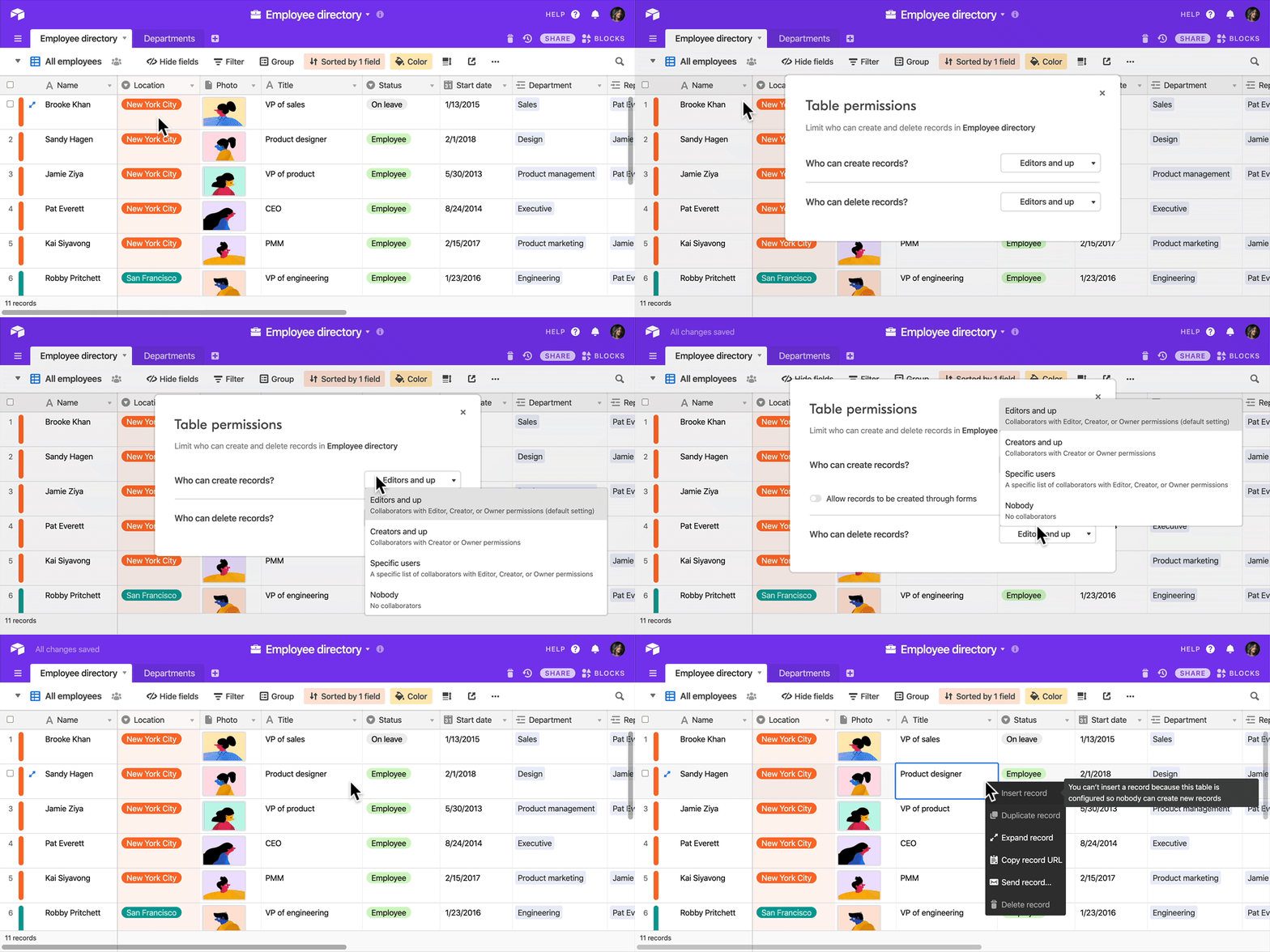
 ### Airtable account doesn’t have permissions to create/delete records on mapped table ‘\{table\_name}’
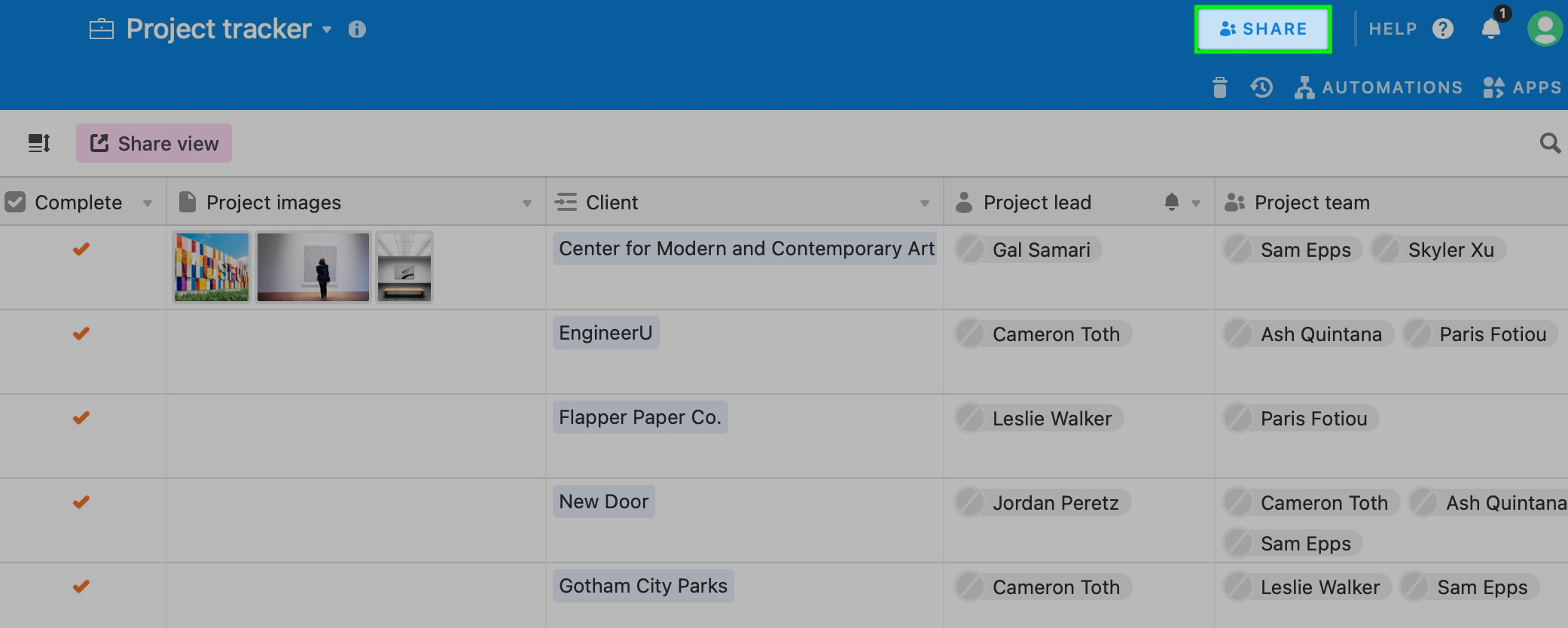
This error means that you lack the permissions to create/delete records in the Airtable table you’ve mapped to a block. To resolve it, someone with owner or creator permissions for the table needs to give you the required permissions.
[Changing table editing permissions](https://support.airtable.com/docs/using-field-and-table-editing-permissions#changing-table-editing-permissions)
### Airtable account doesn’t have permissions to create/delete records on mapped table ‘\{table\_name}’
This error means that you lack the permissions to create/delete records in the Airtable table you’ve mapped to a block. To resolve it, someone with owner or creator permissions for the table needs to give you the required permissions.
[Changing table editing permissions](https://support.airtable.com/docs/using-field-and-table-editing-permissions#changing-table-editing-permissions)
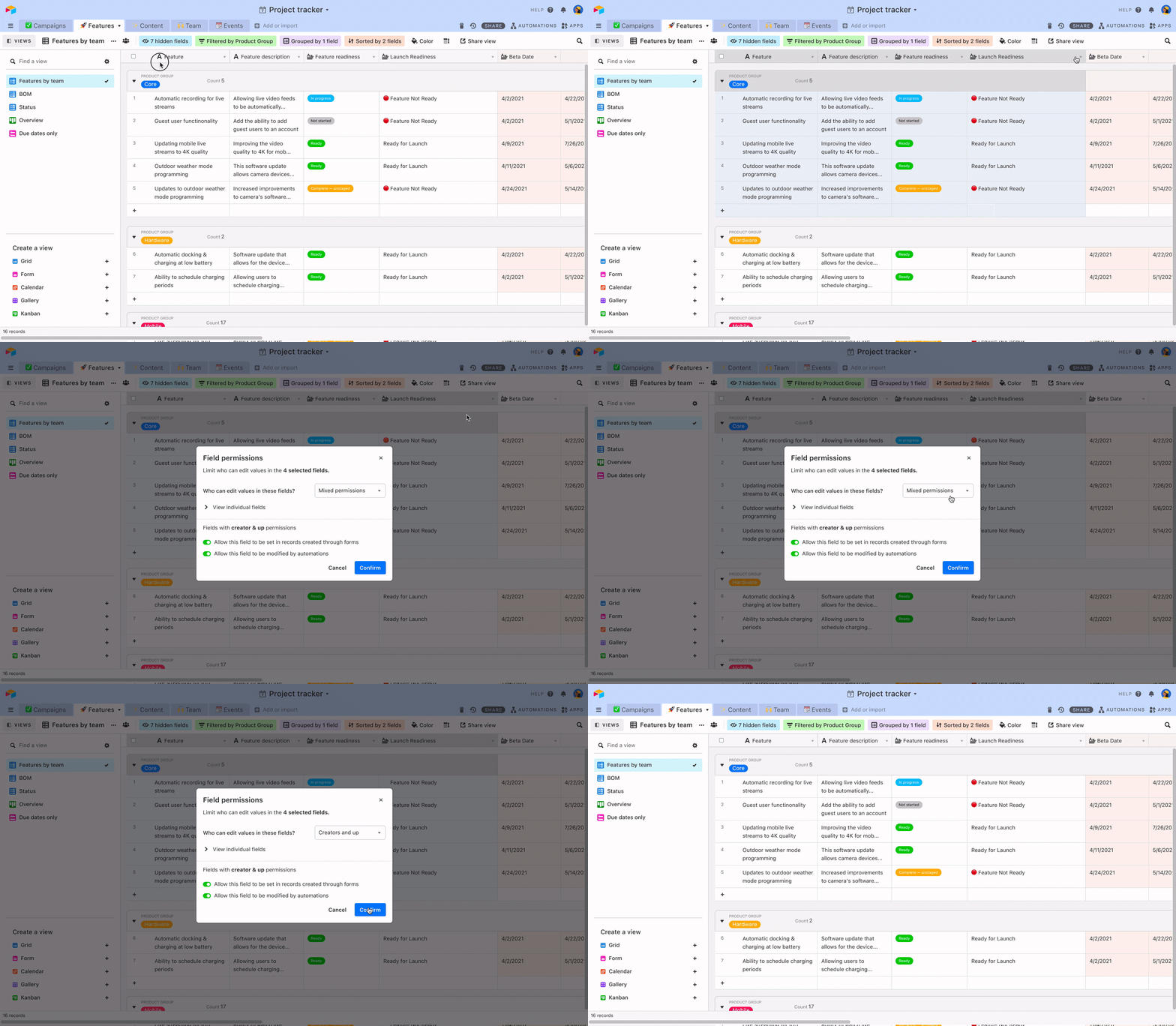
 ### Airtable account doesn’t have permissions to edit mapped field ‘\{field\_name}’
If you don’t already have the permissions in Airtable to edit the mapped field, you will need an owner or collaborator to give you the permissions in Airtable.
[Changing field editing permissions](https://support.airtable.com/docs/using-field-and-table-editing-permissions#changing-field-editing-permissions)
### Airtable account doesn’t have permissions to edit mapped field ‘\{field\_name}’
If you don’t already have the permissions in Airtable to edit the mapped field, you will need an owner or collaborator to give you the permissions in Airtable.
[Changing field editing permissions](https://support.airtable.com/docs/using-field-and-table-editing-permissions#changing-field-editing-permissions)
 ## Incompatible data type
### Airtable field ‘\{field\_name}’ is read-only. It cannot be mapped to an input
Read only Airtable fields don’t accept inputs. To resolve the issue you will need to either:
* **Map the input to another Airtable field** that is not read-only
* **Change the currently mapped Airtable field** to a field type that is not read-only
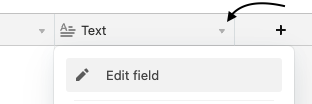
To **change the field type** in Airtable click on the field options menu and choose “Edit field”.
## Incompatible data type
### Airtable field ‘\{field\_name}’ is read-only. It cannot be mapped to an input
Read only Airtable fields don’t accept inputs. To resolve the issue you will need to either:
* **Map the input to another Airtable field** that is not read-only
* **Change the currently mapped Airtable field** to a field type that is not read-only
To **change the field type** in Airtable click on the field options menu and choose “Edit field”.
 **List of read-only Airtable fields**
* Count
* Lookup
* Rollup
* Formula
* Autonumber
* Button
* Created by
* Last modified by
* Created time
* Last modified time
## Miscellaneous
### ’Open page’ > Selected details page ‘\{page\_name}’ doesn’t map to the same Airtable table
This error happens when your list details page maps to a different Airtable table than the list page it’s connected to. To resolve it, go to **List Details block settings** > DATA, map the List Details block to the same table as the List block.
Alternatively you can replace your list page with another page that’s mapped to the list details page.
### Pagination issue in Airtable
This issue can sometimes can happen when an app user clicks ‘load more records’ after 5-10 minutes of inactivity.
**List of read-only Airtable fields**
* Count
* Lookup
* Rollup
* Formula
* Autonumber
* Button
* Created by
* Last modified by
* Created time
* Last modified time
## Miscellaneous
### ’Open page’ > Selected details page ‘\{page\_name}’ doesn’t map to the same Airtable table
This error happens when your list details page maps to a different Airtable table than the list page it’s connected to. To resolve it, go to **List Details block settings** > DATA, map the List Details block to the same table as the List block.
Alternatively you can replace your list page with another page that’s mapped to the list details page.
### Pagination issue in Airtable
This issue can sometimes can happen when an app user clicks ‘load more records’ after 5-10 minutes of inactivity.