> ## Documentation Index
> Fetch the complete documentation index at: https://docs.softr.io/llms.txt
> Use this file to discover all available pages before exploring further.
# Block Styles and Formatting
> Customizing the look and feel of blocks.
Each [block](/97425386980f42deaf4a77dd07b346a9) has a **Styles** tab in the settings sidebar, which you can use to apply custom styling and colors to the block. Let’s review some of the common settings that most of the blocks have.
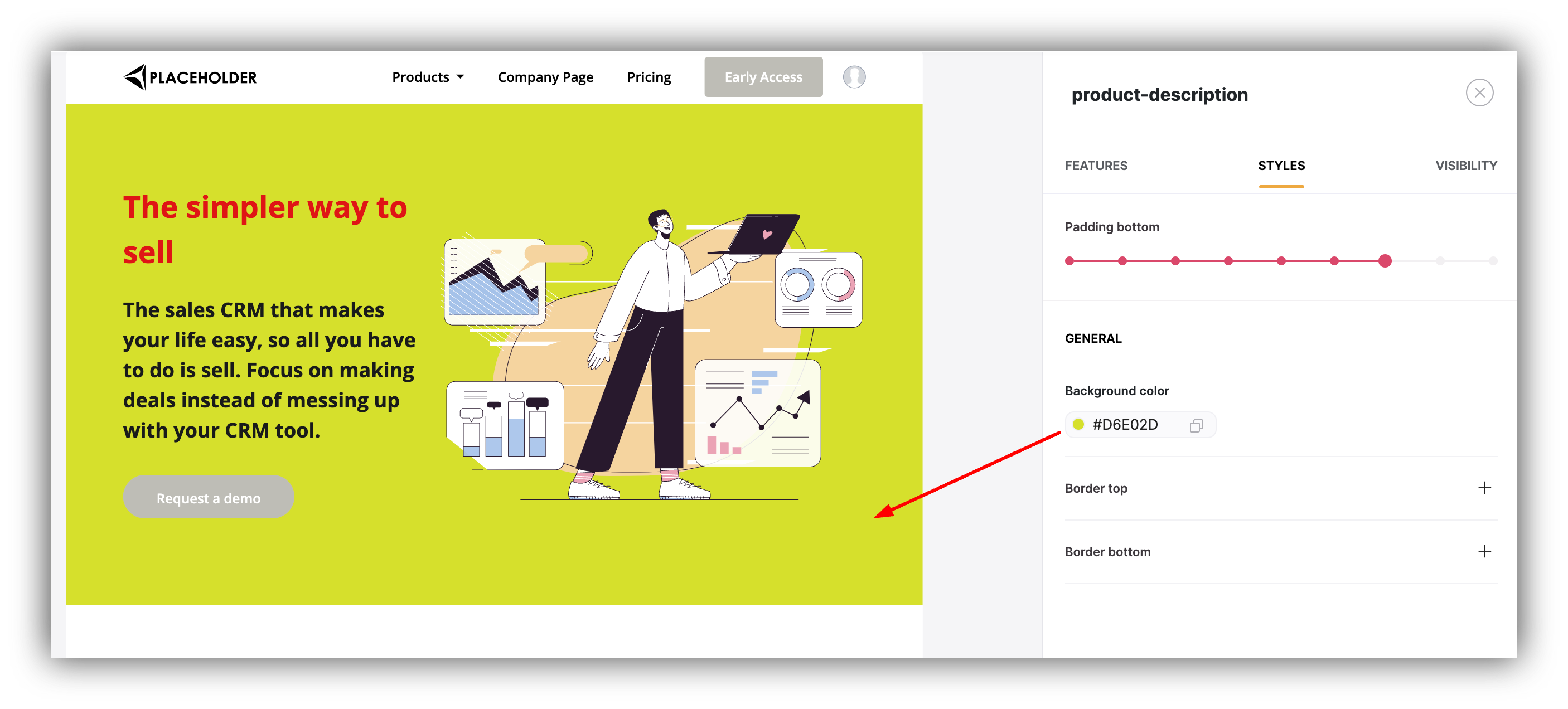
## ****Background Color****
This is for setting the background color of the entire block.
 ## ****Padding****
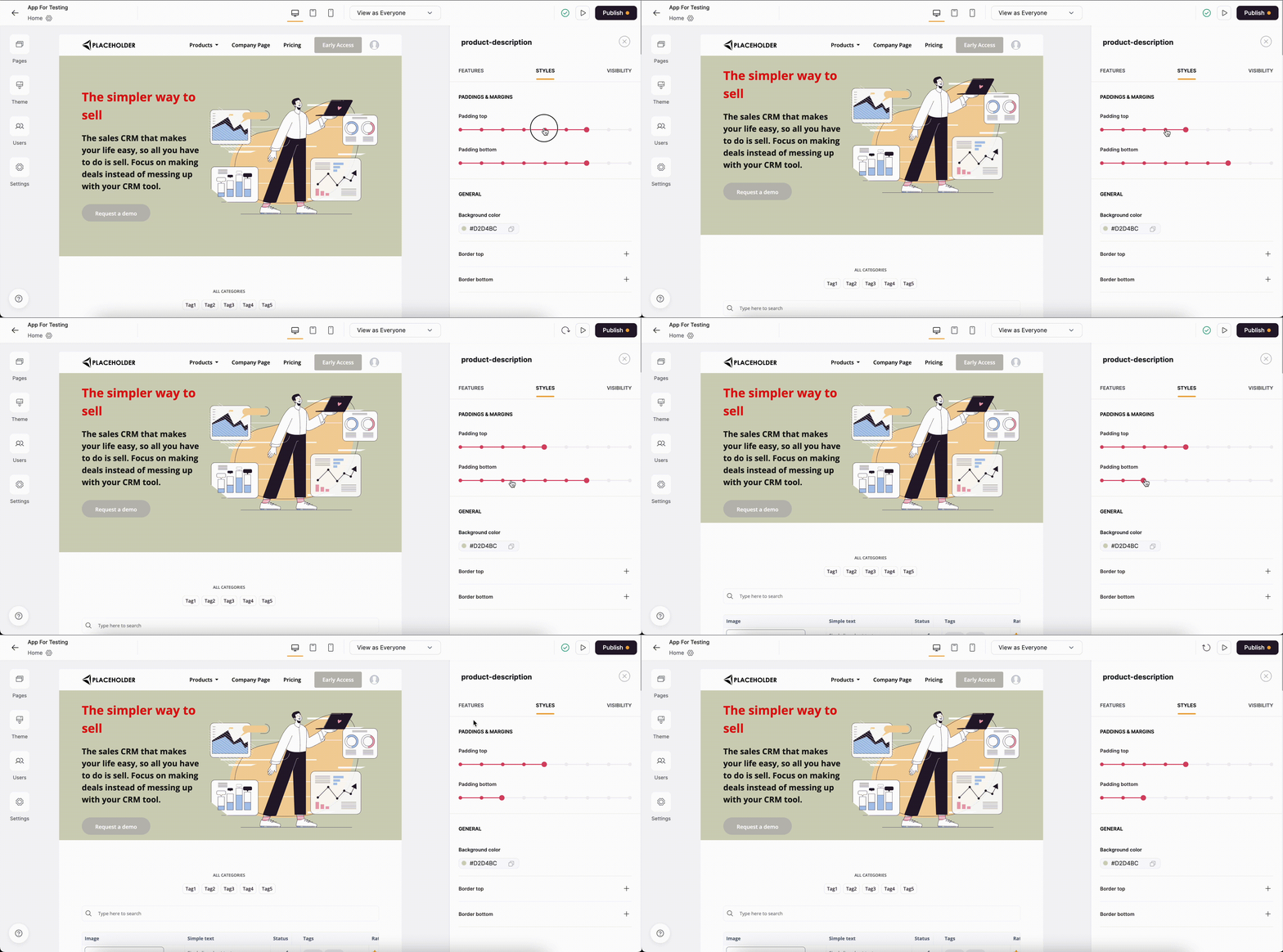
Allows to control the **Top** and **Bottom** **Padding** within the block, as shown below.
## ****Padding****
Allows to control the **Top** and **Bottom** **Padding** within the block, as shown below.
 ## ****Border****
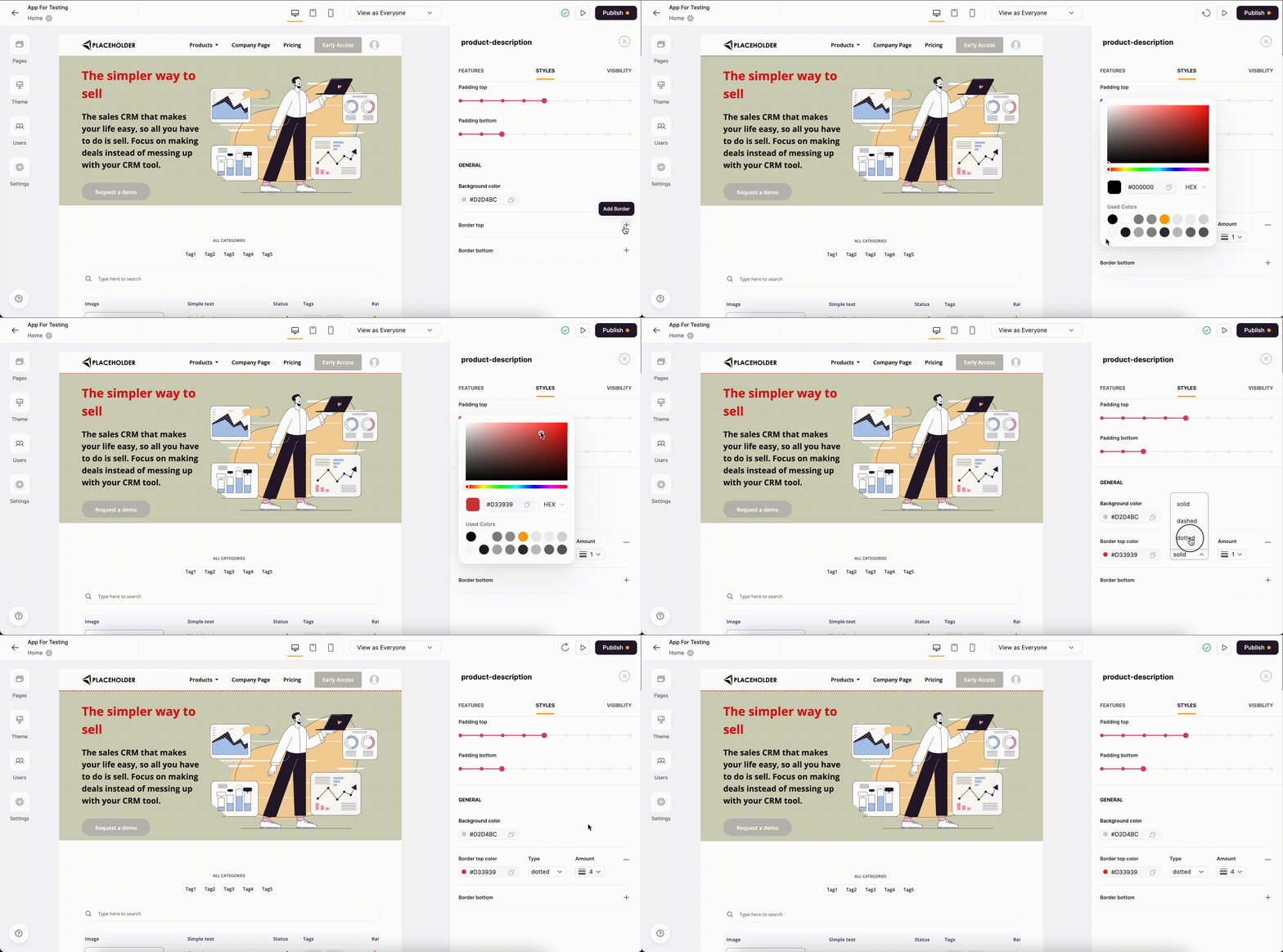
Here you can add a top and bottom border to the block and apply custom border **Style**, **Width**, and **Color**.
## ****Border****
Here you can add a top and bottom border to the block and apply custom border **Style**, **Width**, and **Color**.
 You can also use custom CSS code for more advanced styling use cases. [Learn about custom code](/custom-code/3idxDhKqz1qPdqBuWbs61G/custom-code-block-overview/6XNrxFopUEiwbWipq81Eq1).