> ## Documentation Index
> Fetch the complete documentation index at: https://docs.softr.io/llms.txt
> Use this file to discover all available pages before exploring further.
# Create an App From a Template
> 90+ templates to get started with.
Softr allows you to build business apps, internal tools, or external portals without coding. You don't have to start from scratch; you can choose from nearly 100 pre-built templates, ranging from client portals to CRMs.
When you select a template, Softr automatically duplicates both the **app interface** and the **Softr Database** to your workspace, allowing you to start customizing immediately.
Learn how to use a Softr app template:
## Finding and previewing templates
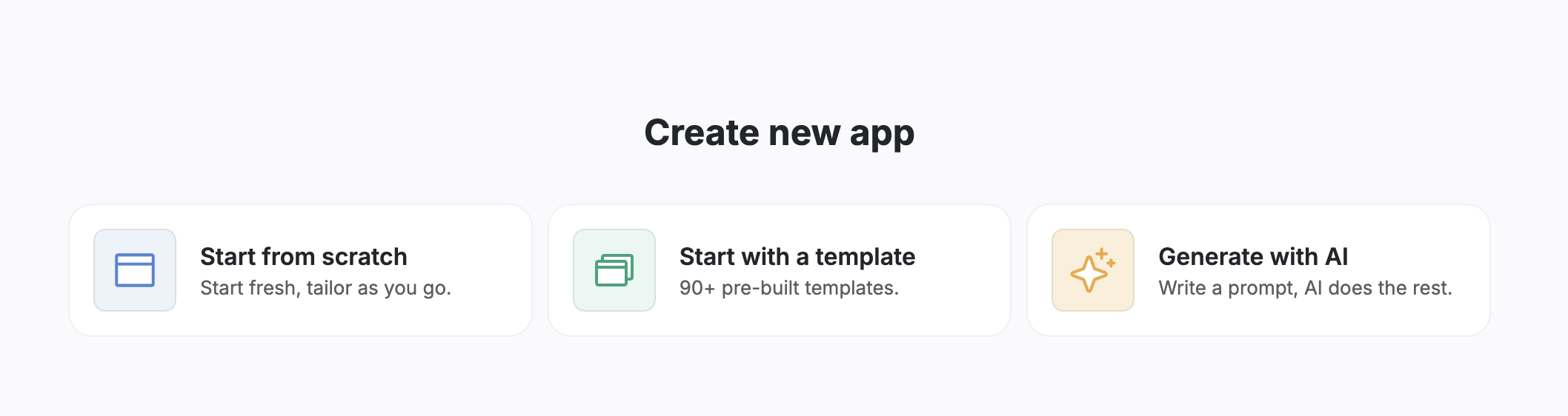
When creating a new app in the Softr studio, you will see options to start from scratch, use AI, or start from a template.
To find a suitable template:
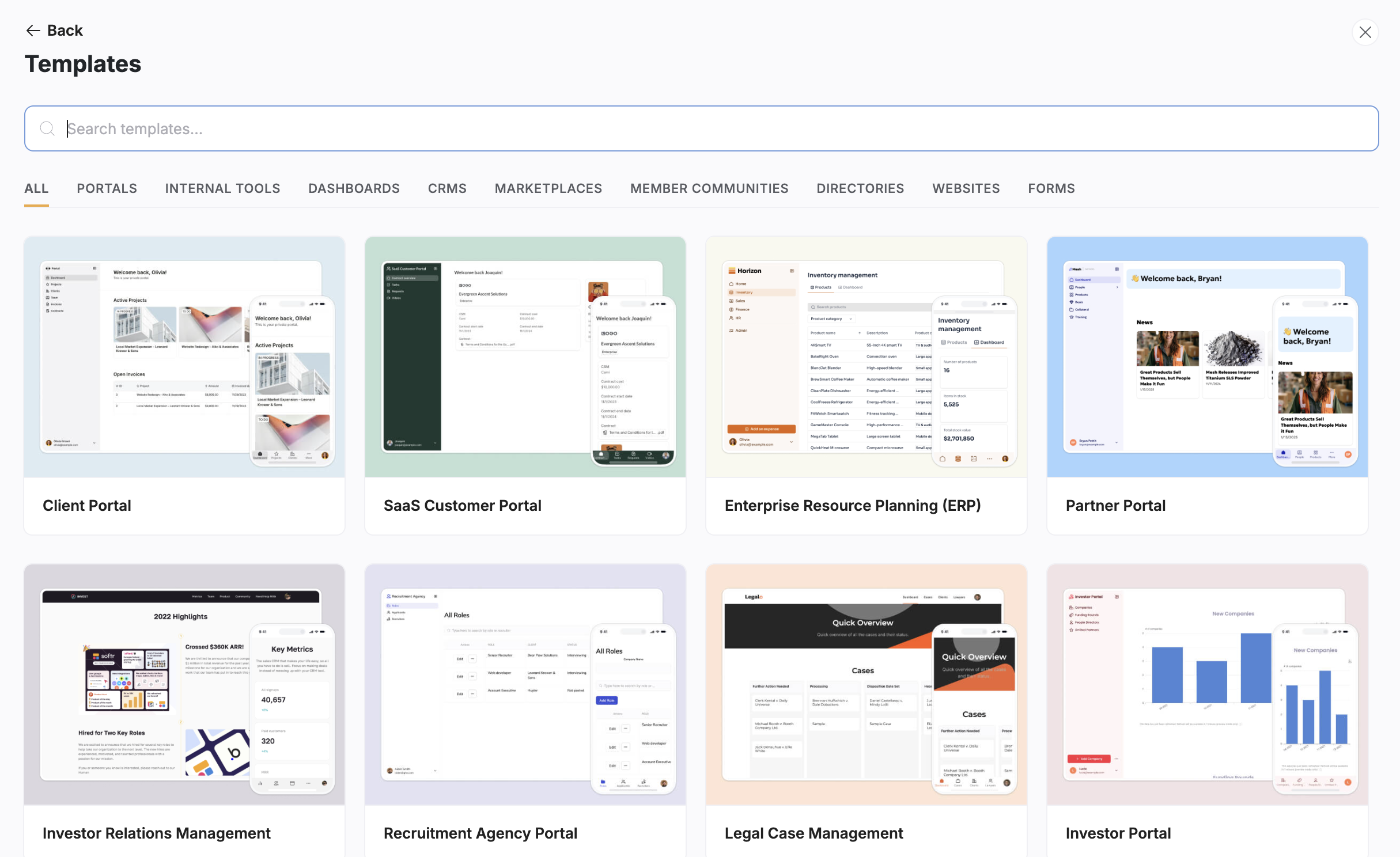
1. **Search or browse:** Use the search bar to look for specific keywords (like "CRM") or filter by category.
2. **Preview:** Hover over a template thumbnail and click the **Preview** button. This opens a functional view of the app where you can click through pages and see how the data is presented before you commit to using it.
> **Tip:** You can also browse templates directly on the [Softr Website](https://www.softr.io/templates) before logging in.
## Using a template
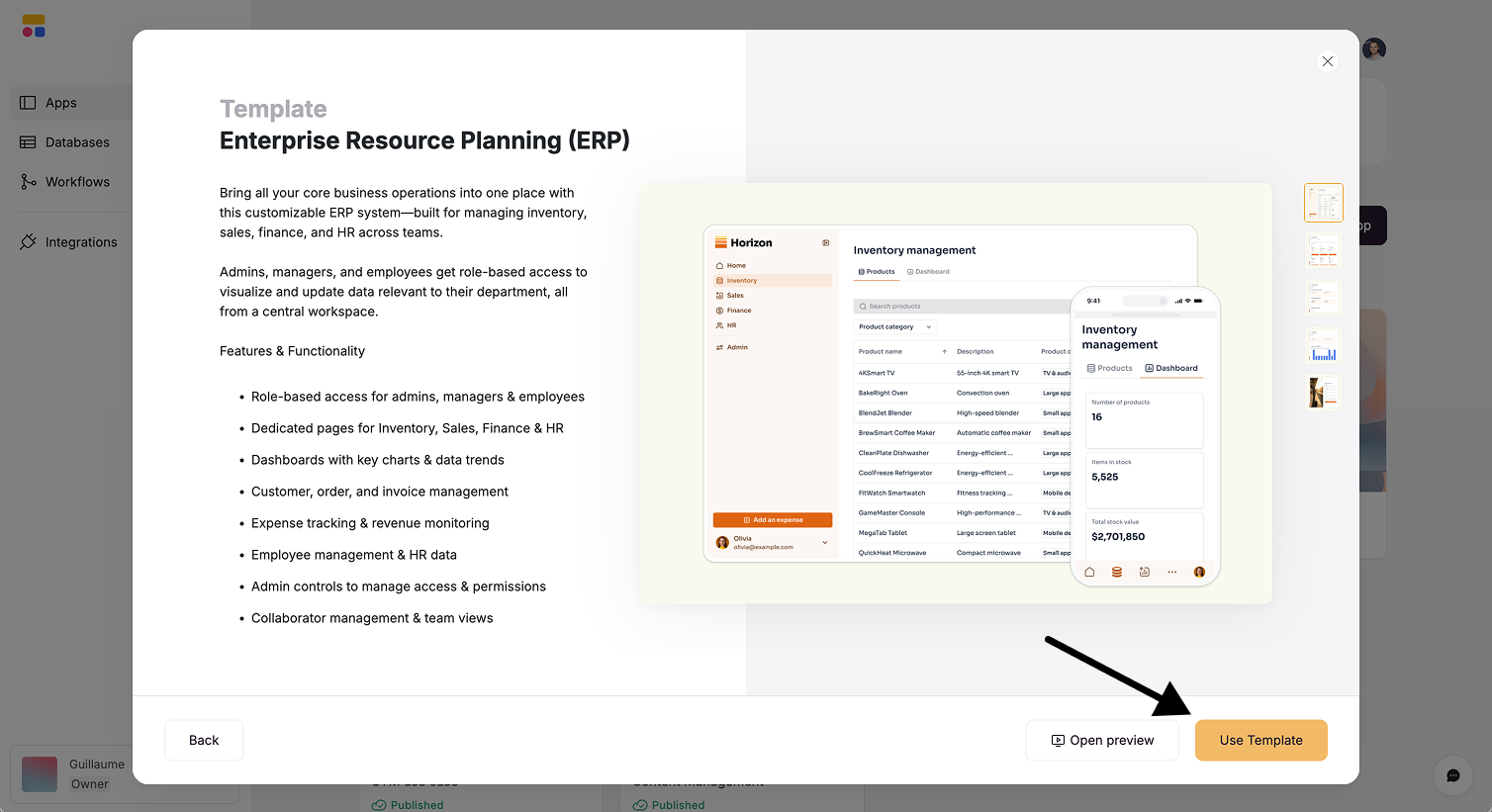
Once you have found the right fit (for example, an [AI CRM](https://www.softr.io/templates/ai-crm)), simply click the **Use template** button.
This action duplicates both the app interface and the database to your workspace in a single step. Clicking this button will:
* **Copy the interface:** All pages, design settings, and navigation are duplicated to your account.
* **Copy the database:** A new Softr database is created in your workspace, pre-filled with sample data that matches the template.
Note on data sources: Some templates may still use external data sources like Airtable or Google Sheets. We are progressively migrating all templates to Softr databases to ensure a unified experience.
## Personalizing your app
After the template is copied, you will land in the Softr studio. Since the database and interface are already connected, you can begin customizing right away.
### Customizing data
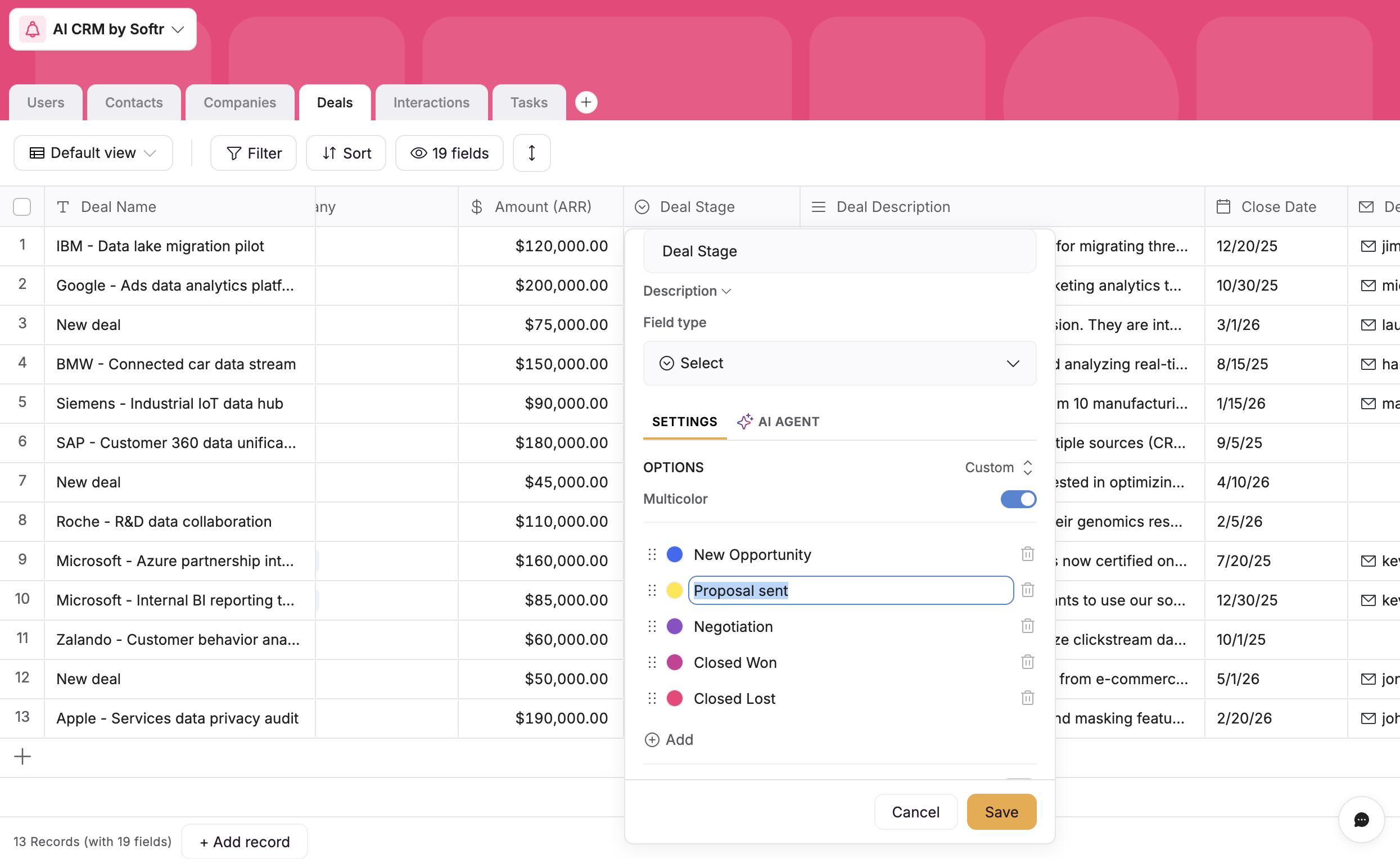
You can modify the underlying data structure to fit your company's specific workflow.
* Navigate to the data settings.
* Add or remove fields to match your needs.
* *Example:* In a CRM template, you might want to add an additional "Stage" to your sales pipeline.
### Customizing design
Make the app look and feel like your brand.
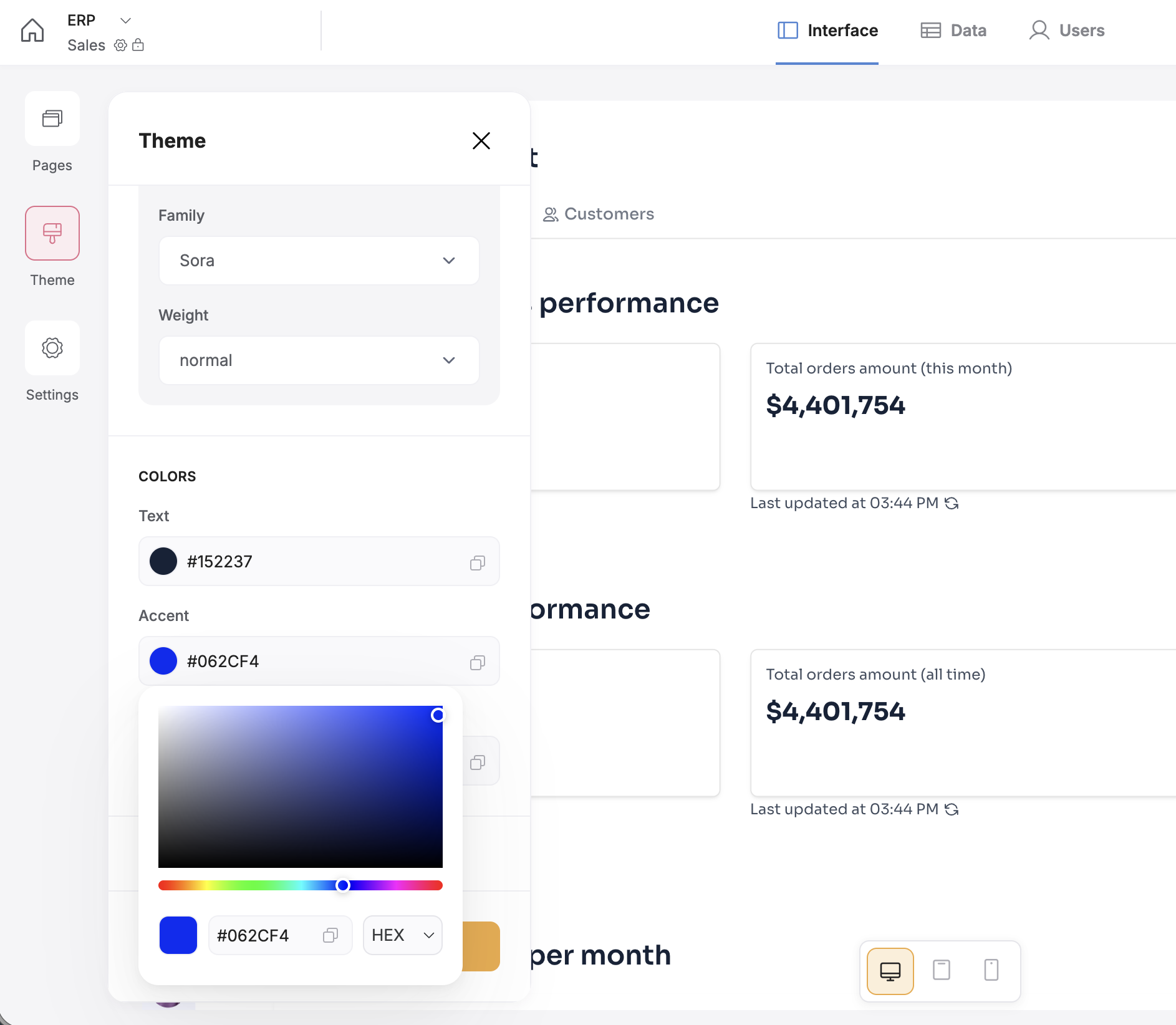
* **Theme:** Update the accent color, fonts, and button styles in the application settings.
* **Content:** Click on any block to edit text, swap images, or change visibility settings.
## Publishing
When your app is ready for users:
1. Go to **Settings** to configure a custom subdomain or connect your own custom domain.
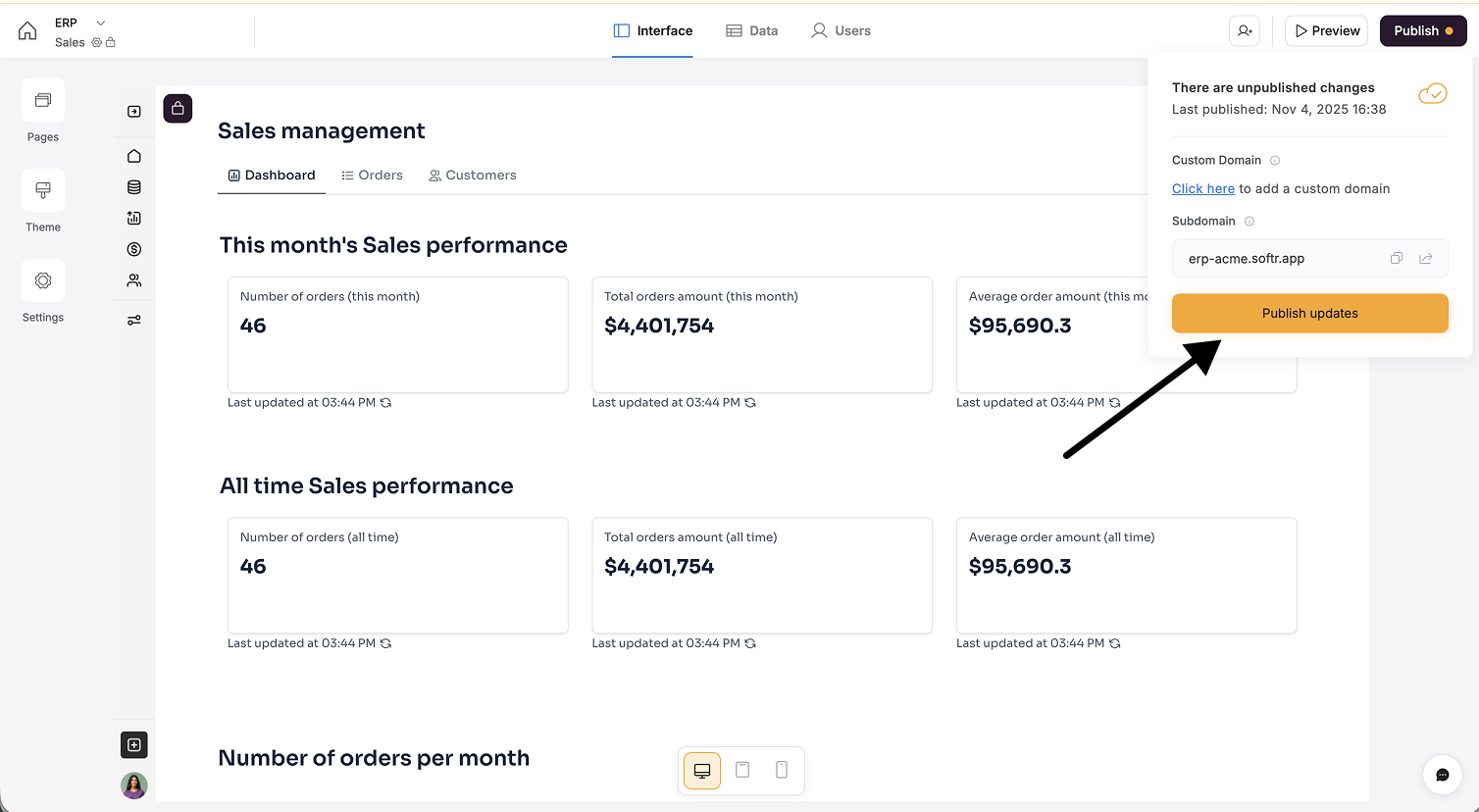
2. Click the **Publish** button in the top right corner to make your changes live.
### Summary
There are around 100 app templates ready for your business, internal tools, or customer portals. You simply have to find the one that best fits your use case, copy it to your workspace, and both the database and the interface will be ready for you to customize and publish.
 To find a suitable template:
1. **Search or browse:** Use the search bar to look for specific keywords (like "CRM") or filter by category.
2. **Preview:** Hover over a template thumbnail and click the **Preview** button. This opens a functional view of the app where you can click through pages and see how the data is presented before you commit to using it.
> **Tip:** You can also browse templates directly on the [Softr Website](https://www.softr.io/templates) before logging in.
To find a suitable template:
1. **Search or browse:** Use the search bar to look for specific keywords (like "CRM") or filter by category.
2. **Preview:** Hover over a template thumbnail and click the **Preview** button. This opens a functional view of the app where you can click through pages and see how the data is presented before you commit to using it.
> **Tip:** You can also browse templates directly on the [Softr Website](https://www.softr.io/templates) before logging in.
 ## Using a template
Once you have found the right fit (for example, an [AI CRM](https://www.softr.io/templates/ai-crm)), simply click the **Use template** button.
## Using a template
Once you have found the right fit (for example, an [AI CRM](https://www.softr.io/templates/ai-crm)), simply click the **Use template** button.
 This action duplicates both the app interface and the database to your workspace in a single step. Clicking this button will:
* **Copy the interface:** All pages, design settings, and navigation are duplicated to your account.
* **Copy the database:** A new Softr database is created in your workspace, pre-filled with sample data that matches the template.
This action duplicates both the app interface and the database to your workspace in a single step. Clicking this button will:
* **Copy the interface:** All pages, design settings, and navigation are duplicated to your account.
* **Copy the database:** A new Softr database is created in your workspace, pre-filled with sample data that matches the template.
 ### Customizing design
Make the app look and feel like your brand.
* **Theme:** Update the accent color, fonts, and button styles in the application settings.
### Customizing design
Make the app look and feel like your brand.
* **Theme:** Update the accent color, fonts, and button styles in the application settings.
 * **Content:** Click on any block to edit text, swap images, or change visibility settings.
## Publishing
When your app is ready for users:
1. Go to **Settings** to configure a custom subdomain or connect your own custom domain.
2. Click the **Publish** button in the top right corner to make your changes live.
* **Content:** Click on any block to edit text, swap images, or change visibility settings.
## Publishing
When your app is ready for users:
1. Go to **Settings** to configure a custom subdomain or connect your own custom domain.
2. Click the **Publish** button in the top right corner to make your changes live.
 ### Summary
There are around 100 app templates ready for your business, internal tools, or customer portals. You simply have to find the one that best fits your use case, copy it to your workspace, and both the database and the interface will be ready for you to customize and publish.
### Summary
There are around 100 app templates ready for your business, internal tools, or customer portals. You simply have to find the one that best fits your use case, copy it to your workspace, and both the database and the interface will be ready for you to customize and publish.