> ## Documentation Index
> Fetch the complete documentation index at: https://docs.softr.io/llms.txt
> Use this file to discover all available pages before exploring further.
# Typeform
> Integrating Typeform with your Softr app.
In this tutorial, we'll go through the process of adding a [Typeform](https://www.typeform.com/) form on a Softr app.
## Getting the form embed code
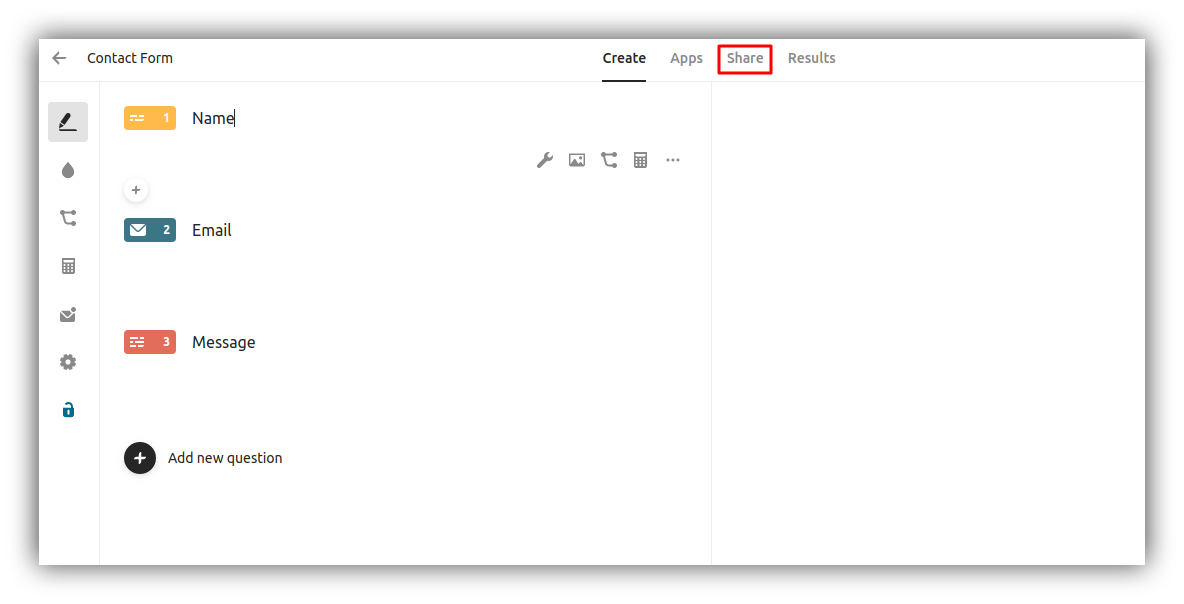
In your Typeform account, open the form that you want to add to your site, and hit **Share** in the top navbar.
 Further on, you need to choose the **embed mode**, and you can also configure the design and some advanced settings (each mode has its specific settings).
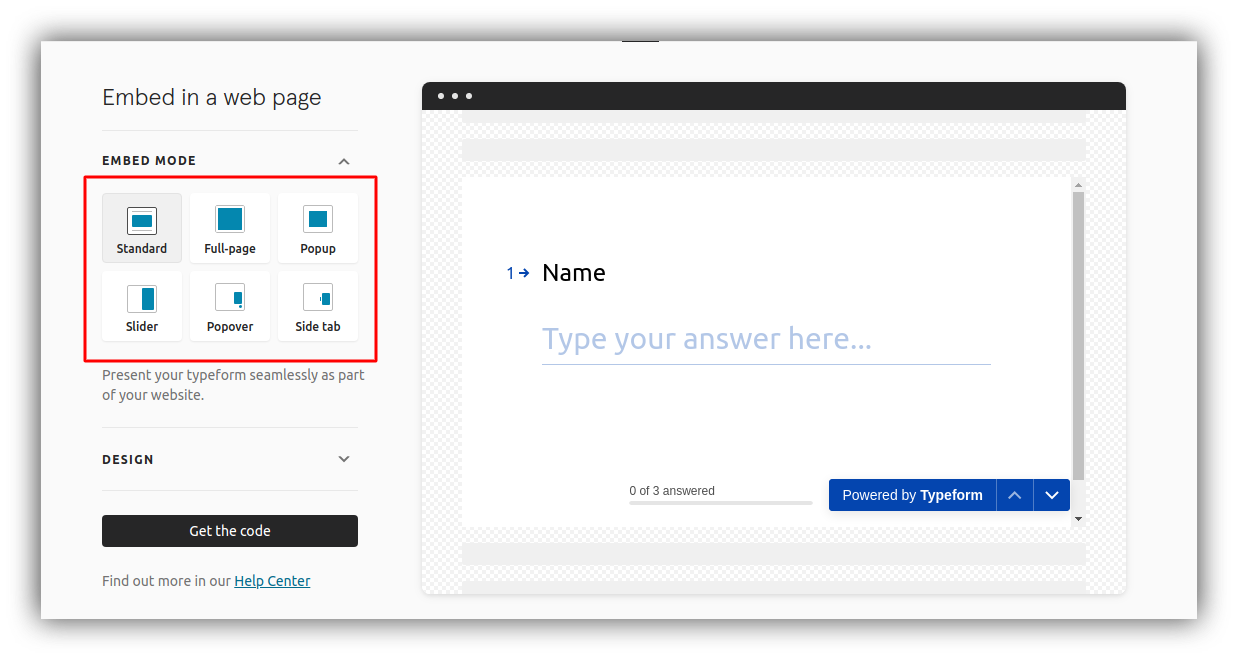 As soon as the embed is ready, hit the **Get the code** button and copy the embed code, which you'll then need to add to your Softr app. The next section shows how to add the embed code for all the modes except the **Full-page** mode. For adding a **Full-page** code, please proceed to the corresponding section further in this article.
## Adding the Embed Code
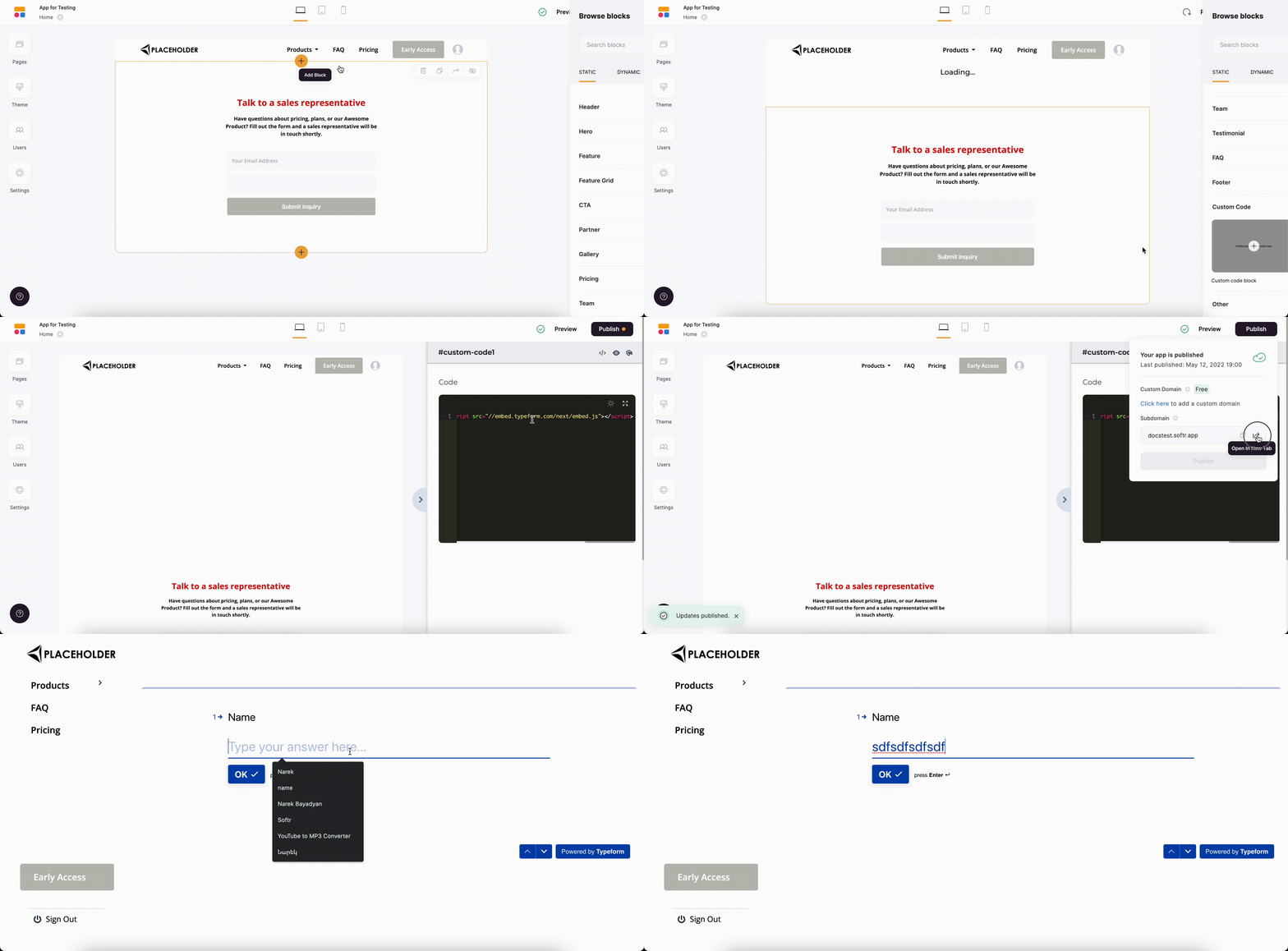
The embed code can be added inside a [Custom Code](/custom-code/3idxDhKqz1qPdqBuWbs61G/custom-code-block-overview/6XNrxFopUEiwbWipq81Eq1) block. You just need to paste the code inside the block as shown below.
As soon as the embed is ready, hit the **Get the code** button and copy the embed code, which you'll then need to add to your Softr app. The next section shows how to add the embed code for all the modes except the **Full-page** mode. For adding a **Full-page** code, please proceed to the corresponding section further in this article.
## Adding the Embed Code
The embed code can be added inside a [Custom Code](/custom-code/3idxDhKqz1qPdqBuWbs61G/custom-code-block-overview/6XNrxFopUEiwbWipq81Eq1) block. You just need to paste the code inside the block as shown below.
 ## Adding a Full-Page Embed Code
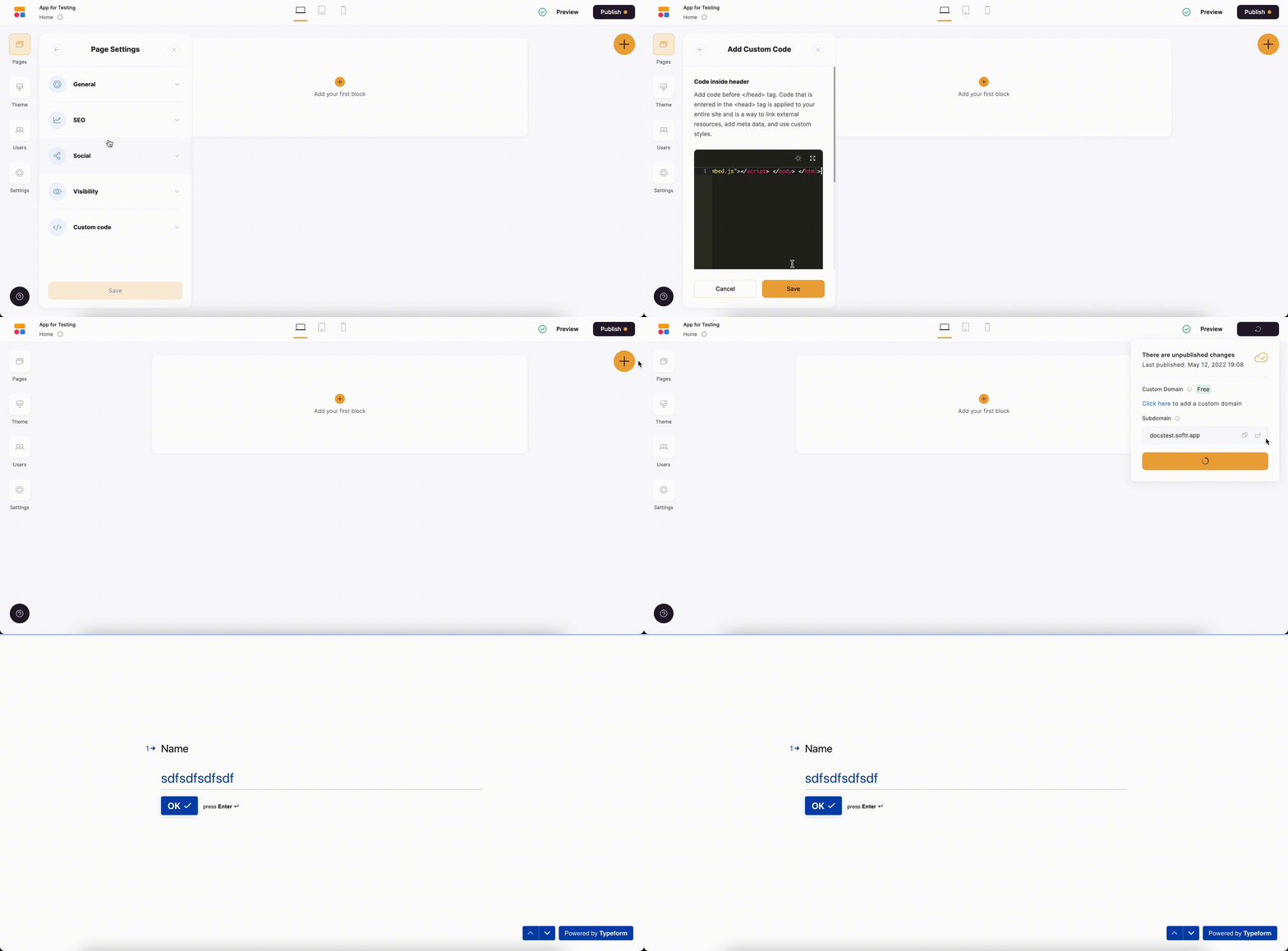
If you want to add a Full-page Typeform embed, you can use the [Custom Code](/custom-code/3idxDhKqz1qPdqBuWbs61G/custom-code-block-overview/6XNrxFopUEiwbWipq81Eq1) section inside **Page Settings**. Just paste the code inside the **Header** or **Footer** area.
## Adding a Full-Page Embed Code
If you want to add a Full-page Typeform embed, you can use the [Custom Code](/custom-code/3idxDhKqz1qPdqBuWbs61G/custom-code-block-overview/6XNrxFopUEiwbWipq81Eq1) section inside **Page Settings**. Just paste the code inside the **Header** or **Footer** area.