> ## Documentation Index
> Fetch the complete documentation index at: https://docs.softr.io/llms.txt
> Use this file to discover all available pages before exploring further.
# Buy me a Coffee
> Link your Buy me a Coffee page to Softr.
Buy Me a Coffee is a simple tool for creators to get paid and connect with their fans. To start receiving payments through Buy Me a Coffee, you just need to provide a link to your Buy Me a Coffee page. There are a few ways to do this, which we'll examine below.
## Profile Link
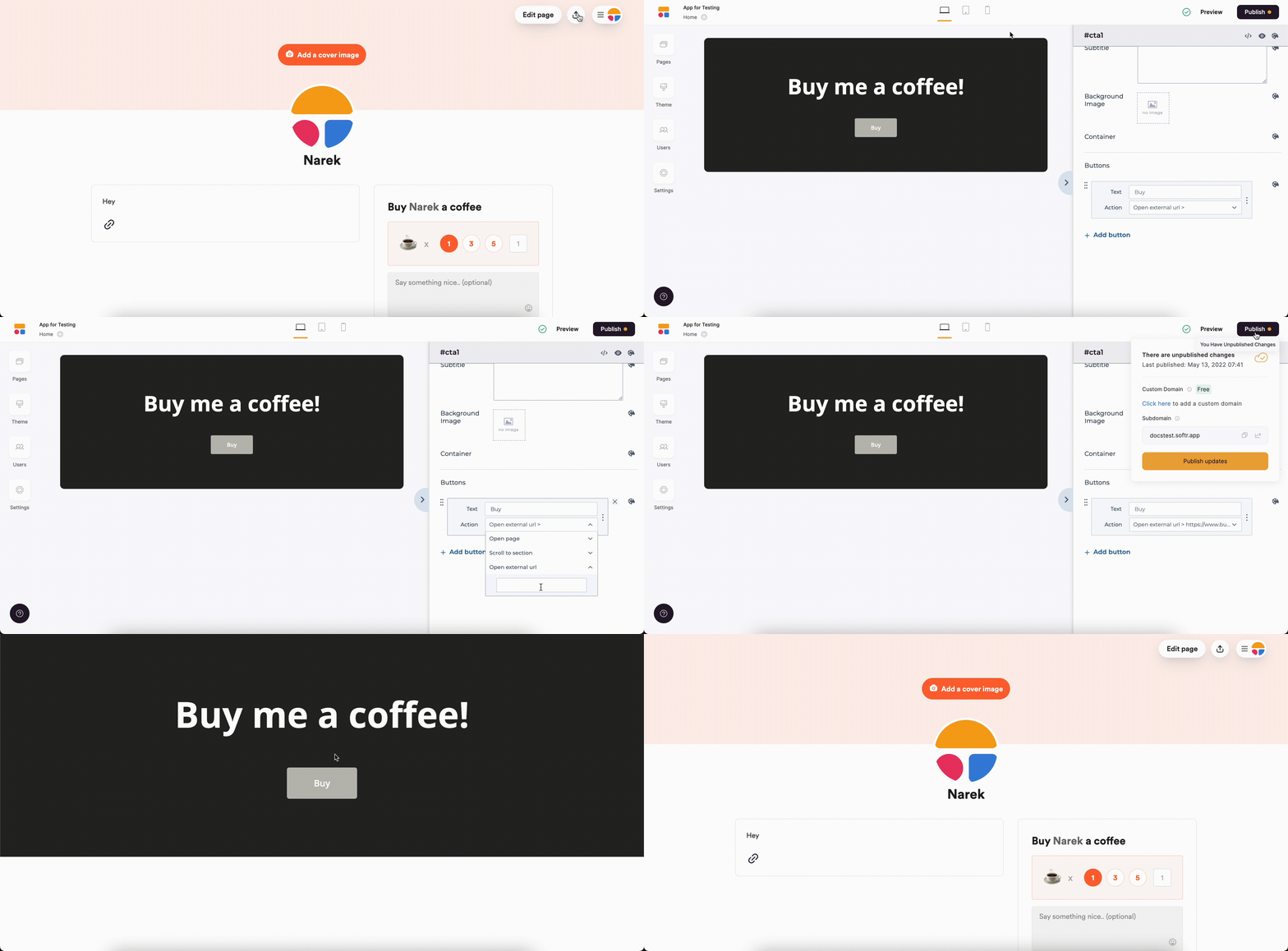
You can copy the link to your profile from your Buy Me a Coffee account's dashboard and put it as an **External URL** under any button in Softr Studio. See below.
 ## Buy Me a Coffee Button
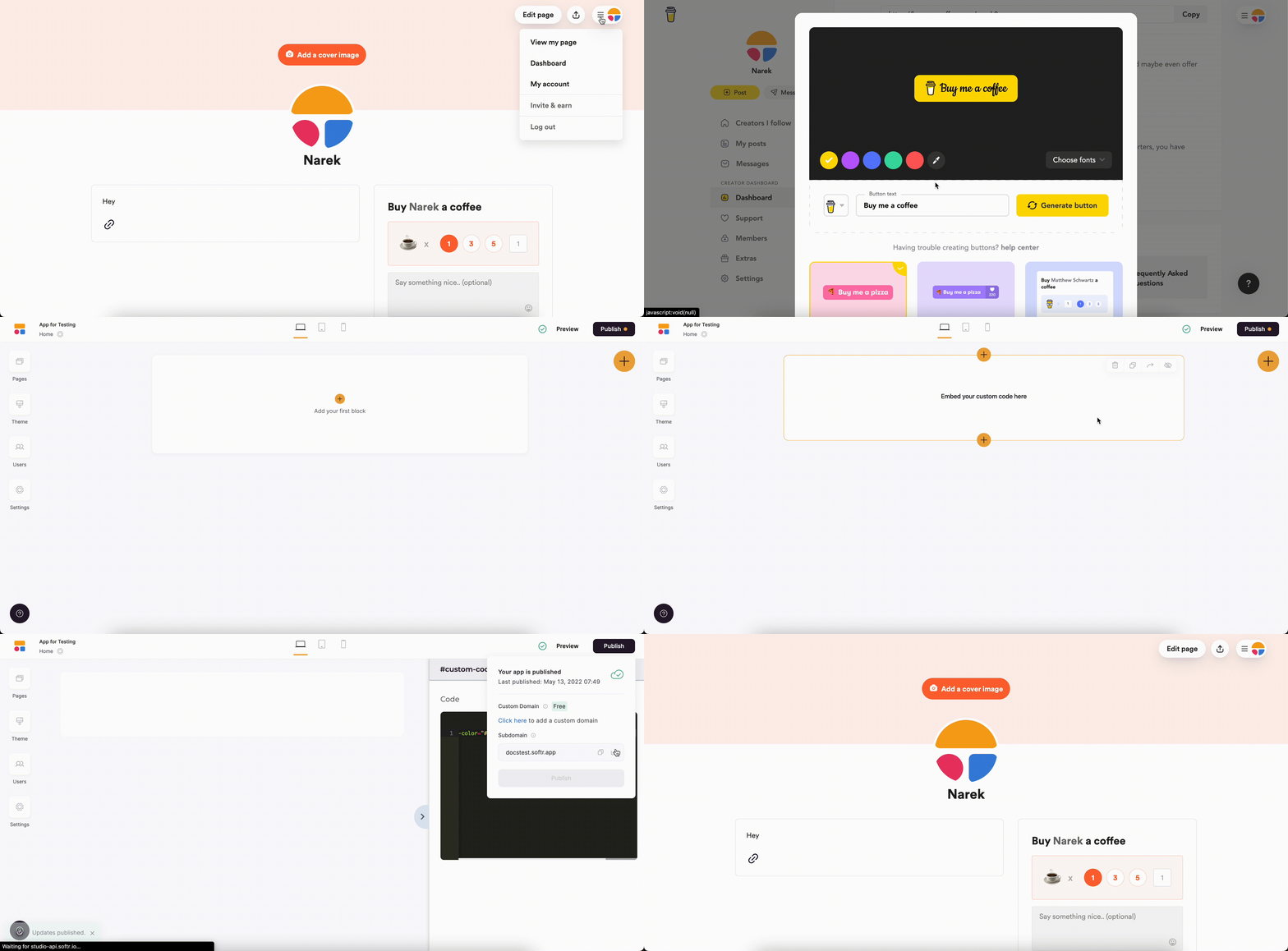
You can generate a button in your Buy Me a Coffee account. From your page, navigate to the **Dashboard** and select the **Website Buttons** option. Then, you just need to **Copy code** and place the code inside a [Custom Code](/custom-code/3idxDhKqz1qPdqBuWbs61G/custom-code-block-overview/6XNrxFopUEiwbWipq81Eq1) block in Softr Studio. See how it's done below.
## Buy Me a Coffee Button
You can generate a button in your Buy Me a Coffee account. From your page, navigate to the **Dashboard** and select the **Website Buttons** option. Then, you just need to **Copy code** and place the code inside a [Custom Code](/custom-code/3idxDhKqz1qPdqBuWbs61G/custom-code-block-overview/6XNrxFopUEiwbWipq81Eq1) block in Softr Studio. See how it's done below.