> ## Documentation Index
> Fetch the complete documentation index at: https://docs.softr.io/llms.txt
> Use this file to discover all available pages before exploring further.
# What Internal Tools Can You Build with Softr?
> The most common internal tool use cases and how to bring them to life.
Internal tools are software applied within an organization and used by organization employees. One of the most important features to look for in an internal tool is the possibility to tailor it to your specific internal processes. In this sense, Softr is a great solution for creating internal tools and can be applied to a variety of use cases across different industries due to its flexibility and the fact that anyone with any background can get started easily. And there've already been numerous cases of applying it within different domains from non-profit and education to venture capital and healthcare. In this guide, we'll go over some use cases where Softr can be useful and will show you how you can get started in case you're considering an internal solution for your own business.
## Use cases
With Softr you can build virtually anything, and the potential internal tool use cases are endless. However, we have a number of success stories, which can give a better idea of how exactly it's possible to use Softr for your company, and some of those stories are also documented through our [case studies](https://www.softr.io/case-studies/). For example, you can learn how the UN International School in New York [built a student portal](https://www.softr.io/case-studies/un-international-school) and plans to apply Softr-made solutions in other departments as well. Small businesses across different industries such as DS Autotmotive [have also successfully applied Softr](https://www.softr.io/case-studies/ds-automotive) to streamline internal processes and create a convenient collaboration environment for their employees. Softr also provides various tools for building internal dashboards and portals to provide automated and real-time updates to the parties involved, and [the Untapped VC case](https://www.softr.io/case-studies/untapped-vc) is a really good example of this.
Now that you have some basic idea of what's possible to build with Softr, let's see how you can get started if your business needs an internal solution as well.
## **Getting started**
As already mentioned, Softr allows you to come up with a highly-customized solution and you can actually start from scratch and build an internal tool according to your requirements. And many do exactly that. However, the best way to get started with the platform, especially if you're just getting familiar with it, is through templates. Therefore, if you see a template that matches your needs or is at least something close (you can always customize it as much as you need), go for it. The process of starting with a template is pretty straightforward, so let's quickly go through the steps involved.
## **Starting with a template**
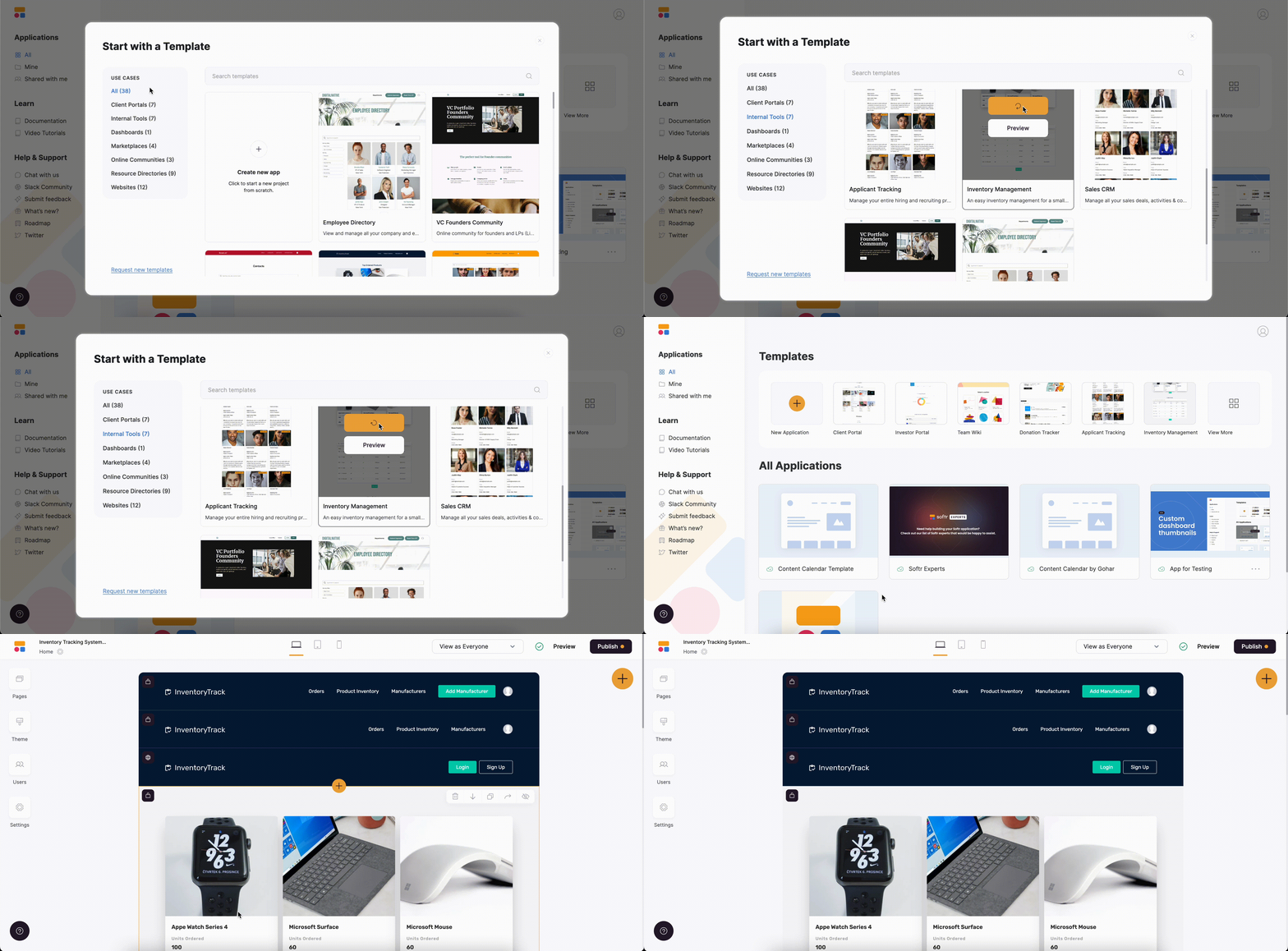
Let's say you want to build an inventory management system for your business. Luckily, Softr has a ready-made [Inventory Management template](https://www.softr.io/templates/inventory-management) that you can start using right away at no additional cost. To get started, you first need to create a Softr app from the template.
On your [Softr workspace](/workspace-and-billing/jZP6yaeXMiJCuB6HhS4xKd/workspaces-and-applications/kTbEWSYXhBCbtTB4K9dpKs), you need to locate the Inventory Management template under Internal Tools and hit **Use Template**. This will take you to your new Softr app right away with the template being already applied. Now, you can connect your database with mock data, which you can modify later on.
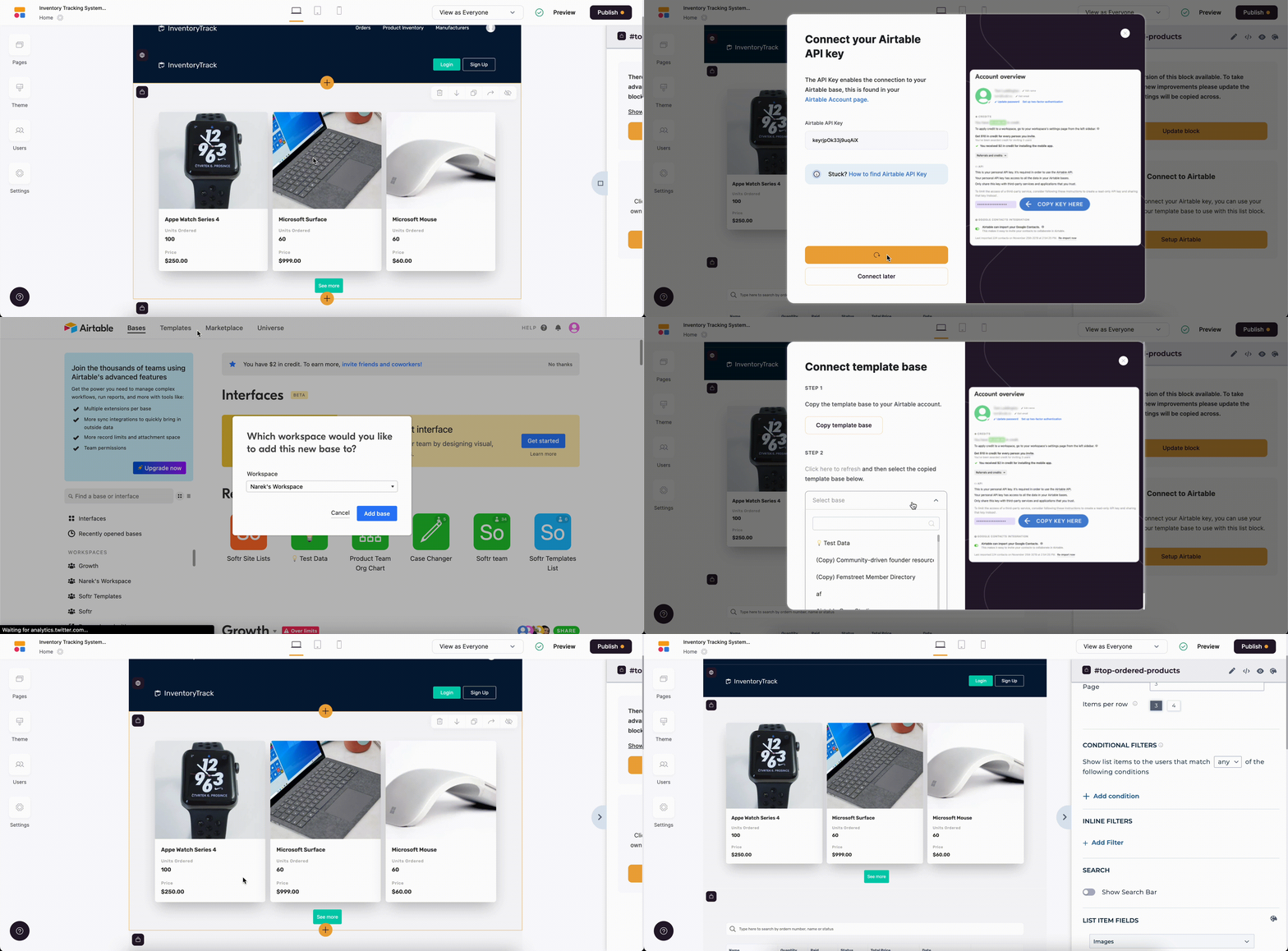
Each template has its own [Airtable](/data-sources/1YYStCJukT15Lh2j93qo9A/airtable/jHX7kfH7QvkVcELQvS3VoX) database, so let's connect it. To do that, you can either go to **Integrations => Data Source** or just click on one of the dynamic blocks that is linked to Airtable. See below.
Actually, what we did in the previous steps is just the beginning. Now, you can start modifying the template to load real data and fine-tune it to your specific processes. You can customize the [dynamic blocks](/building-blocks/vikC2AWEpQGkZd4jGyoVxo/list-block/pQhPYuA28VXr5tLLFBcbCU), add new [user groups](/user-groups-and-permissions/3oA6AaFzUiePs2sW2TpYrF/user-groups/6XQfKMeKHUvBcAjKvLs3g3) and define granular access permissions, decide who is able to [edit](/01729847739e4c8a878b2096d40863d9) what, and so on. Moreover, there are multiple options for [customizing the look and feel](/styling/7qXYEkNvWQamR6vcLXzZnF/application-theme/91YGSL2aDJajXdbPBhitbc) of your Softr app.
As soon as you're done and ready to share your internal tool with others in the company, just [publish your app](/publishing/9qTmU2Lj8Gnpr1Ue6dEAkX/publishing-your-softr-app/gRrb1u7eLmRTrXyg3UNGkQ). The easiest way to give your users access to the platform is through [magic links](/add-and-manage-users/pxnkp9H3qyEVMF6XUceqnj/add-or-import-users-manually/g5R1bGnBTFJ3sWLR8Mgdng). This way, they can enter the app and start using it with a single click.