> ## Documentation Index
> Fetch the complete documentation index at: https://docs.softr.io/llms.txt
> Use this file to discover all available pages before exploring further.
# Add Users to User Groups Based on Stripe Attributes
> Setting up user groups based on users’ payment details.
 If you have connected your Stripe account (in **Settings => Integrations => Stripe Checkout)**
and plan to or are already selling products and subscriptions (e.g. via the [checkout form](/integrations/etS18kJqm1fuD58KCsjC3z/simple-checkout-form/tKt3f5cV2CxsFLGM1aaNYX)), you can define user group conditions based on those products/subscriptions. This way, only the users that have purchase a specific product(s)/subscription(s) will be able to access the given block.
## Select Attribute
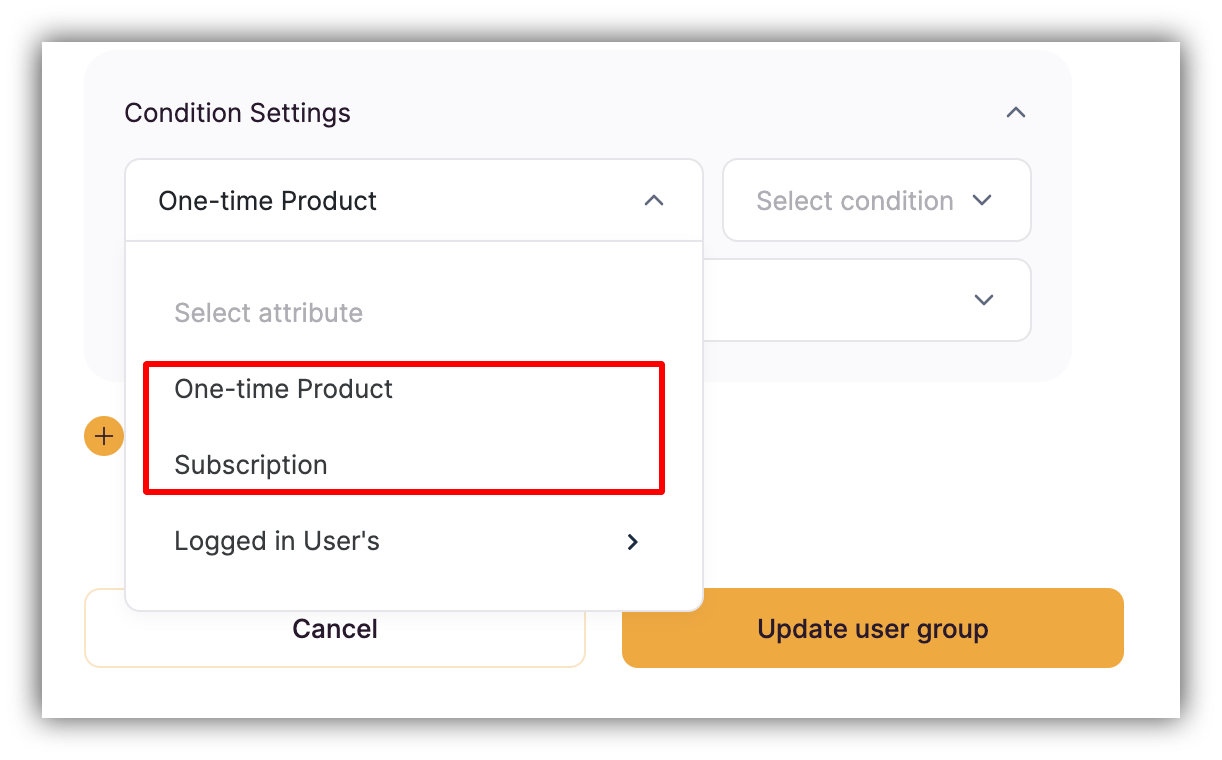
So, the first two attribute options in **Condition Settings** are payment-related and are for selecting **One-time Products** or **Subscriptions** created in your Stripe account. For instance, you can use this to provide access to a given block only to the users who have purchased a specific subscription.
## Select Condition
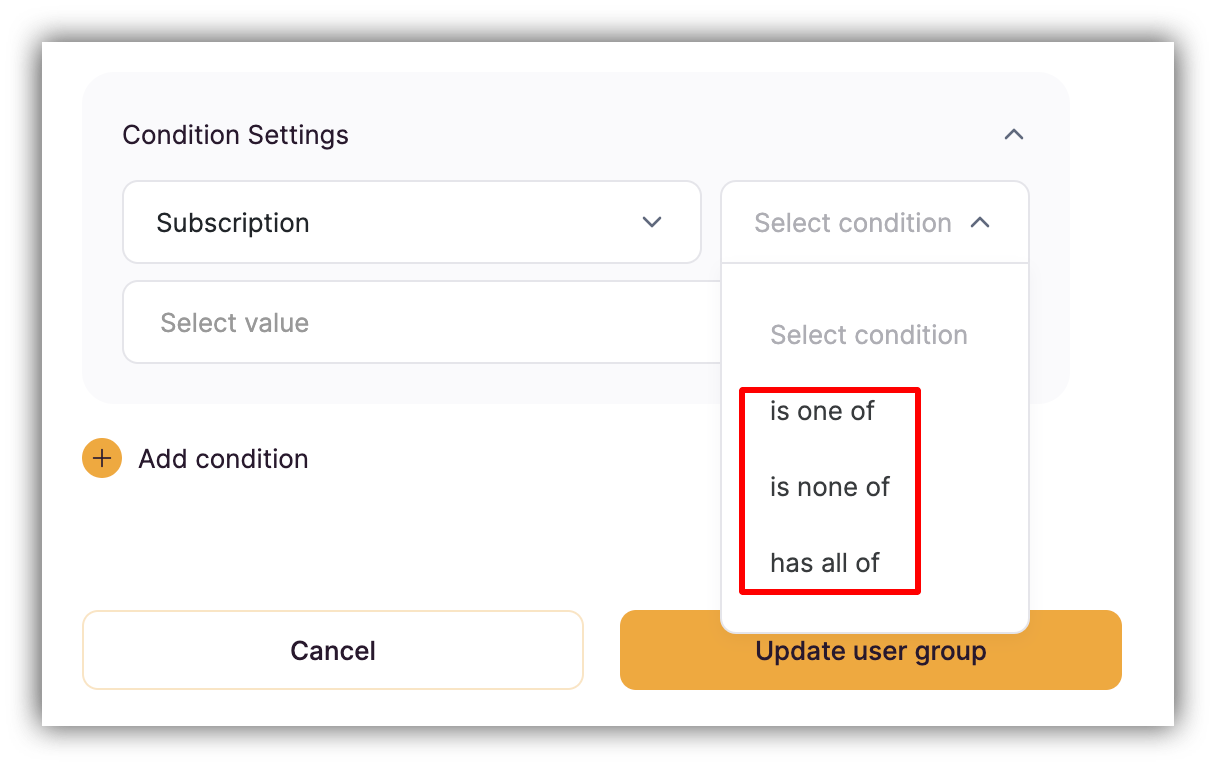
****There are three conditions available:****
* **is one of** –the Attribute is any of the Value(s) (multiple values can be added)
* **is none of** – the Attribute is any other value apart from the selected Value(s) (multiple values can be added)
* **has all of** – the Attribute has all the Value(s) (multiple values can be added)
If you have connected your Stripe account (in **Settings => Integrations => Stripe Checkout)**
and plan to or are already selling products and subscriptions (e.g. via the [checkout form](/integrations/etS18kJqm1fuD58KCsjC3z/simple-checkout-form/tKt3f5cV2CxsFLGM1aaNYX)), you can define user group conditions based on those products/subscriptions. This way, only the users that have purchase a specific product(s)/subscription(s) will be able to access the given block.
## Select Attribute
So, the first two attribute options in **Condition Settings** are payment-related and are for selecting **One-time Products** or **Subscriptions** created in your Stripe account. For instance, you can use this to provide access to a given block only to the users who have purchased a specific subscription.
## Select Condition
****There are three conditions available:****
* **is one of** –the Attribute is any of the Value(s) (multiple values can be added)
* **is none of** – the Attribute is any other value apart from the selected Value(s) (multiple values can be added)
* **has all of** – the Attribute has all the Value(s) (multiple values can be added)
 ## Select Value
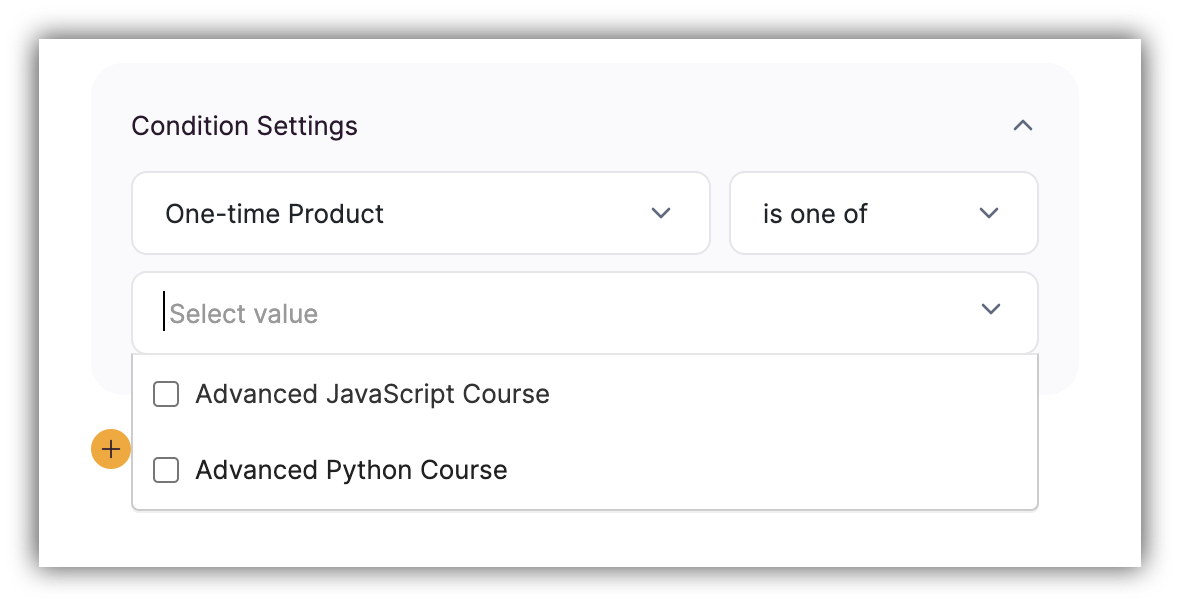
Finally, you need to add the values for which the defined condition should work. For **One-time Product** and **Subscription** attributes you should see a list of values based on what you have created on Stripe. You can select as many values as needed.
## Select Value
Finally, you need to add the values for which the defined condition should work. For **One-time Product** and **Subscription** attributes you should see a list of values based on what you have created on Stripe. You can select as many values as needed.
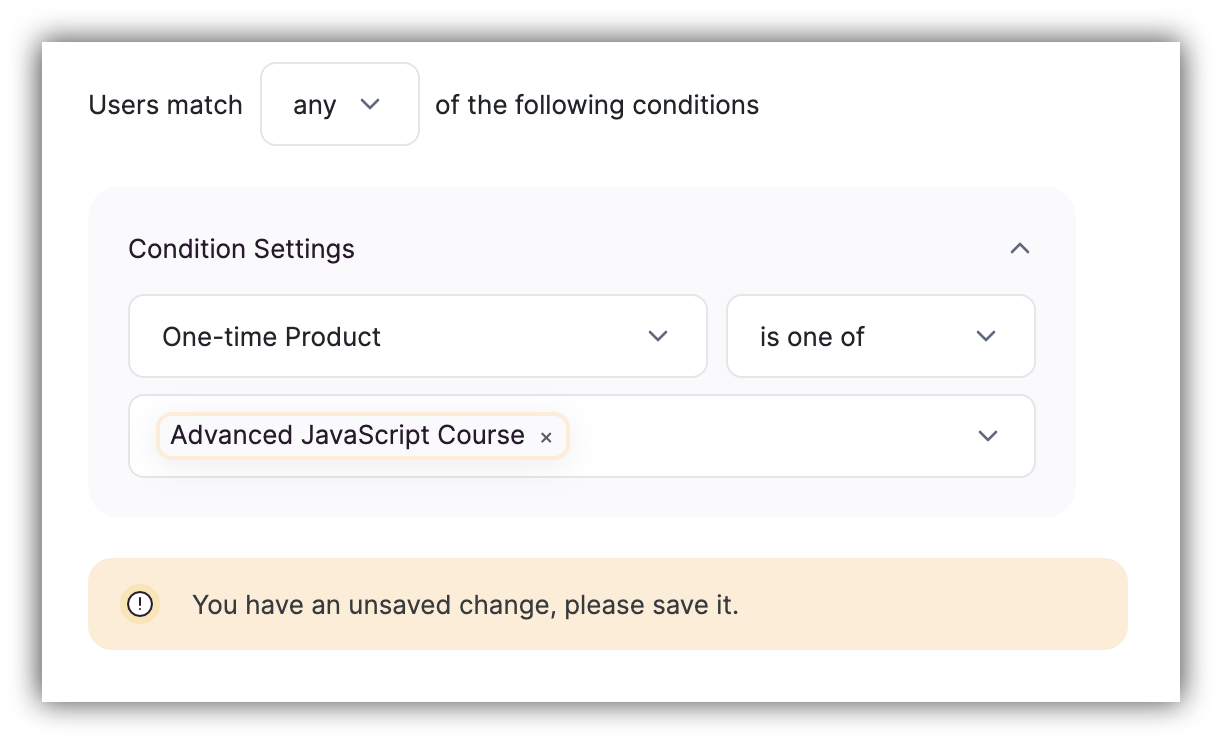
 In the example provided below, a condition is defined so that all the users that have purchased the "Advanced JavaScript Course" product, have access to the block, which could be a [List](/building-blocks/vikC2AWEpQGkZd4jGyoVxo/list-block/pQhPYuA28VXr5tLLFBcbCU) block with JavaScript video tutorials.