> ## Documentation Index
> Fetch the complete documentation index at: https://docs.softr.io/llms.txt
> Use this file to discover all available pages before exploring further.
# Airtable
> Using Airtable as a data source for your Softr app.
Airtable is a powerful tool that combines theflexibility of spreadsheets with the power of a database. It allows you to store and organize different types of data, making it a great choice for managing data in your **Softr app.**
With Airtable, you can:
* Store text, images, checkboxes, and more
* Create custom views to **filter and sort** your data
* Control who can **view or edit** information
* Use **ready-made templates** to speed up setup
* Integrate with **third-party tools**
In this article, we’ll walk you through **connecting your Airtable account** to Softr and **displaying your Airtable data** in your app. For a quick overview, check out our video walkthrough. 👇
## **1. Connect your Airtable account**
To use Airtable in Softr, you must first **link your Airtable account**. Here’s how:
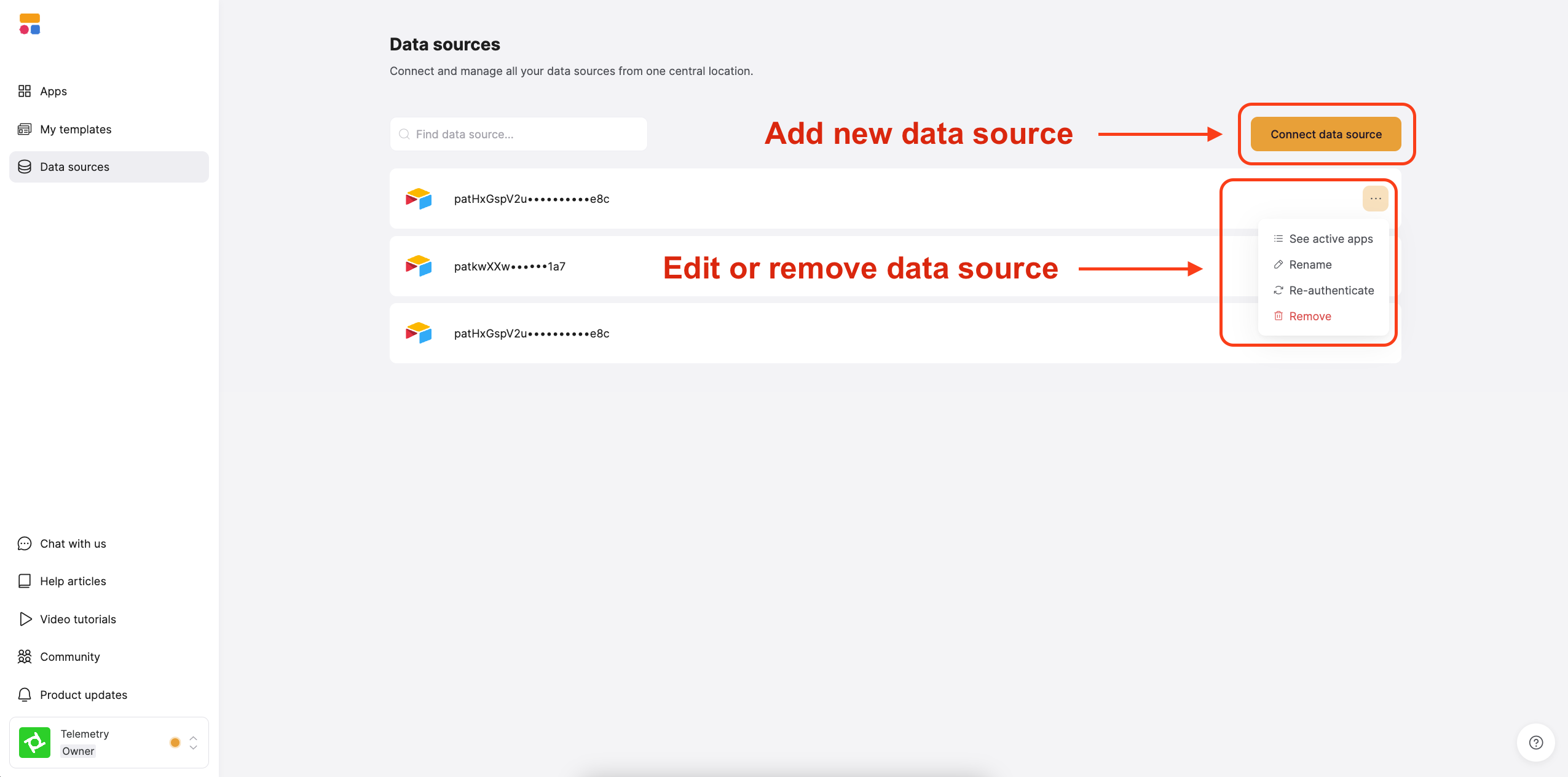
In your [Softr Dashboard](https://studio.softr.io/dashboard/data-sources), navigate to **Data Sources** in the left menu and click **Connect Data Source.** Select **Airtable** and proceed to authenticate your account.
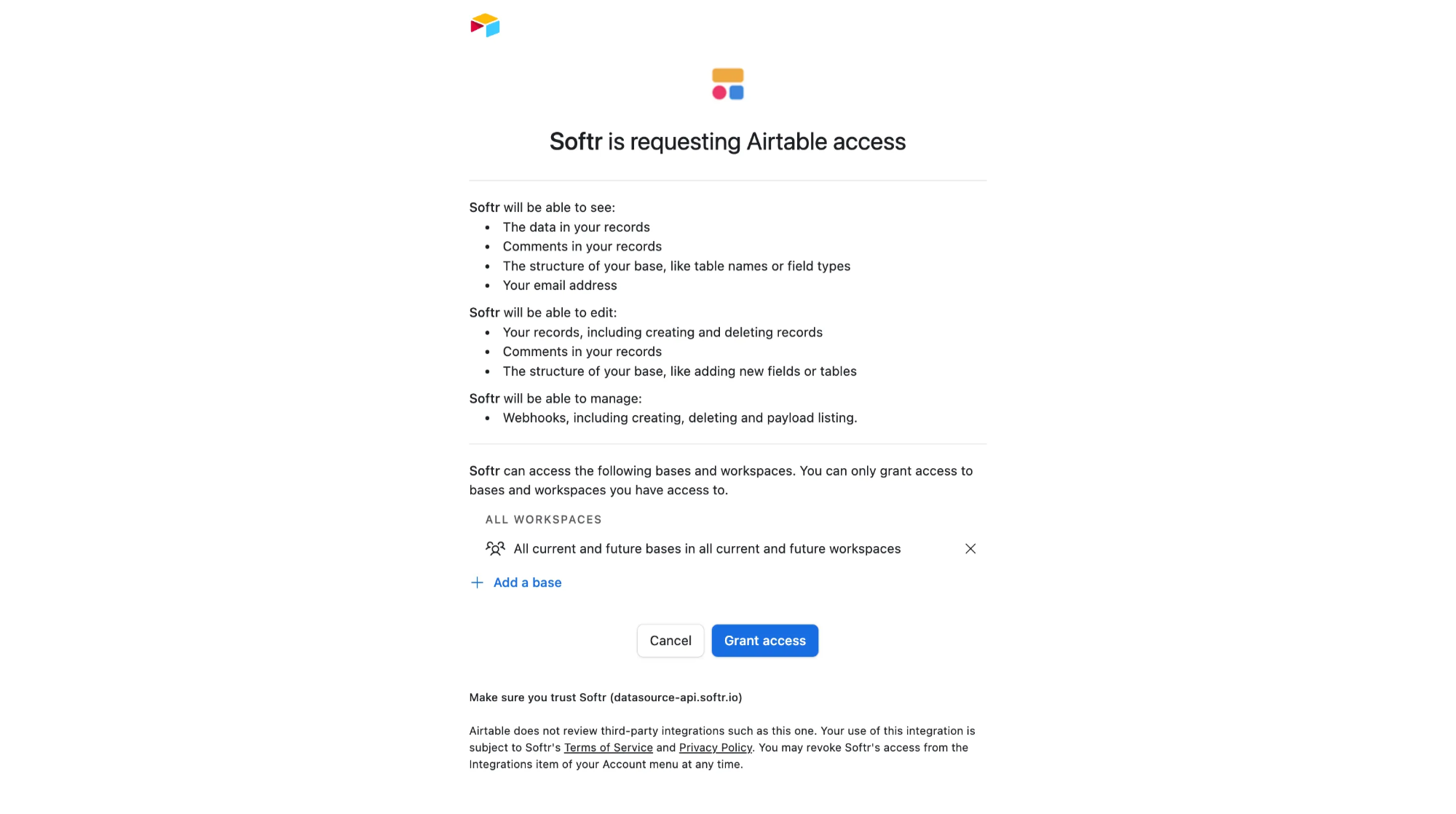
Select all the bases you want to access in Softr and click Authorize.
When granting access, we **strongly recommend** choosing **“All current and future bases in all current and future workspaces.”**
If you don’t, you’ll need to manually reselect bases every time you reconnect, which could break your apps.
## **2. Connect your Airtable Base to the Softr app**
Once your Airtable account is connected, you can use the authorized bases across one or multiple Softr applications.
To display your data in the app, connect a [dynamic block](/core-concepts-overview/c5VwEbsWtTfPyUZjmEKvfx/visualize-data-with-building-blocks/41p6U2eZs7zgY8zWmFV4eH#1859a723d691803d9551ecd7b3b0c043) (e.g. [List](/building-blocks/vikC2AWEpQGkZd4jGyoVxo/list-block/pQhPYuA28VXr5tLLFBcbCU), [Grid](/building-blocks/vikC2AWEpQGkZd4jGyoVxo/grid-block/42JZoeYwMsogZcveqh74QH), [Table](/building-blocks/vikC2AWEpQGkZd4jGyoVxo/table-block-/j7rGwu7J7zuU69h3bZ7HFe)) to your Airtable base:
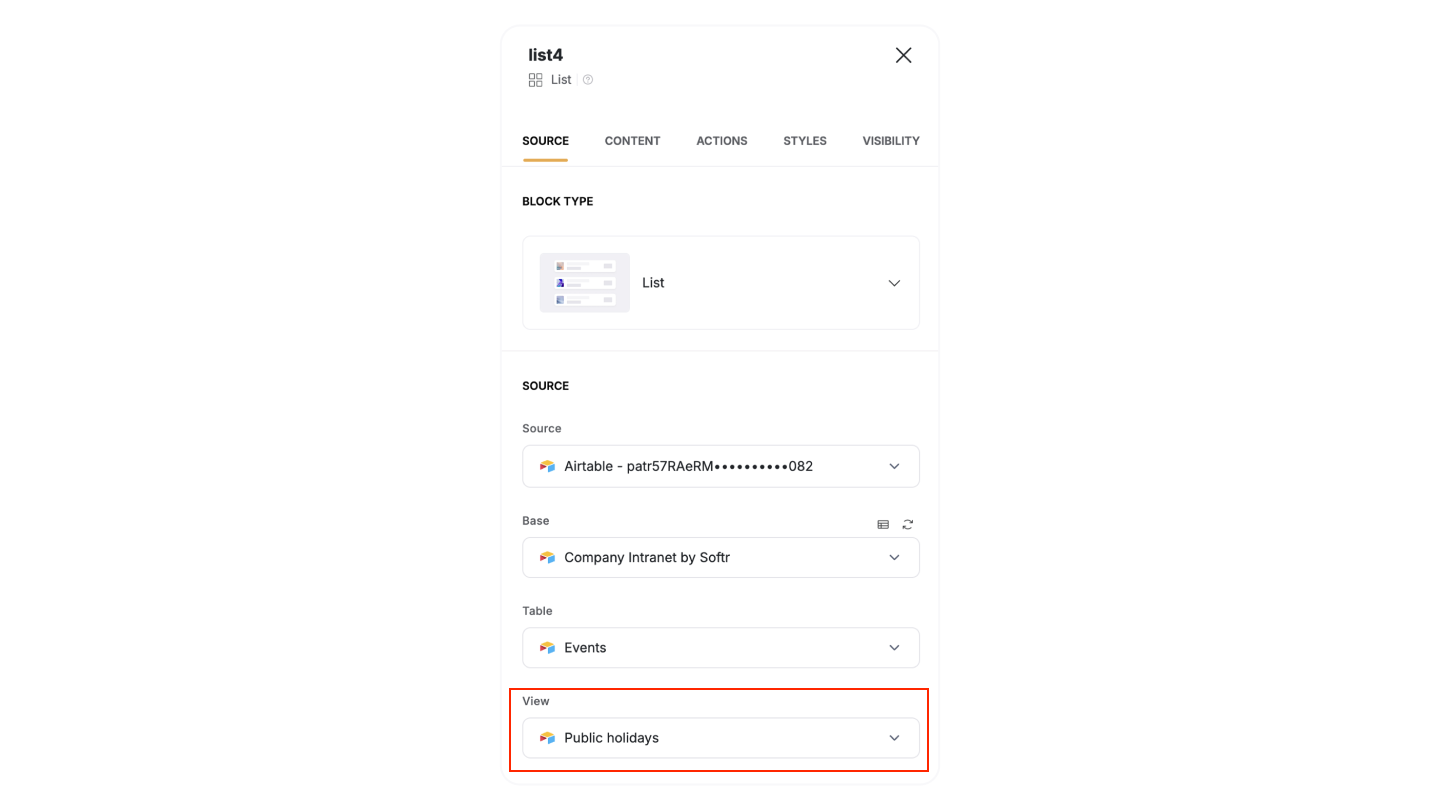
1. Go to the **Block source** **tab** and select your Airtable integration.
2. Pick the **base** you want to use.
3. Choose the **table** with the records you want to show.
**Important:** Each Airtable table can only connect to one Softr block. For example, if you want to display **Projects** in a List block, you’ll need to map it to the **Projects table** in your base. If you also want to show **Tasks**, you’ll need to add a separate block and connect it to the **Tasks table**.
**Tip**: You can also select an Airtable **View** to display. If a view is selected, any filters and sorting applied in Airtable will be preserved for the records shown in the Softr block (e.g., showing only completed tasks).
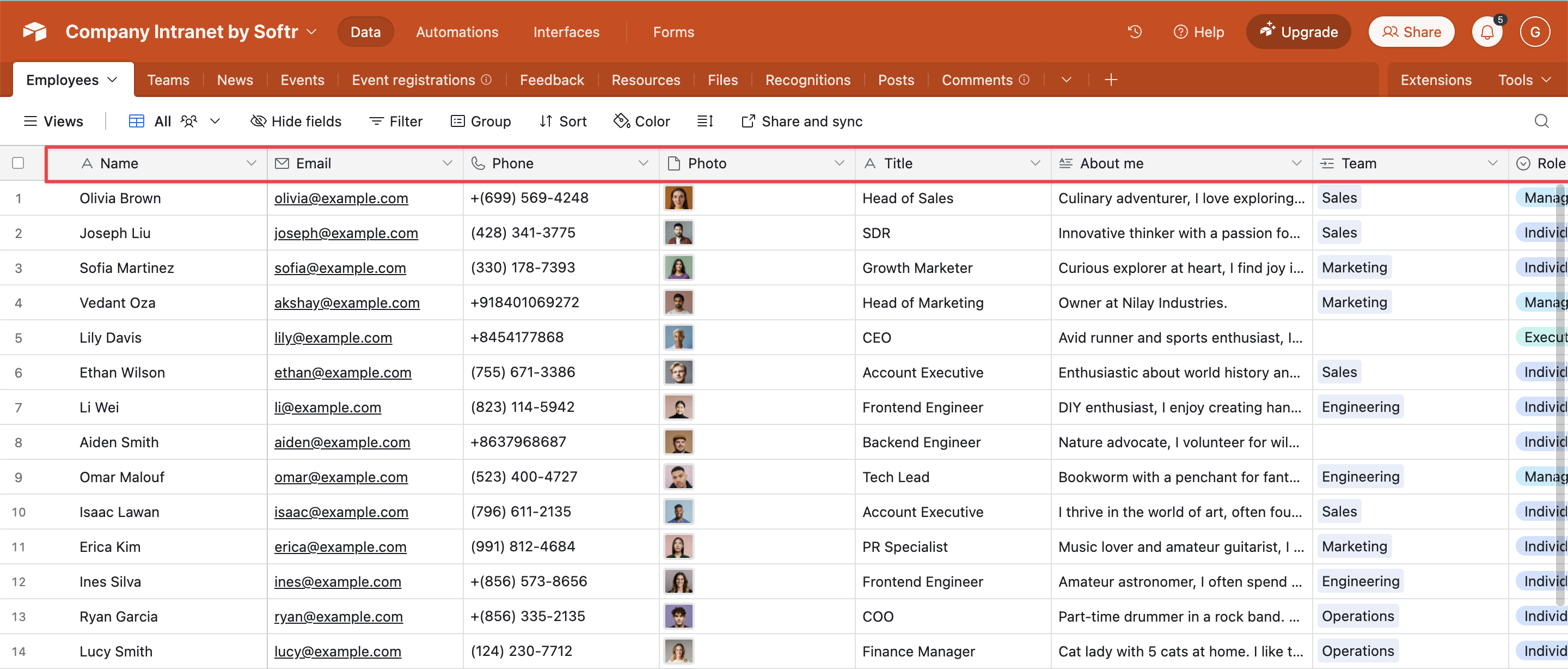
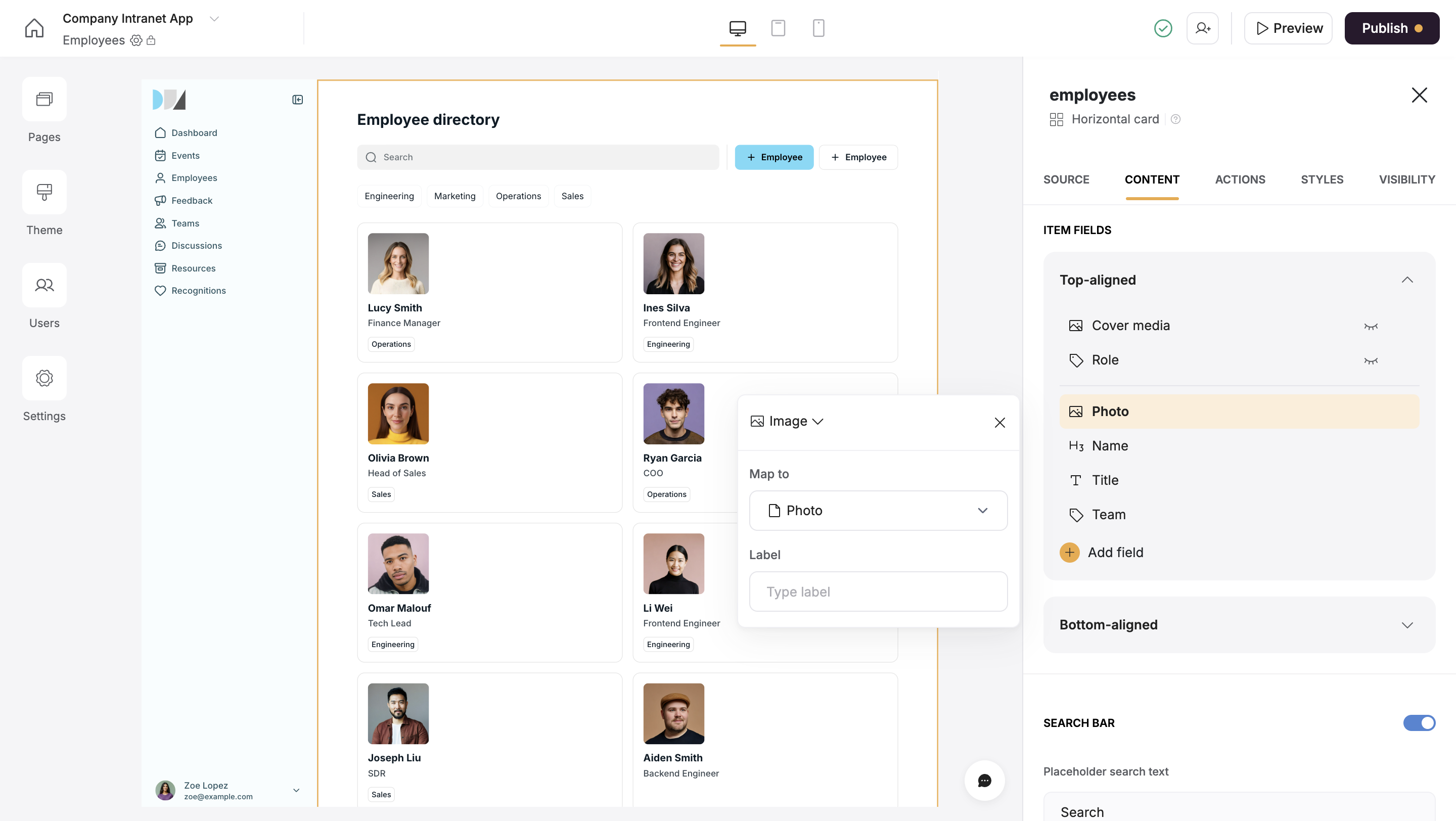
When you connect your table to a block, you can choose which Airtable **columns** to display and map it to a Softr field. This lets you control how your Airtable data appears in Softr.
**Example:** If your Airtable base has a **Profile Picture (Attachment field)**, map it to an **Image field** in Softr so it displays correctly.
Airtable fields work like **spreadsheet columns**, but each has a specific type (e.g., text, image, checkbox). To keep everything working smoothly, make sure to **match field types correctly** when setting up the connection.
## **3. Supported field types**
Softr handles Airtable field types in three ways:
1. **Fully supported** – You can read and update these fields.
2. **Read-only** – You can see the data, but you can’t edit it.
3. **Not supported** – These fields won’t sync with Softr.
### **Fully supported Airtable field types**
* **Text** – Single line, long text, and rich text
* **Number** – Standard numbers, currency, and percentages
* **Date & Time** – Date, date-time, and duration fields
* **Attachments** – Images, multiple attachments, and files
* **Checkbox** – Yes/No options
* **Linked Records** – Connects one table to another
* **Single & Multi-Select** – Dropdown lists
* **Email & Phone** – Email addresses and phone numbers
* **Rating** – Star or point-based ratings
* **URL** – Website links
* **User Fields** – Created by, last modified by, and collaborator fields
### **Fields that can be shown but not edited**
Some fields are **read-only** in Softr because Airtable automatically generates them:
* **Formula Fields** – Calculated values
* **Rollup, Count, and Lookup Fields** – Pull data from other tables
* **Created By & Created Date** – Who and when a record was created
* **Last Modified By & Last Modified Date** – Who and when a record was updated
* **Autonumber Fields** – Automatically assigned numbers
### **Not supported fields**
These fields are not supported due to Airtable API limitations:
* **Button Fields** – Trigger actions but don’t store data
* **Barcode Fields** – Store scanned barcode data
* **Sync Source** – Data synced from external sources
## **FAQs**
Check that you’ve granted **Softr access to all current and future bases** in Airtable. If not, go back to [**Data Sources**](https://studio.softr.io/dashboard/data-sources) and re-authenticate.
If some fields aren’t displaying data even though they are mapped correctly, check if their titles in Airtable contain any [special characters](https://www.computerhope.com/jargon/s/specchar.htm). Removing special characters can help resolve the issue.
Try refreshing Softr or reloading your data source. If the issue persists, check if your **Airtable permissions** are correctly set.
Yes! You can connect multiple Airtable bases to the same app, but you have to use a separate [Dynamic Block](/core-concepts-overview/c5VwEbsWtTfPyUZjmEKvfx/visualize-data-with-building-blocks/41p6U2eZs7zgY8zWmFV4eH) for each table.
### OAuth vs. Personal Access Token rate limits
In Softr, you can switch your Airtable connection from OAuth (5 requests/sec) to Personal Access Tokens (50 requests/sec). While Personal Access Tokens allow up to 50 requests per second at the token level, Airtable still enforces a base-level limit of 5 requests per second. This means requests to a single base remain capped at 5 RPS, regardless of the authentication method.
### Free plan rate limits
Airtable Free plan users are limited to 1,000 API calls per month; once this limit is reached, all API requests are blocked until the monthly reset.
### Using PATs
Personal access tokens can help increase security on your account by only enabling Softr to access certain bases and scopes in your Airtable account. We recommend enabling all scopes, but the PAT setup screens will show which ones are required by Softr.
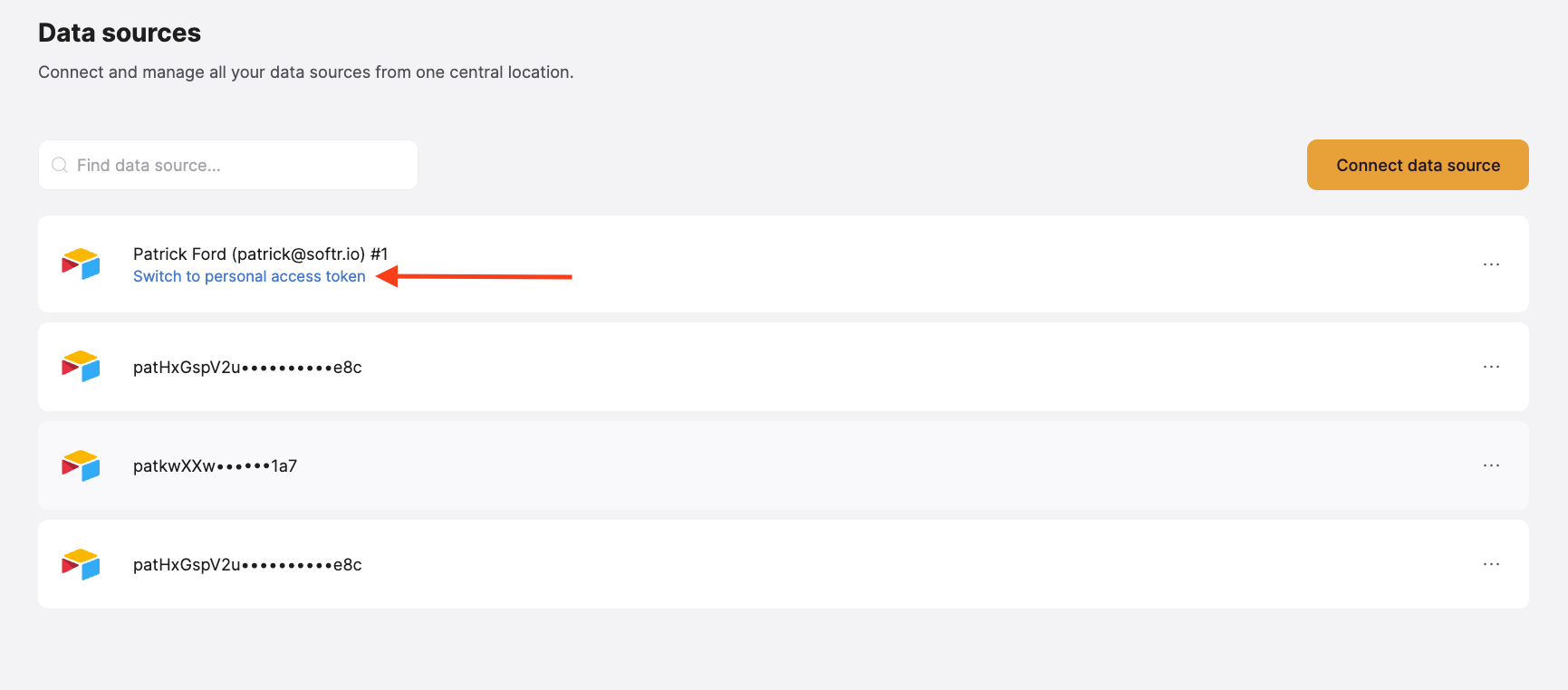
If you have already authenticated your Airtable account, click **"Switch to personal access token"** below the data source name and paste your Airtable PAT.
Follow [this Airtable guide](https://www.notion.so/softr/Airtable-1a89a723d691802b8540f4c7f8355265#) to generate a PAT.
## **Need more help?**
* ▶️ Watch a tutorial on [how to structure your Airtable database for Client Portal](https://youtu.be/sqLdl3HJwd4?si=CcMV-kW2e425obRA)
* 📖 Learn more in our [Airtable Learning Hub](https://www.softr.io/airtable)
* 🛠️ Troubleshooting? Check out [Troubleshooting Airtable errors](https://softrdocs.helpkit.so/troubleshooting/c7mbQk6nyqGUTGoVjojr9E/troubleshooting-airtable-errors/9ZYLgZxAhfSCth2F4HRXtw)
 Follow [this Airtable guide](https://www.notion.so/softr/Airtable-1a89a723d691802b8540f4c7f8355265#) to generate a PAT.