> ## Documentation Index
> Fetch the complete documentation index at: https://docs.softr.io/llms.txt
> Use this file to discover all available pages before exploring further.
# Style your app
> Defiining your application theme and styling
Softr empowers you to create visually stunning, functional applications with ease. One of the key components of building a great app is styling it to reflect your brand and meet your users' expectations. Softr provides a comprehensive suite of styling features that cater to both beginners and advanced users.
## Theme settings
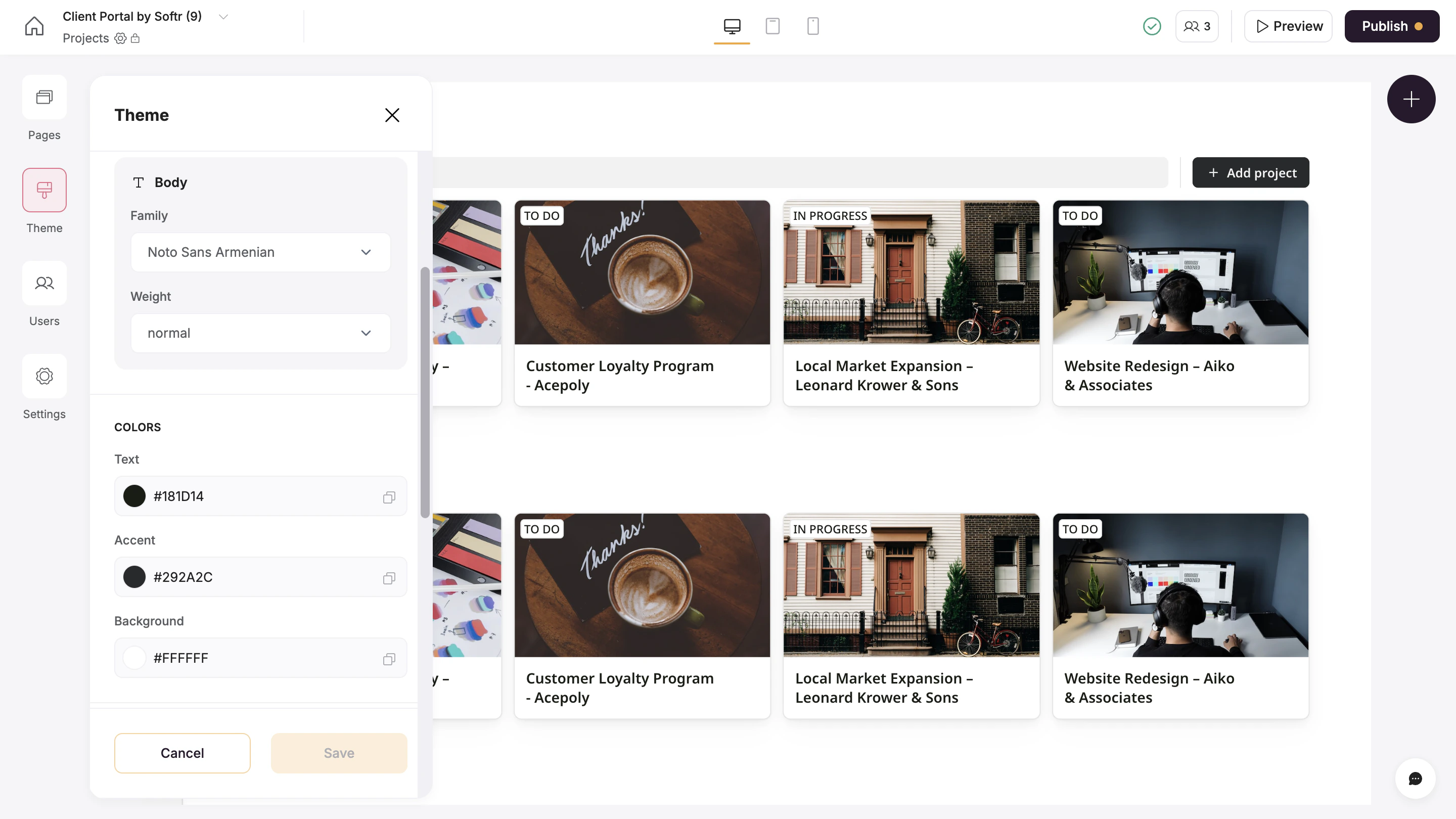
The **Theme**section in Softr allows you to set global design elements, ensuring consistency across your application. Here’s what you can configure:
* **Fonts:** Choose font families and weights for both headers and body text to match your branding.
* **Color schemes** for Text, Accent, Background
* **Size:** the default app size used throughout your app.
## Block styling
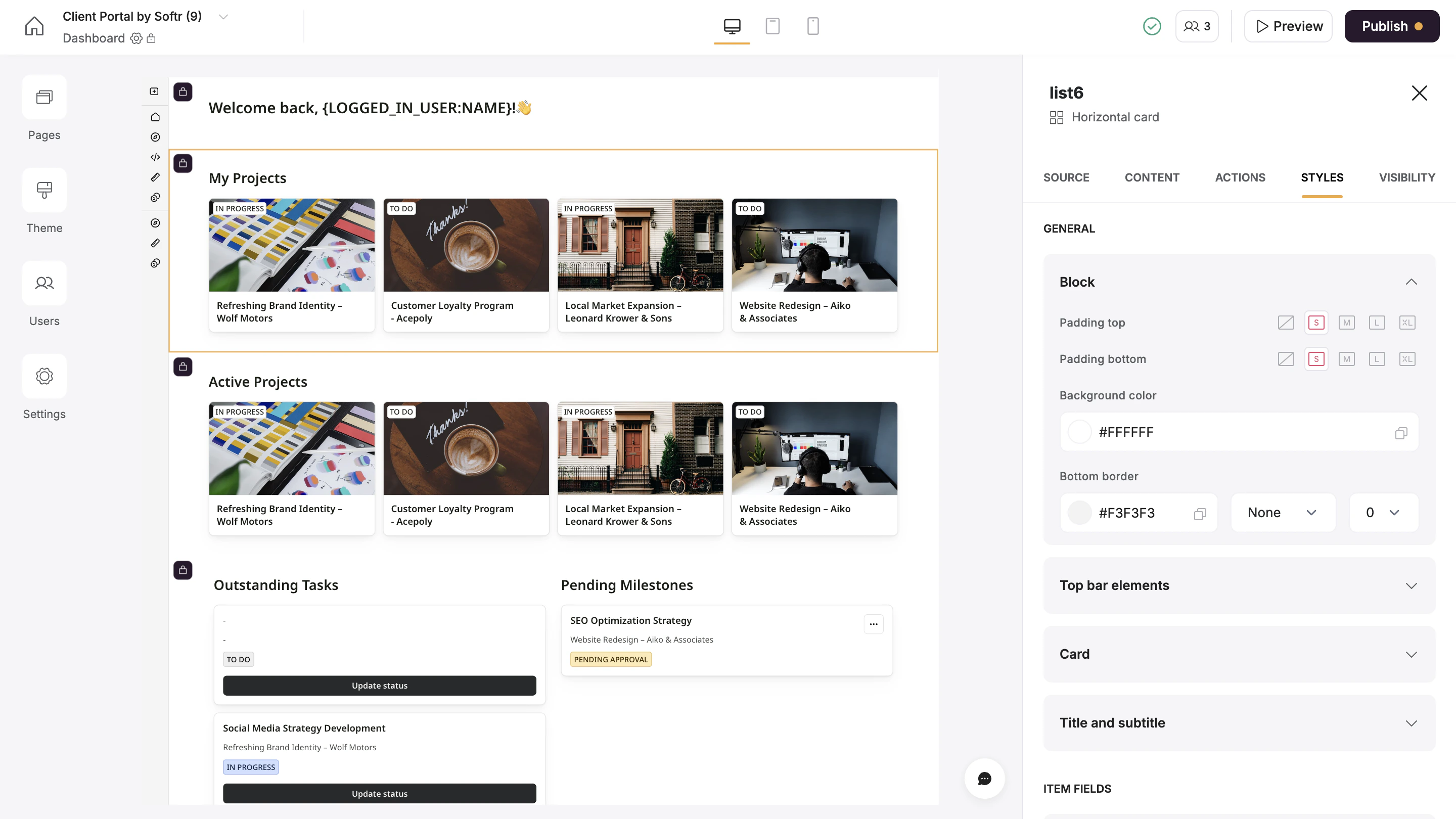
While global settings ensure uniformity, block-specific styles give you granular control over individual elements. Access the **Styles** tab in the settings sidebar of each block to adjust things like:
* **Background color**: Choose a custom background color to make blocks stand out or blend seamlessly into your design.
* **Padding:** Control the space above and below block content for better visual balance.
* **Borders:** Add borders to the top and bottom of blocks, specifying styles, widths, and colors.
* **Colors, size,** and **font** of individual elements like cards, top bar section, and item fields.
## Custom code for advanced styling
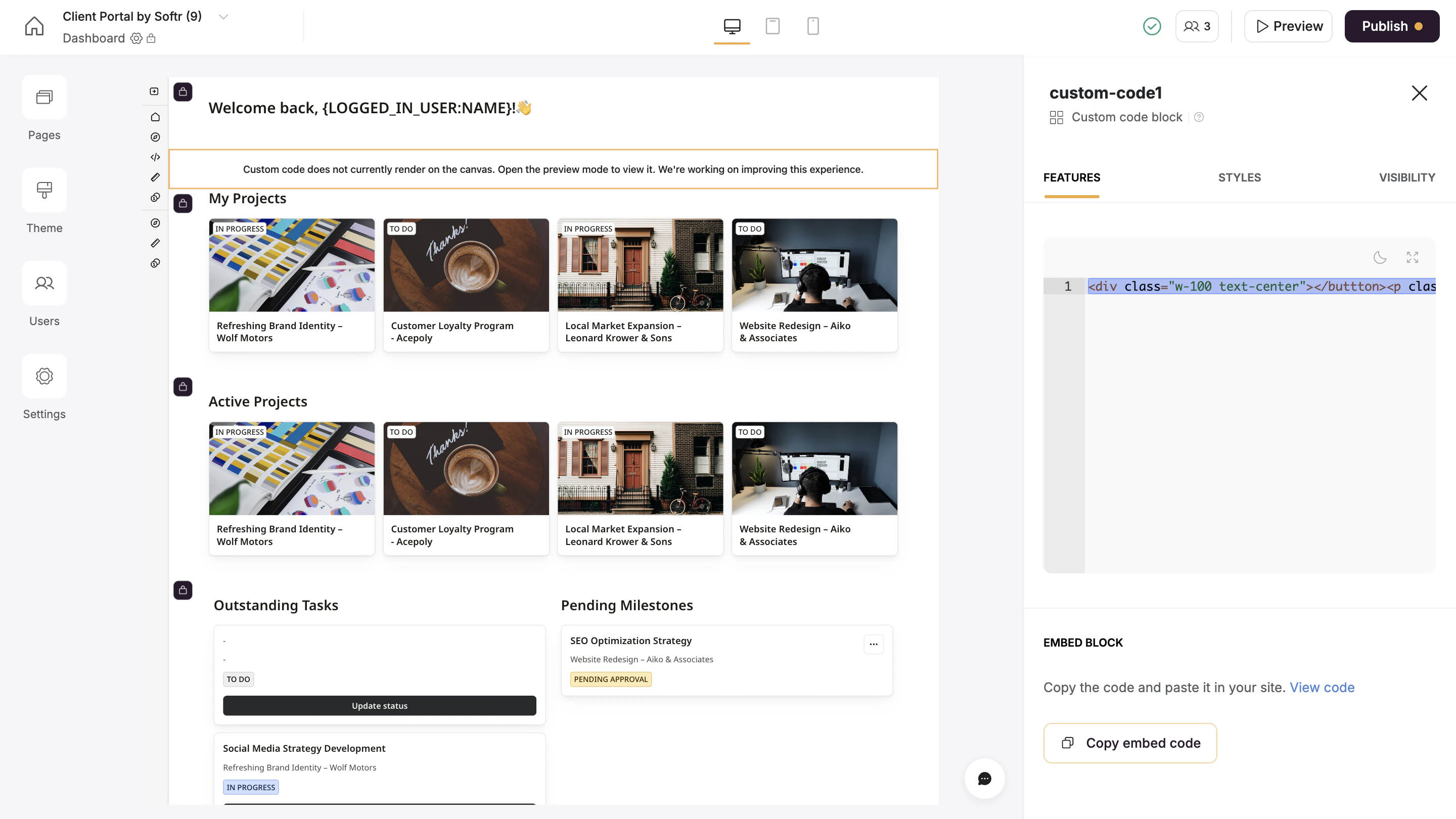
If you’re limited with the default styling options, Softr’s [custom code block](/custom-code/3idxDhKqz1qPdqBuWbs61G/custom-code-block-overview/6XNrxFopUEiwbWipq81Eq1) allows for deep customization by adding HTML, CSS, or JavaScript anywhere in your application.
 ## Block styling
While global settings ensure uniformity, block-specific styles give you granular control over individual elements. Access the **Styles** tab in the settings sidebar of each block to adjust things like:
* **Background color**: Choose a custom background color to make blocks stand out or blend seamlessly into your design.
* **Padding:** Control the space above and below block content for better visual balance.
* **Borders:** Add borders to the top and bottom of blocks, specifying styles, widths, and colors.
* **Colors, size,** and **font** of individual elements like cards, top bar section, and item fields.
## Block styling
While global settings ensure uniformity, block-specific styles give you granular control over individual elements. Access the **Styles** tab in the settings sidebar of each block to adjust things like:
* **Background color**: Choose a custom background color to make blocks stand out or blend seamlessly into your design.
* **Padding:** Control the space above and below block content for better visual balance.
* **Borders:** Add borders to the top and bottom of blocks, specifying styles, widths, and colors.
* **Colors, size,** and **font** of individual elements like cards, top bar section, and item fields.
 ## Custom code for advanced styling
If you’re limited with the default styling options, Softr’s [custom code block](/custom-code/3idxDhKqz1qPdqBuWbs61G/custom-code-block-overview/6XNrxFopUEiwbWipq81Eq1) allows for deep customization by adding HTML, CSS, or JavaScript anywhere in your application.
## Custom code for advanced styling
If you’re limited with the default styling options, Softr’s [custom code block](/custom-code/3idxDhKqz1qPdqBuWbs61G/custom-code-block-overview/6XNrxFopUEiwbWipq81Eq1) allows for deep customization by adding HTML, CSS, or JavaScript anywhere in your application.