> ## Documentation Index
> Fetch the complete documentation index at: https://docs.softr.io/llms.txt
> Use this file to discover all available pages before exploring further.
# Type: Pie Chart
> Chart type overview.
Pie chart block is available for users on the [Professional plan and above](https://www.softr.io/pricing).
**Pie Chart** is a circular graphic that is divided into slices to show numerical proportion. The setup of the **Pie Chart** block is similar to that of the **Bar Chart** described [here](/building-blocks/vikC2AWEpQGkZd4jGyoVxo/chart-block-overview/48LkSKXWY8TrBwjqBVXMqg), but there are some differences related to the unique characteristics of this chart type, which we’re going to discuss here.
The following image illustrates a pie chart that uses the same the income/expense data from Airtable we used in our [chart block overview](/building-blocks/vikC2AWEpQGkZd4jGyoVxo/chart-block-overview/48LkSKXWY8TrBwjqBVXMqg).
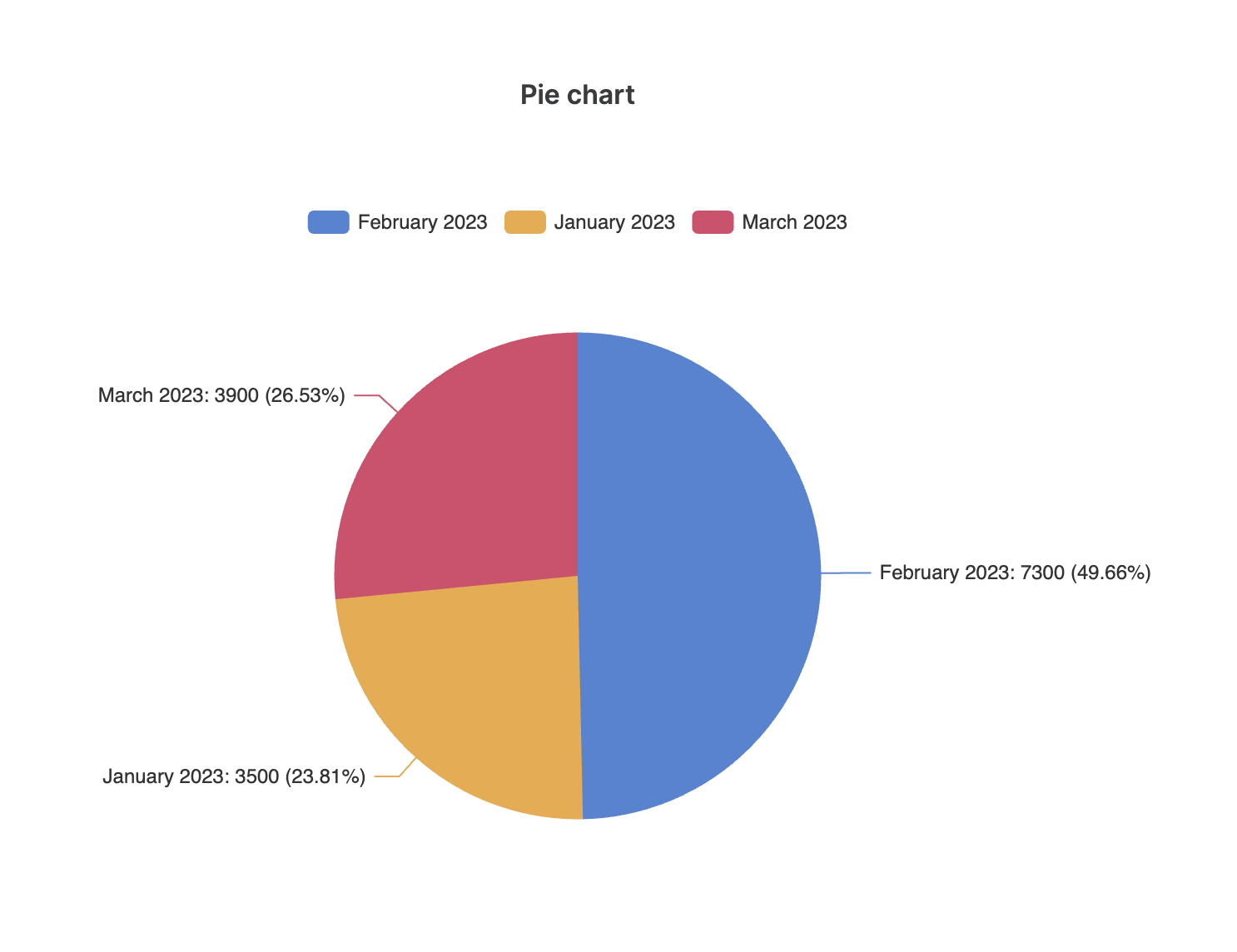 We’ve used the same **Sum aggregate function**, and we can see that each slice shows the sum of incomes and expenses for a given month, and what’s the proportion of each slice (e.g. 23.81% for January). At the top of the chart, there’s the **Legend** section, which indicates which color corresponds to which record or group of records. So, let’s see how the Legend is configured.
## Chart legend
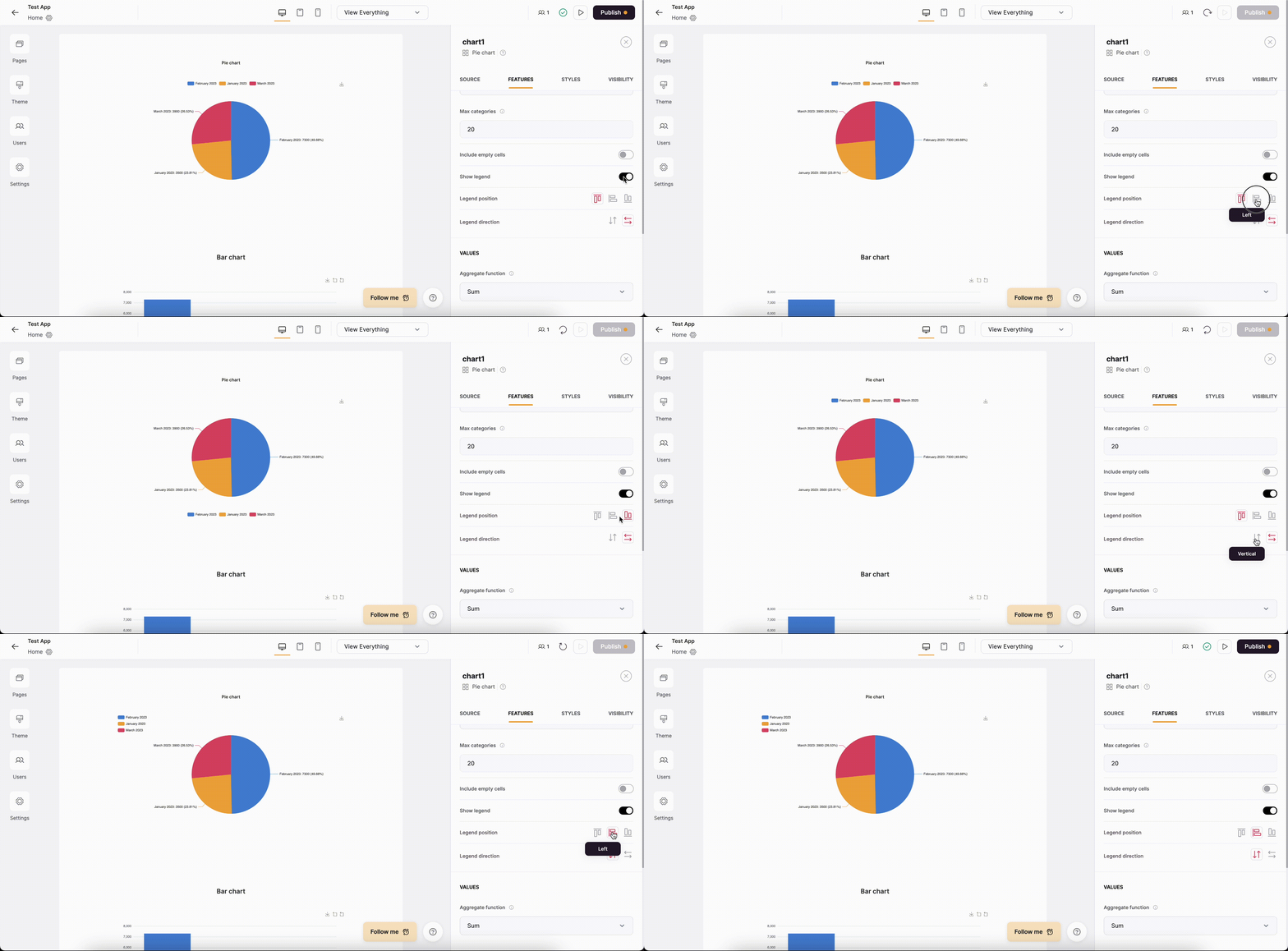
First of all, you can choose whether you want to display a Legend or not. If the toggle is enabled, you can change the **Legend position** as well as switch the **Legend direction** between **vertical** and **horizontal** options.
We’ve used the same **Sum aggregate function**, and we can see that each slice shows the sum of incomes and expenses for a given month, and what’s the proportion of each slice (e.g. 23.81% for January). At the top of the chart, there’s the **Legend** section, which indicates which color corresponds to which record or group of records. So, let’s see how the Legend is configured.
## Chart legend
First of all, you can choose whether you want to display a Legend or not. If the toggle is enabled, you can change the **Legend position** as well as switch the **Legend direction** between **vertical** and **horizontal** options.
 Not sure how to setup charts? Learn more here → [Chart Block Overview](/building-blocks/vikC2AWEpQGkZd4jGyoVxo/chart-block-overview/48LkSKXWY8TrBwjqBVXMqg).