> ## Documentation Index
> Fetch the complete documentation index at: https://docs.softr.io/llms.txt
> Use this file to discover all available pages before exploring further.
# Permission Denied (401)
> Show your users a 401 page when they try to access an unauthorized page.
## Overview
A 401 page is an error message shown by a web server when a user tries to access a resource without proper authentication. It indicates that the request lacks valid credentials, such as a username or password, and prompts the user to log in or provide authorization.
In Softr we call this page Permission Denied, but you can change this to whatever you like - the functionality will stay the same. The page cannot be deleted or removed except by disabling Login functionality in your app’s [User Authentication](/core-concepts-overview/c5VwEbsWtTfPyUZjmEKvfx/user-authentication/7gJmq6B7syYE3hRoFxLs5J) settings.
To access the Permission Denied page/block:
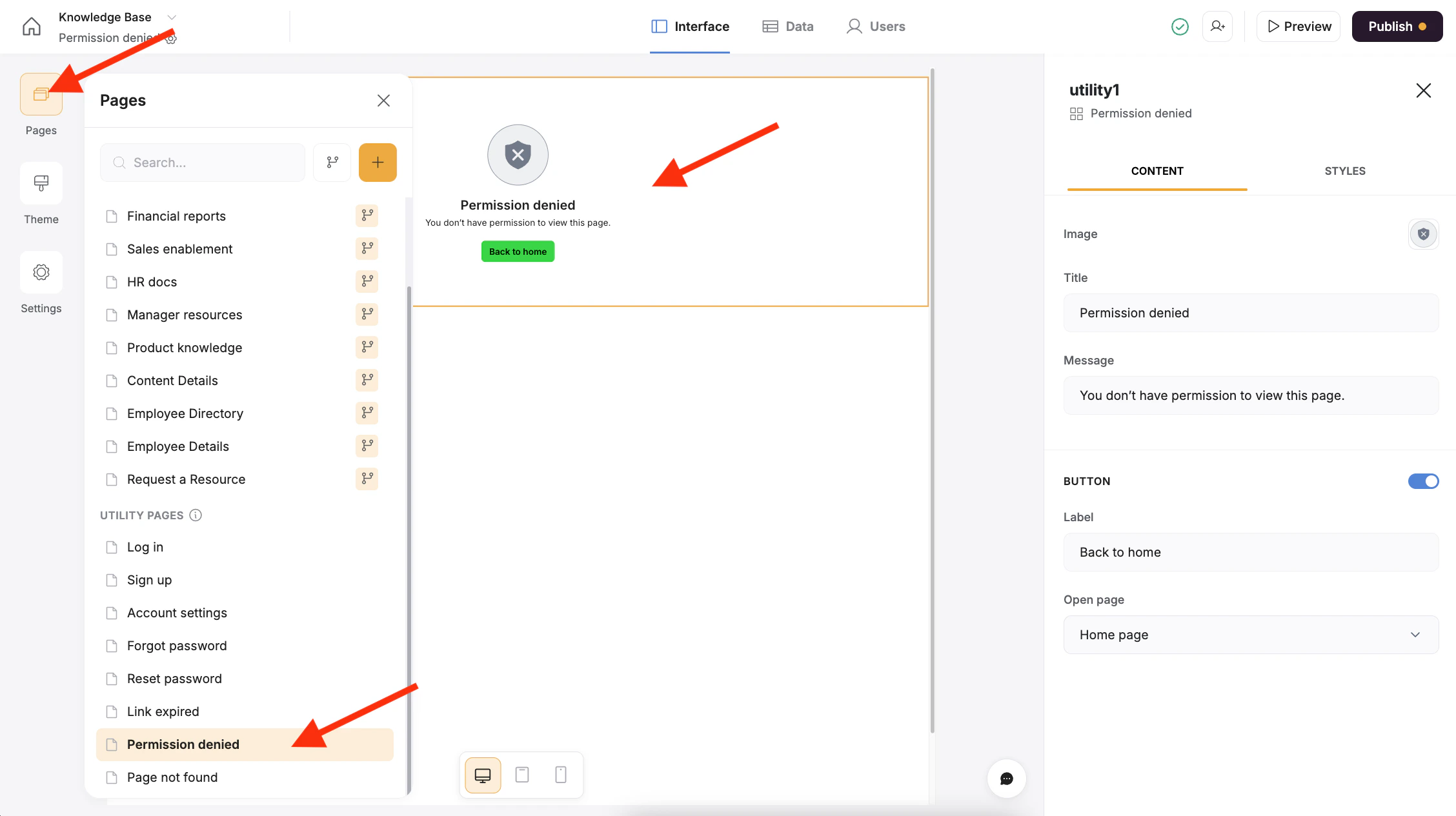
1. Ensure Login is enabled in the [User Authentication](/core-concepts-overview/c5VwEbsWtTfPyUZjmEKvfx/user-authentication/7gJmq6B7syYE3hRoFxLs5J) settings.
2. Click on the Pages menu
3. Select the Permission Denied page from the Utility pages section
4. Click anywhere on the block itself to open additional settings.
 ## Content
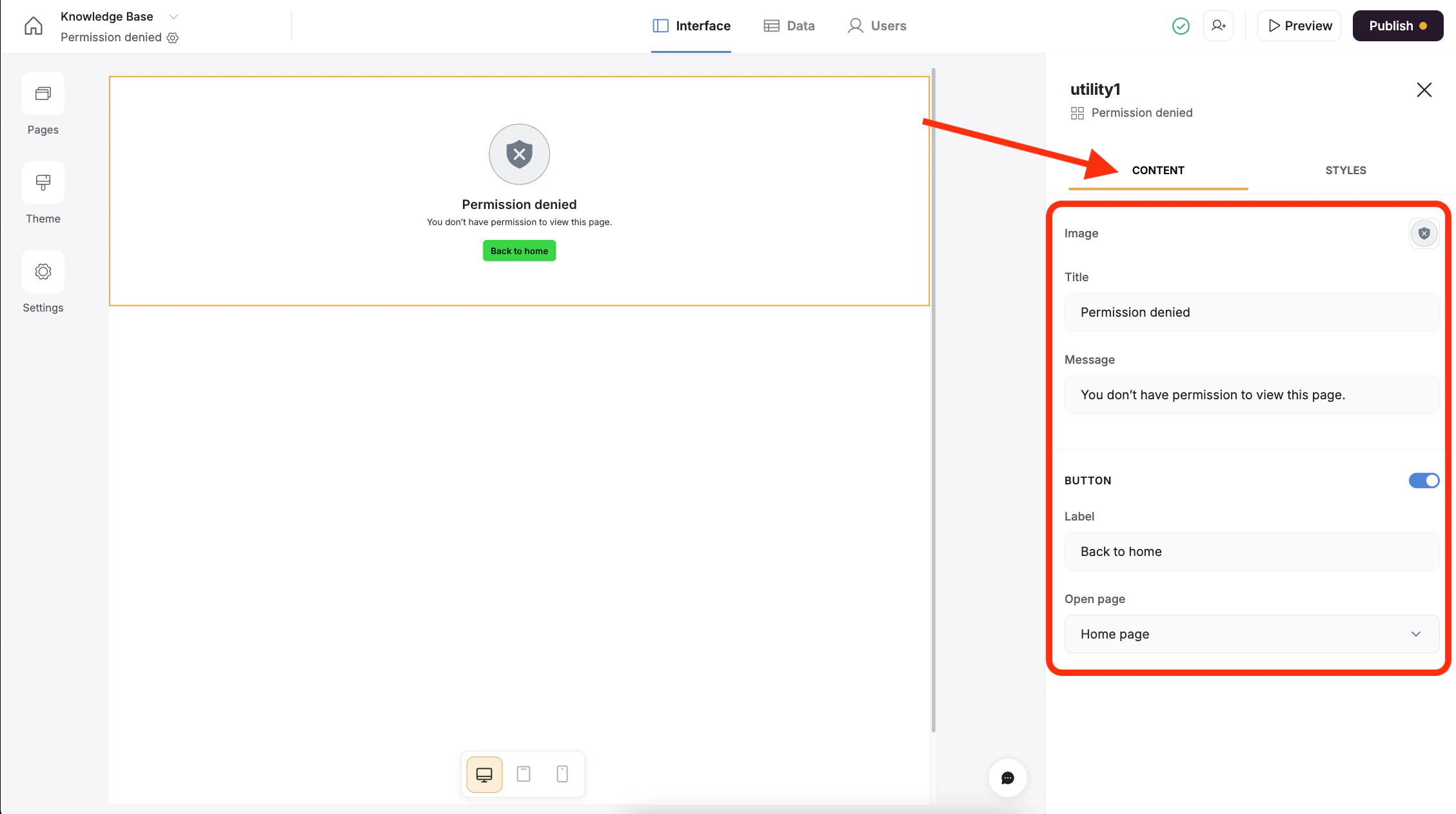
Click on the Content tab to change how the block should function, the image/icon, and the text that should be displayed to the user. You can also turn the button off/on and change where the button should send the user.
## Content
Click on the Content tab to change how the block should function, the image/icon, and the text that should be displayed to the user. You can also turn the button off/on and change where the button should send the user.
 ## Styles
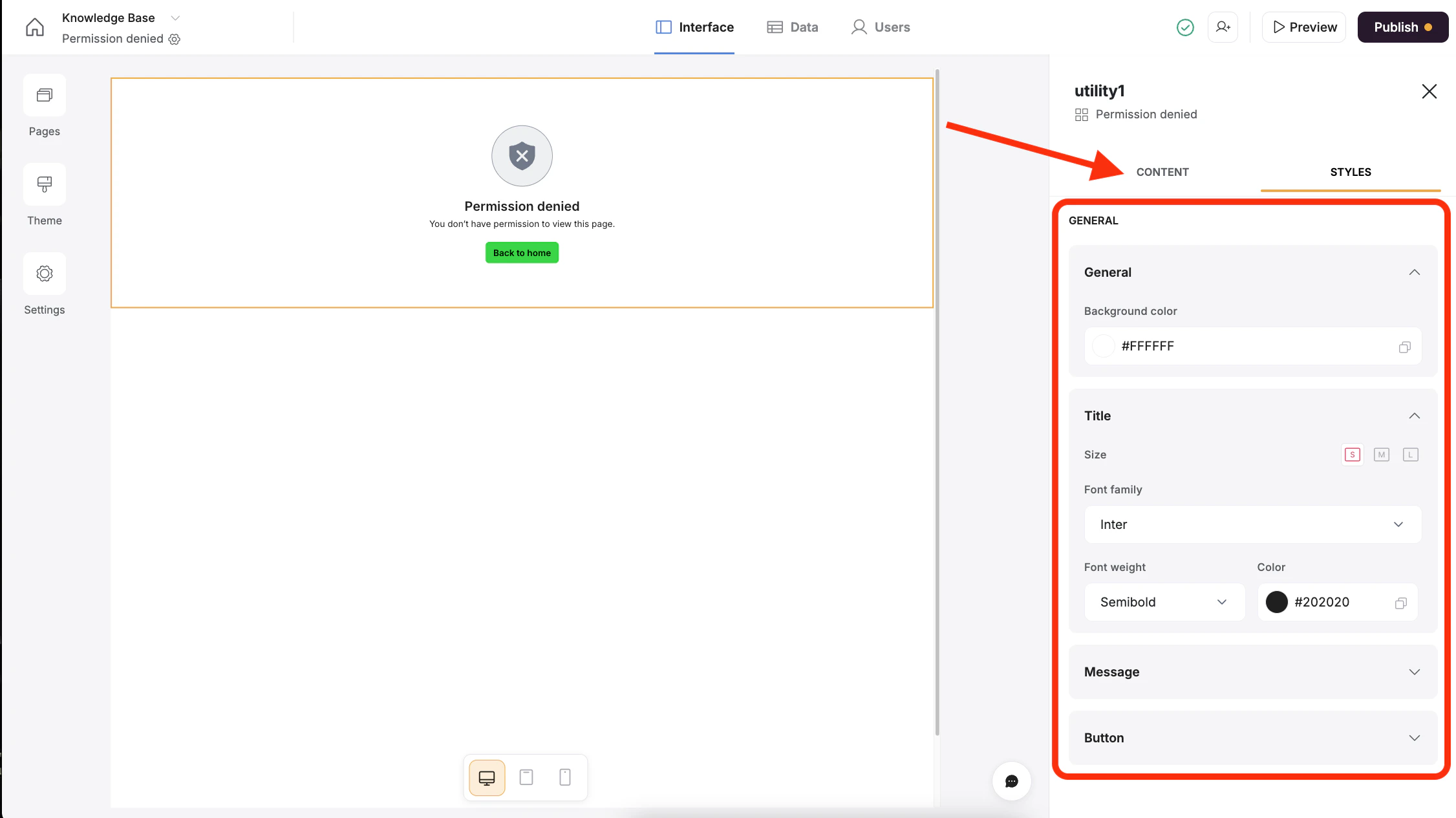
Clicking on the Styles tab will open up panels for changing the page background color, the font colors and sizes, and the button styles.
## Styles
Clicking on the Styles tab will open up panels for changing the page background color, the font colors and sizes, and the button styles.