> ## Documentation Index
> Fetch the complete documentation index at: https://docs.softr.io/llms.txt
> Use this file to discover all available pages before exploring further.
# Page and Block Embed
> Embedding Softr content on an external source.
Page and block embed is available for users on the [Basic plan and above](https://www.softr.io/pricing).
Softr allows you to embed any block or page on third-party site. Let’s see how that works.
## Block embed
The **Block Embed** option is located at the bottom of the **Features** tab in [block settings](/ccb7c7ca297742f782274da8b36c3bb2). Using this feature, you can embed the block on another website. Just copy the block code snippet and paste it wherever needed.
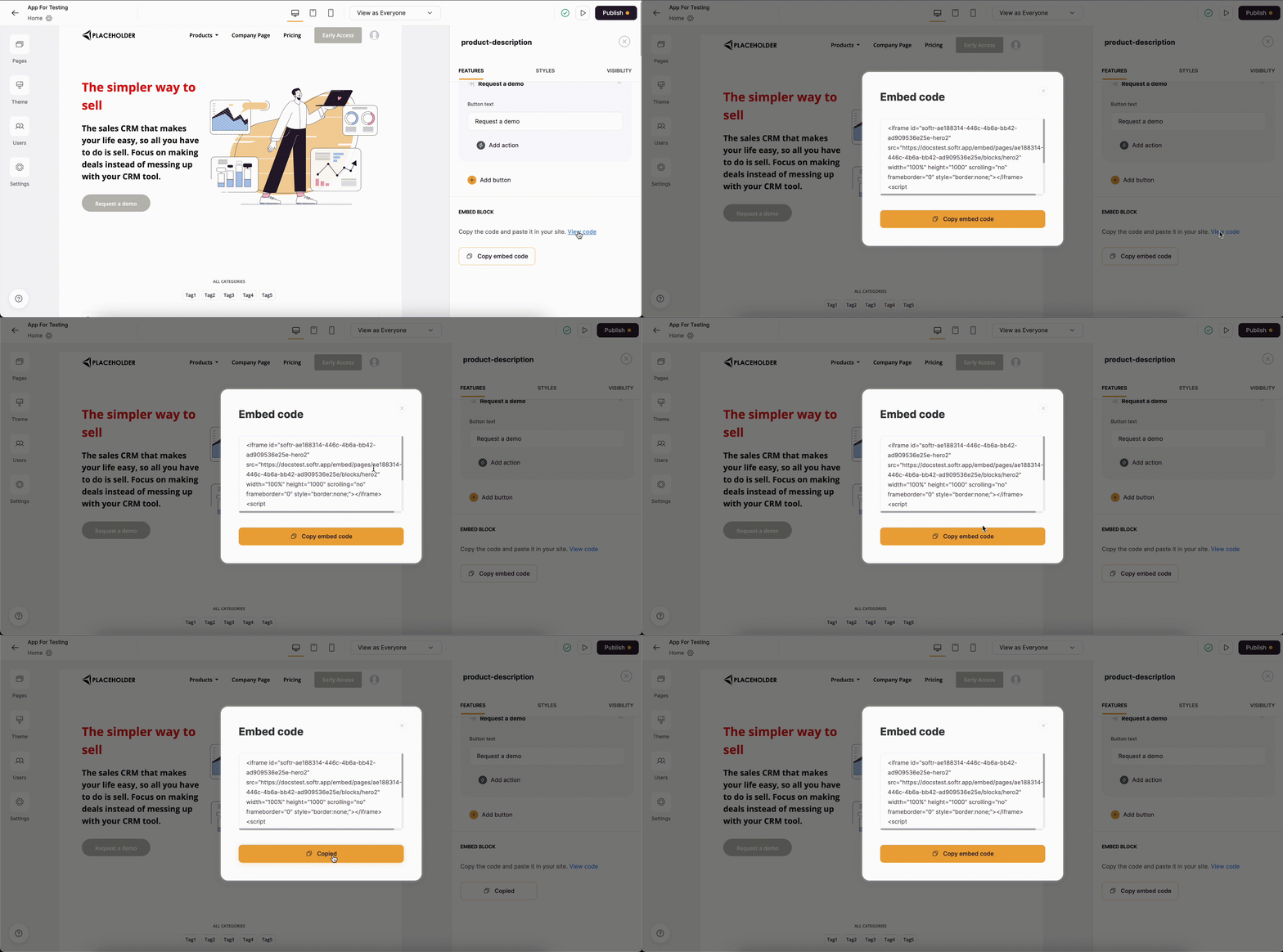 Getting the block embed code
## Page embed
You can embed any Softr page on an external website using the following code:
```javascript theme={null}
```
Adjust the code:
1. Replace **example.softr.app** under **src** with your app's Softr subdomain or your custom domain if you've connected one. Add the page path you would like to embed e.g. `my_softr_domain.com/page1`. If you want to embed the Home page, no page path is needed.
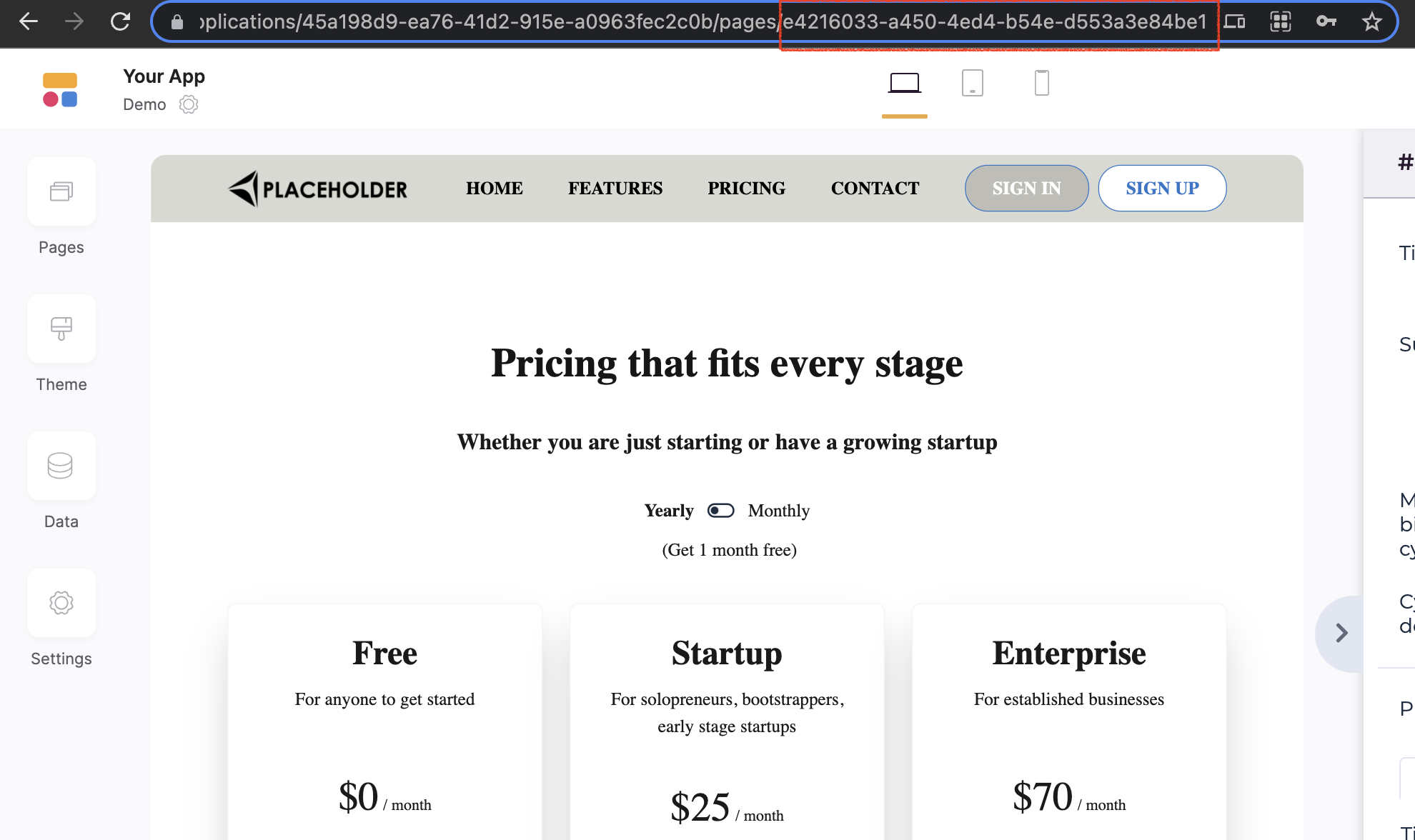
2. Inside the value of **id** ("`softr-we-erw45hrubuyt23`" in the above code), replace the part that comes after `softr-` with the actual ID of your page, which is the last component of the page's URL when it's open in the Softr Studio (see below).
Getting the block embed code
## Page embed
You can embed any Softr page on an external website using the following code:
```javascript theme={null}
```
Adjust the code:
1. Replace **example.softr.app** under **src** with your app's Softr subdomain or your custom domain if you've connected one. Add the page path you would like to embed e.g. `my_softr_domain.com/page1`. If you want to embed the Home page, no page path is needed.
2. Inside the value of **id** ("`softr-we-erw45hrubuyt23`" in the above code), replace the part that comes after `softr-` with the actual ID of your page, which is the last component of the page's URL when it's open in the Softr Studio (see below).